The Huion Kamvas 13 (Gen 3) enters a competitive market of pen display tablets, aiming to provide a balance of features, performance, and affordability. As the third iteration of the Kamvas 13 line, it brings several key improvements that make it a compelling option for beginners and intermediate digital artists looking to upgrade their workflow. After spending considerable time with the device, I can confidently say that Huion has delivered a worthy contender.
Design and Build Quality

The Kamvas 13 (Gen 3) maintains a sleek and portable design. Its 13.3-inch form factor is ideal for a desktop setup without taking up excessive space, and it’s light enough to be easily transported. The build quality feels solid, though entirely plastic, which is expected at this price point.

The physical express keys on the side provides quick access to frequently used functions.
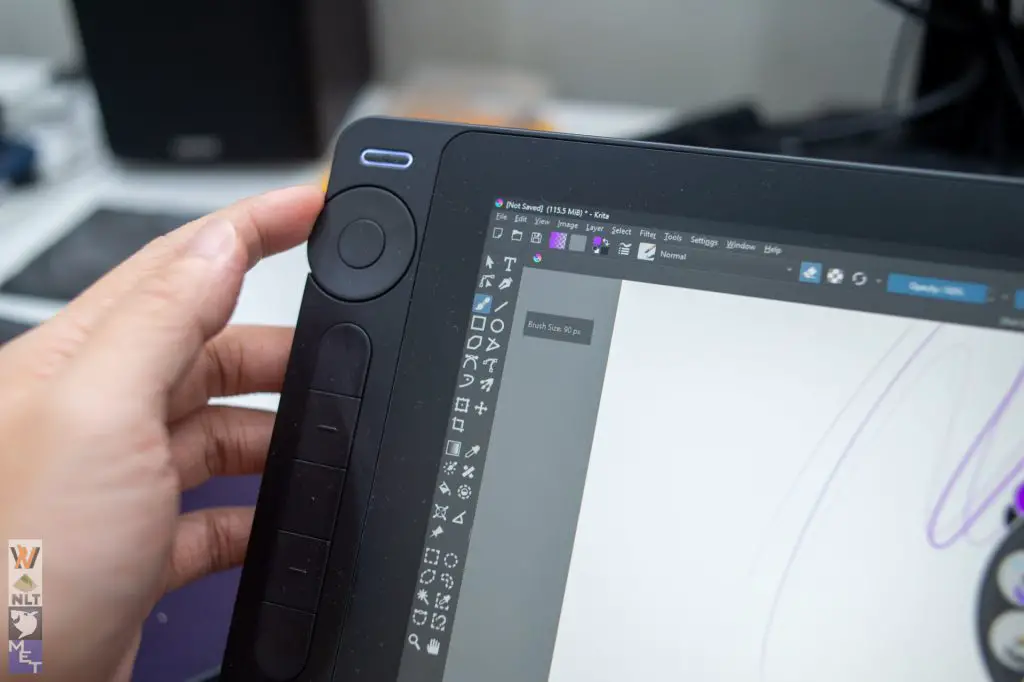
The new addition to the shortcut keys are the two dials. They are customisable to achieve multiple types of actions such as adjusting the brush size or zoom.


However, the included stand is quite basic, offering only a few pre-configurable angles.

The stand uses two different length of metal arm and paired with different level of notches to achieve multiple setup angle. Investing in a more adjustable stand is highly recommended for improved ergonomics during longer drawing sessions.
Display: A Significant Improvement

One of the most notable upgrades in this generation is the display. The fully laminated screen with an anti-glare coating significantly reduces parallax, creating a more natural drawing experience. The cursor tracks closely to the pen tip, minimizing the disconnect that can be distracting on non-laminated displays. The anti-glare coating effectively diffuses reflections, making the screen usable in various lighting conditions.
Huion has also focused on color accuracy, boasting 99% sRGB, 90% Adobe RGB, and 99% Rec. 709 color gamut coverage. The display is also underwent factory color calibration to achieve delta E <1.5. You may check the included factory calibration report that is included in the package.
For those demanding delta E < 1, unfortunately you will have to spend a fortune for to meet that criteria. Frankly speaking, the color reproduction is more than adequate for most digital art tasks. Colors appear vibrant and accurate, making it suitable for illustration, painting, and photo editing.
Pen Performance: Smooth and Responsive

The Kamvas 13 (Gen 3) utilizes PW600 battery-free pen with PenTech 4.0 technology. The included HV200 chip made sure the pen delivers a smooth and responsive drawing experience. The 8192 levels of pressure sensitivity allow for precise control over line weight and opacity, while the tilt support adds another layer of expressiveness.
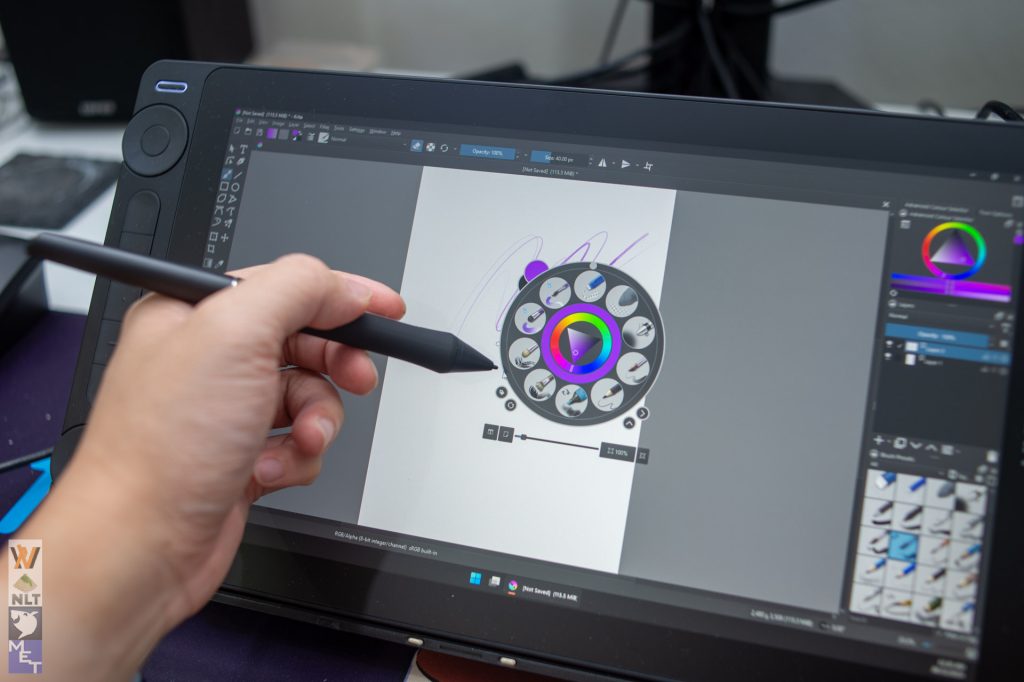
I experienced minimal lag, even during fast strokes and complex brushwork. The pen feels comfortable in hand, and the textured grip provides a secure hold.

The pen dock also doubles as the nib storage which you have additional 5 standard nibs and 5 felt pen nibs (increased friction).
Connectivity and Setup: Streamlined and Convenient

Huion has simplified the connectivity of the Kamvas 13 (Gen 3). It can be connected to compatible devices with a single USB-C cable for both power and display, which is a significant improvement over previous generations that required multiple cables. This streamlined setup makes it easier to connect to laptops and other devices, enhancing portability. For devices that don’t support single-cable connectivity, a traditional HDMI and USB-A connection is also available.
Software and Drivers: Generally Reliable & Intuitive


Huion’s drivers offer a good level of customization, allowing you to adjust pressure sensitivity, pen button functions, and express key mappings to suit your workflow. You can also map the settings to selected programs so that it would change dynamically according to the focus software.
Value and Conclusion
The Huion Kamvas 13 (Gen 3) offers excellent value for its price. The improvements in display quality, pen performance, and connectivity make it a significant step up from previous generations and a strong competitor in its price range. It provides a satisfying digital art experience without the premium price tag of a Wacom Cintiq.
Pros:
- Fully laminated screen with anti-glare coating
- Improved color accuracy
- Excellent pen performance with PenTech 4.0
- Simplified connectivity with single USB-C option
- Portable and lightweight design
- Affordable price
Cons:
- Basic included stand
Who is it for?
The Huion Kamvas 13 (Gen 3) is ideal for:
- Beginner and intermediate digital artists
- Students and hobbyists
- Those looking for an affordable alternative to Wacom Cintiqs
- Users who value portability and ease of setup
Overall, the Huion Kamvas 13 (Gen 3) is a well-rounded pen display tablet that offers a compelling combination of features, performance, and value. The improvements in display and pen technology make it a worthwhile upgrade for those looking to take their digital art to the next level. While it may not be perfect, its strengths far outweigh its weaknesses, making it a highly recommended choice in its category.
Where to buy (affiliate links):
- Official store: https://store.huion.com/products/kamvas-13-gen-3
- Amazon: https://amzn.to/4gFWohN
- Lazada: https://invol.co/clm5js9
- Shopee: https://invl.io/clm5jsf