AMD’s RX 9060 XT was launched to bring RDNA 4 performance to more users, and the ASUS Prime version offers a functional, no-nonsense take on the chip. It doesn’t try to be flashy. Instead, it focuses on doing the basics well: solid cooling, reliable performance, and features that appeal to mainstream builders. Here’s how it fares in real use.
Unboxing
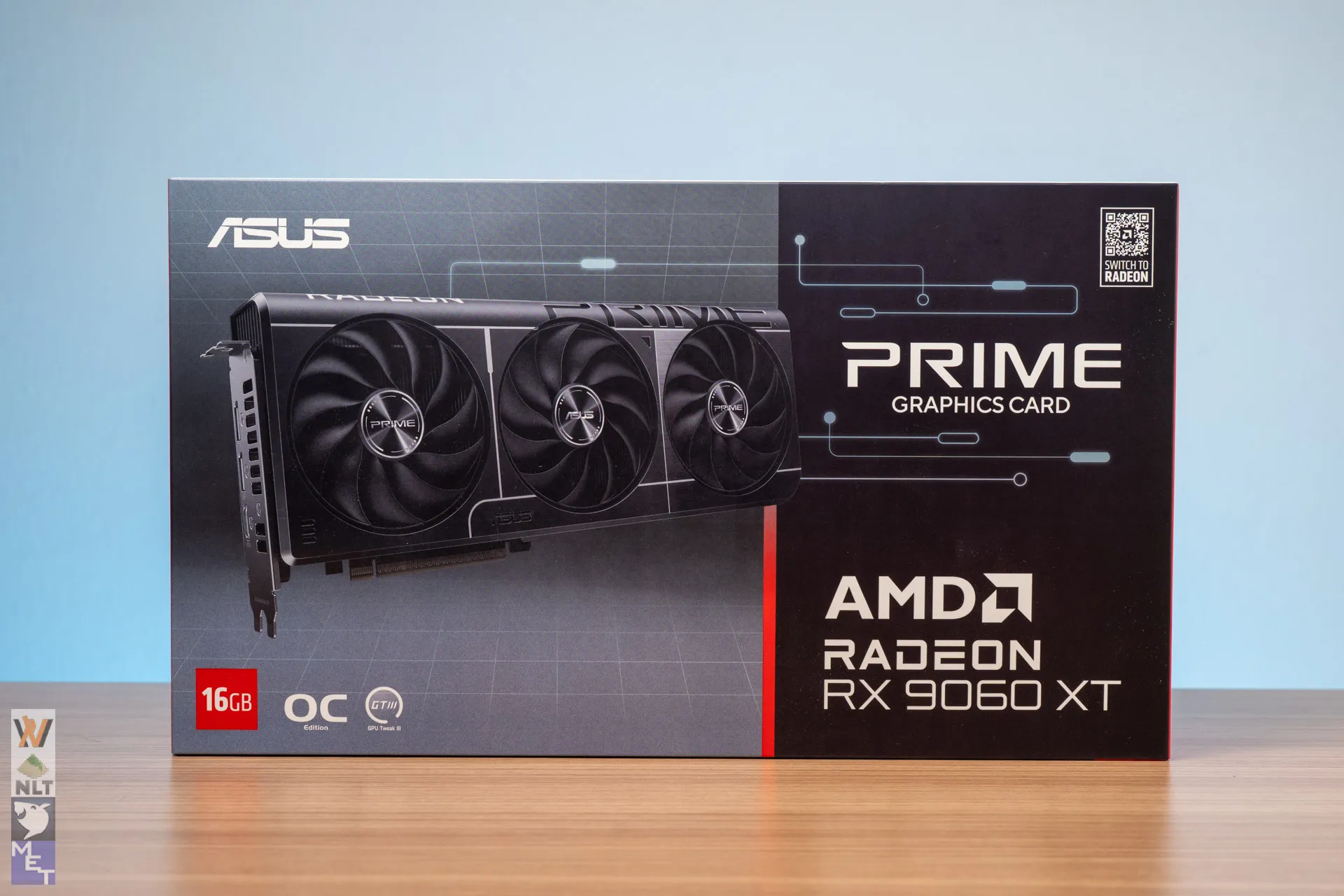
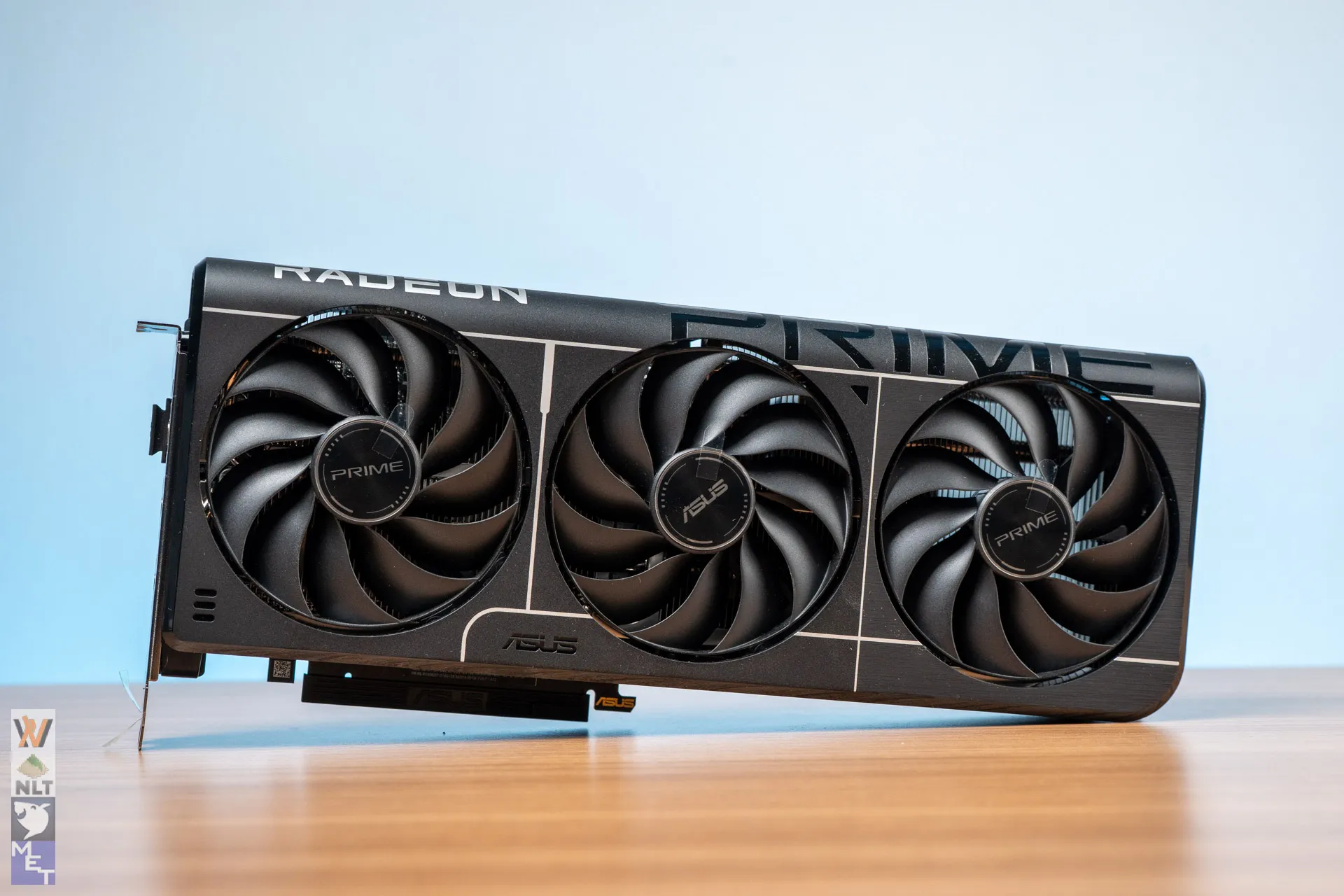
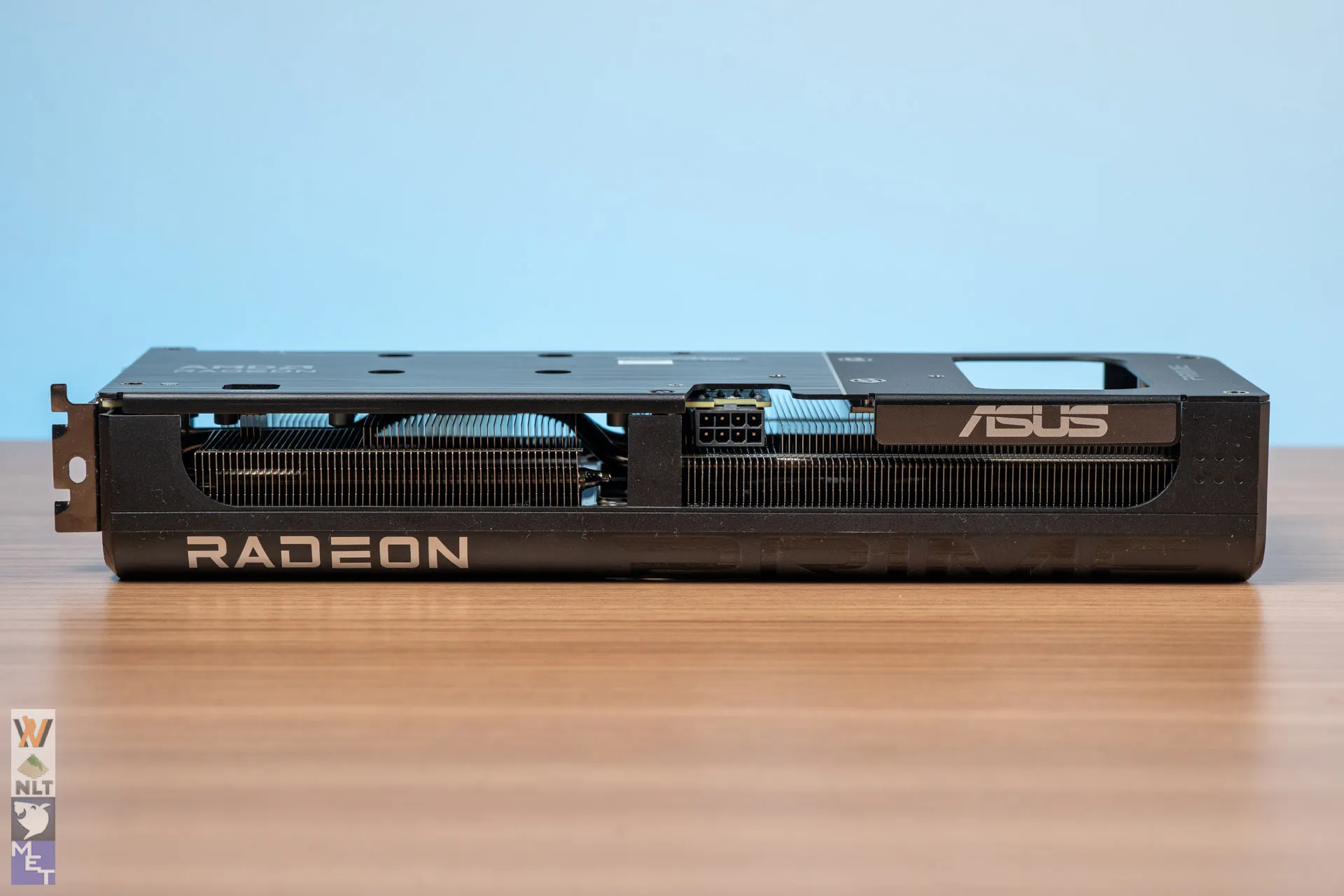
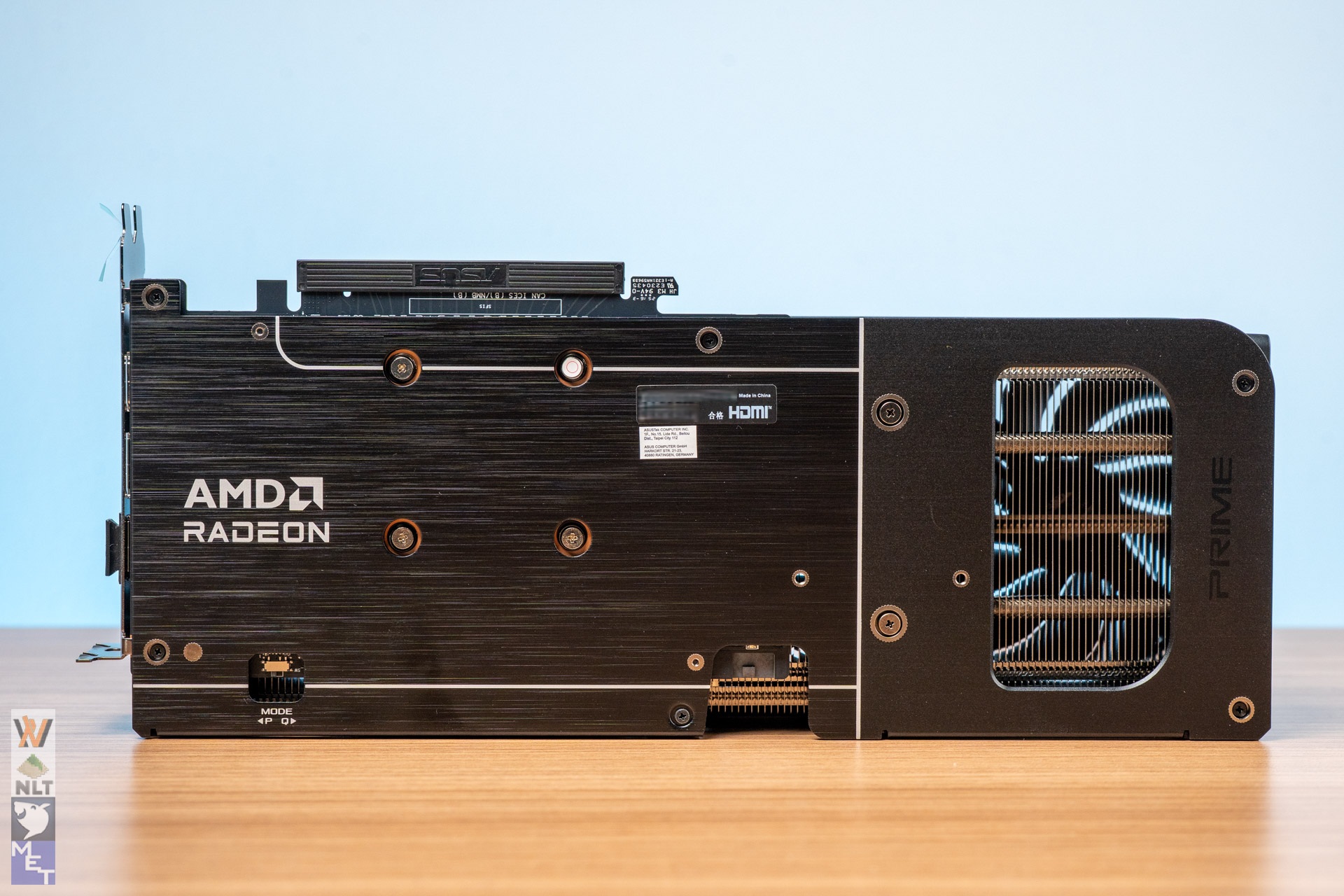
The ASUS Prime RX 9060 XT uses a triple-fan cooler in a 2.5-slot form factor, which is relatively compact for a high-performance GPU. While it might look like a straightforward card, ASUS has put some thought into the cooling design. It uses three Axial-Tech fans with longer blades and a smaller hub to push air more effectively through the heatsink, backed by a vented backplate that helps heat escape from the rear.
What’s nice here is the 0dB technology, where the fans stop spinning entirely under light loads, keeping the card silent until temps go past 60°C. Durability is also a focus, with dual-ball fan bearings that last longer and handle higher heat compared to sleeve bearings. Together, these features make the Prime RX 9060 XT not just about raw performance but also about running cooler, quieter, and more reliably over time.
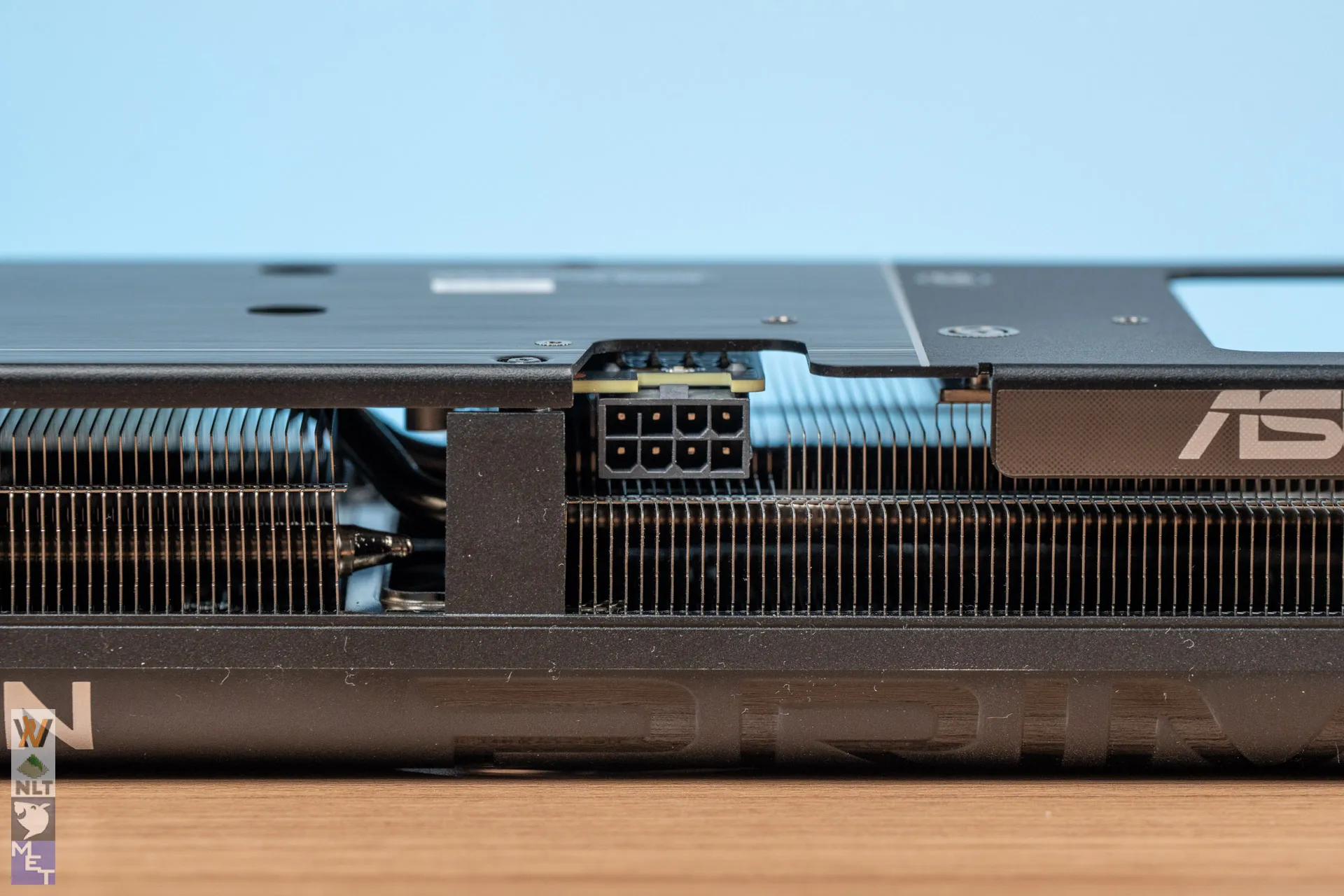
Since it has a lower rated TDP of 170W, a 650W power supply is reasonable enough for a decent gaming build targeted for 1080P or 1440P gaming. Knowing how AMD GPUs work over the years, we expect the card to draw up to 200W on heavier loads. So, 150W from the PCIe 8-pin connector and the remaining 75W from the PCIe slots.
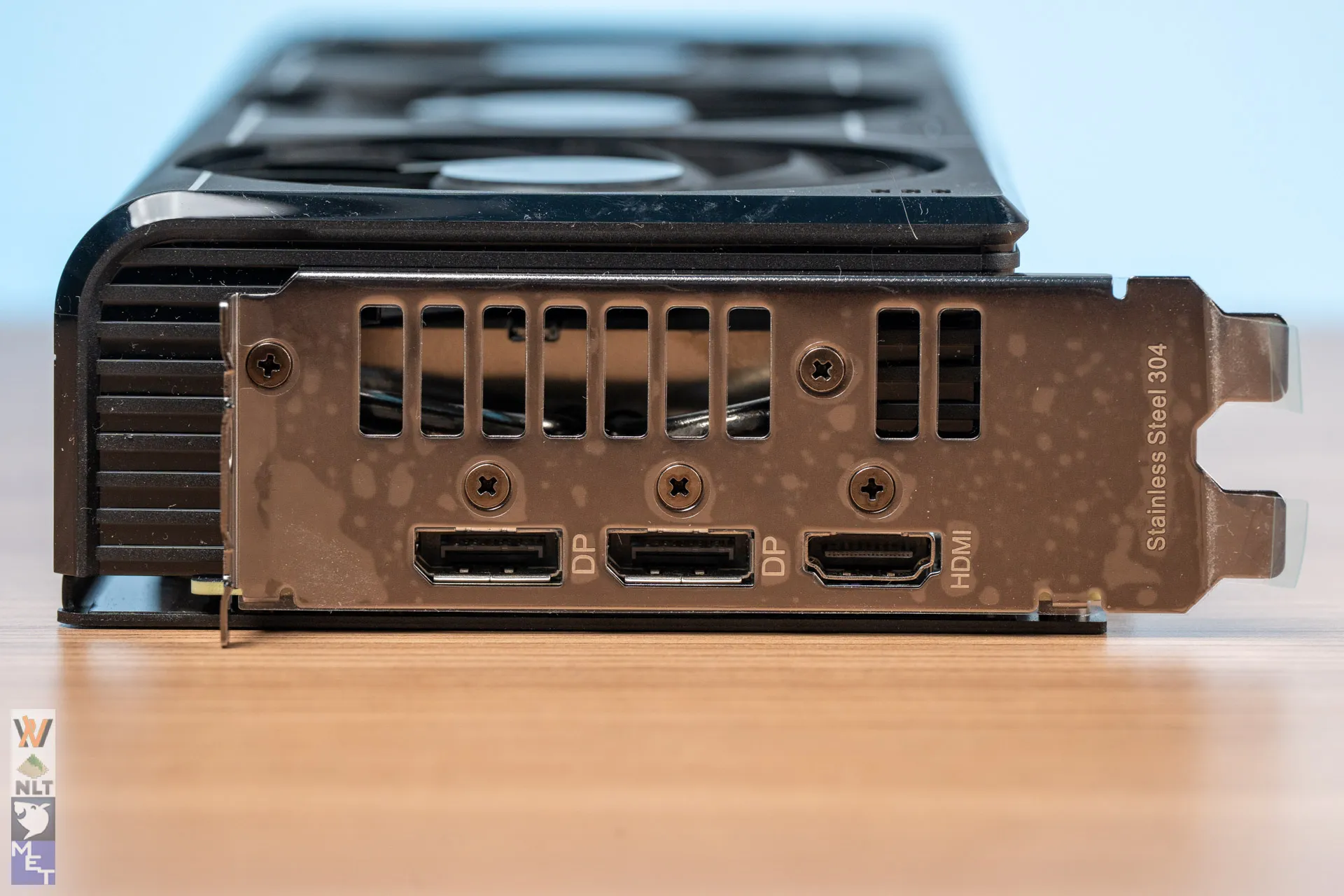
As for the display output, AMD made some changes this time – from the usual 3 x DisplayPort and 1 x HDMI to 2 x DisplayPort and 1 x HDMI. So, you can expect to see the same implementation on all other RX 9060 XT from other AMD board partners as well. Here we can see that ASUS actually uses the same stainless steel 304 bracket, which you’ll find on their higher-end cards on the Prime RX 9060 XT as well – a commendable move, I’d say.
Raster Performance
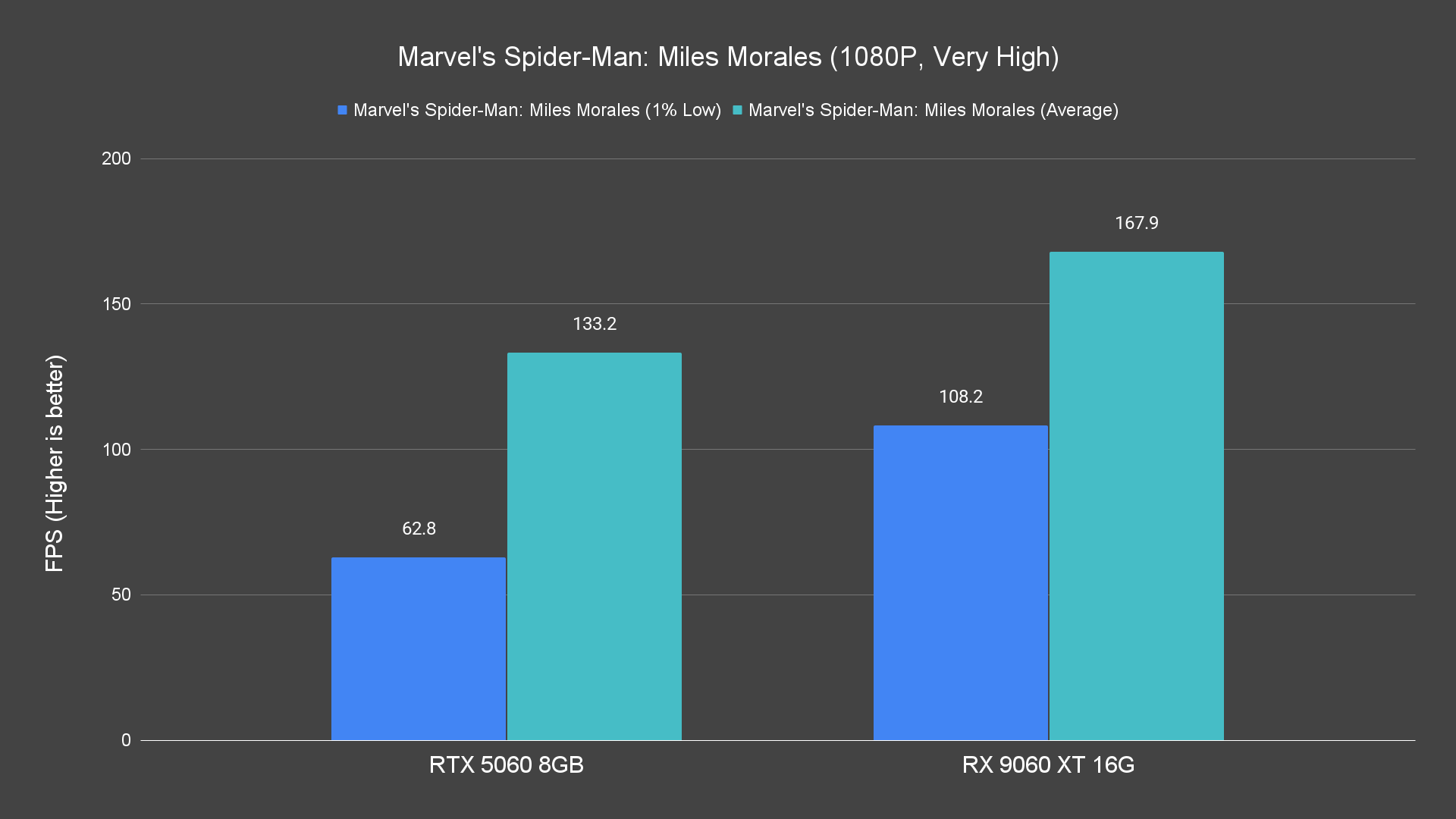
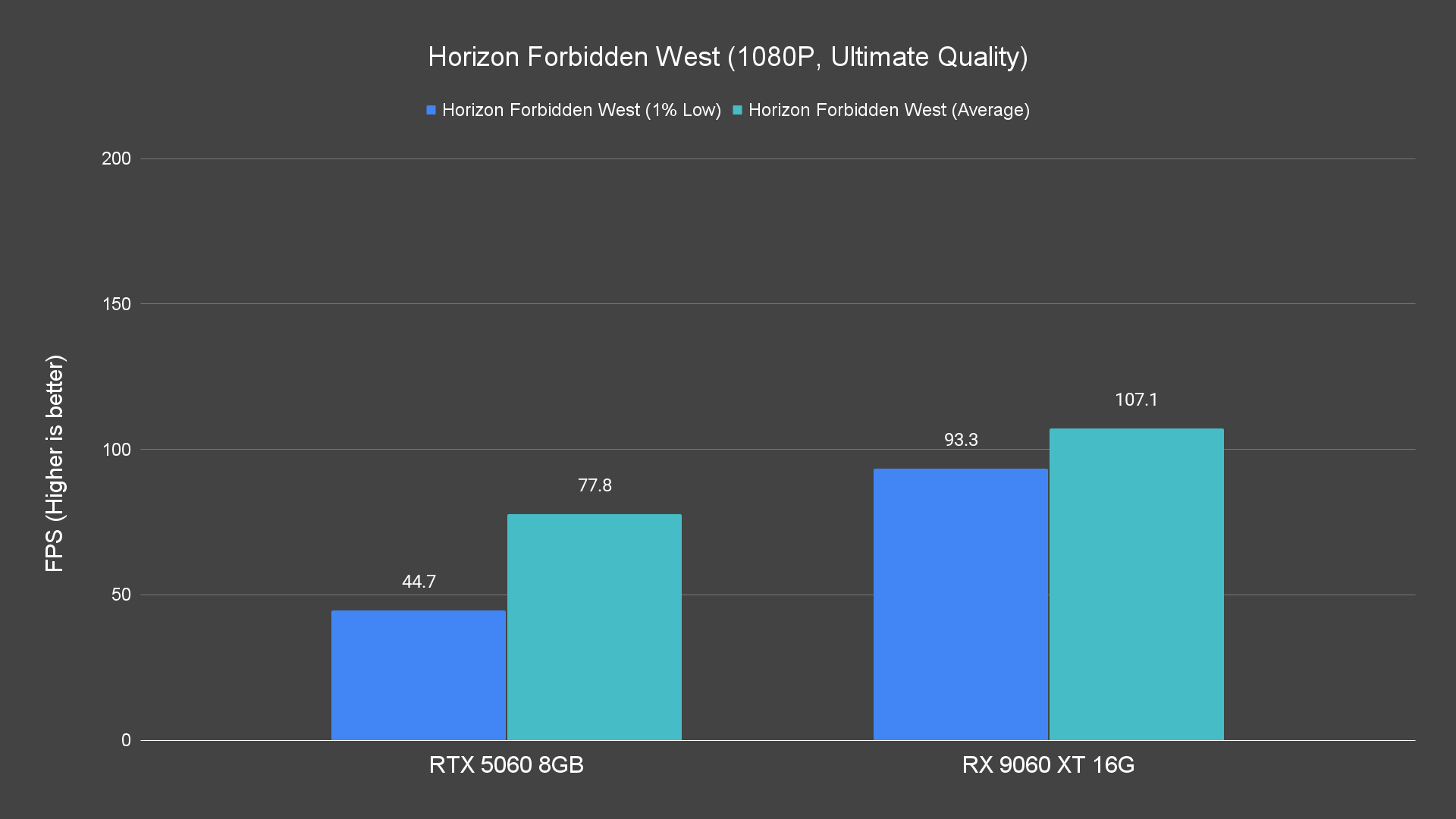
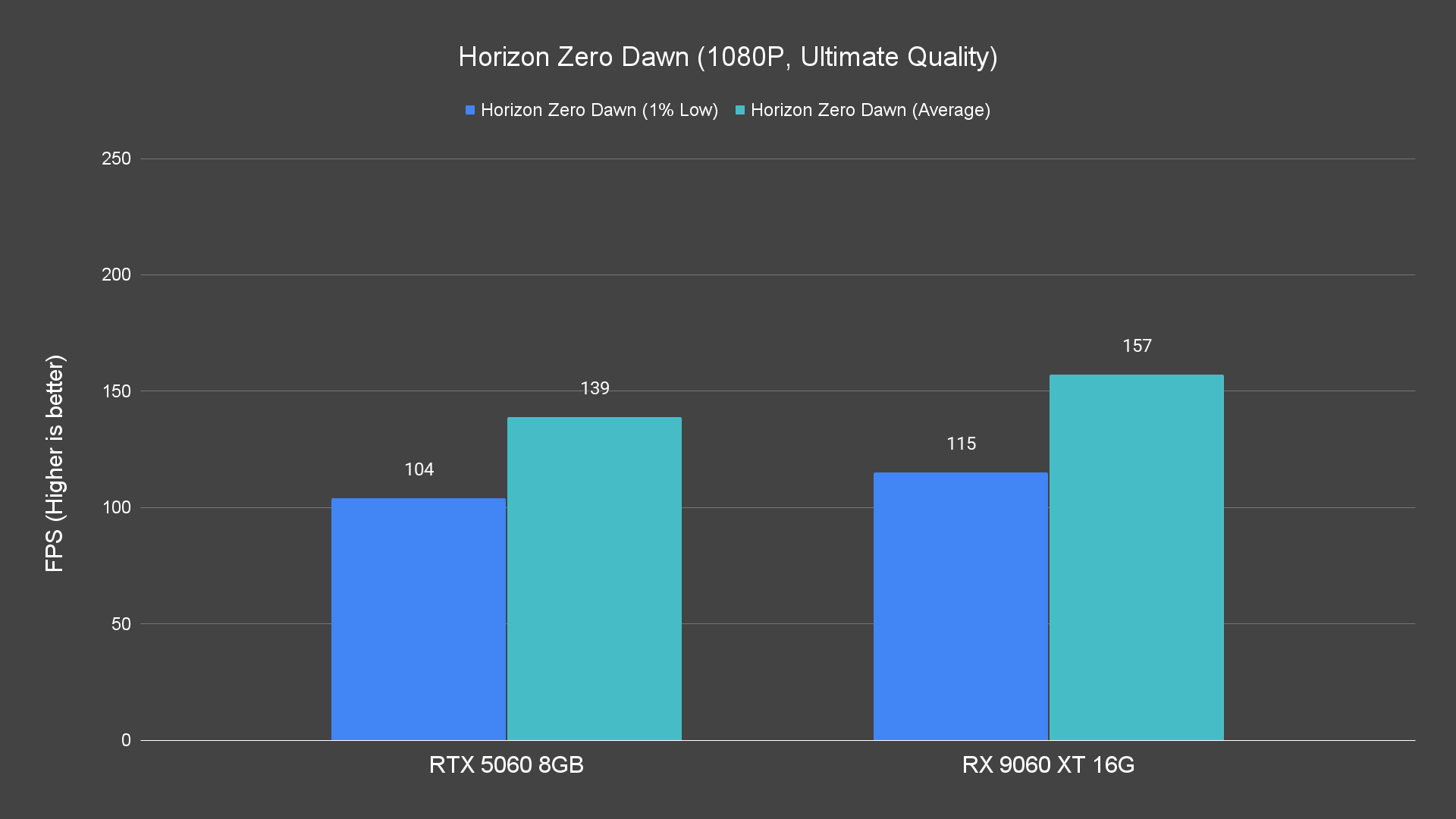
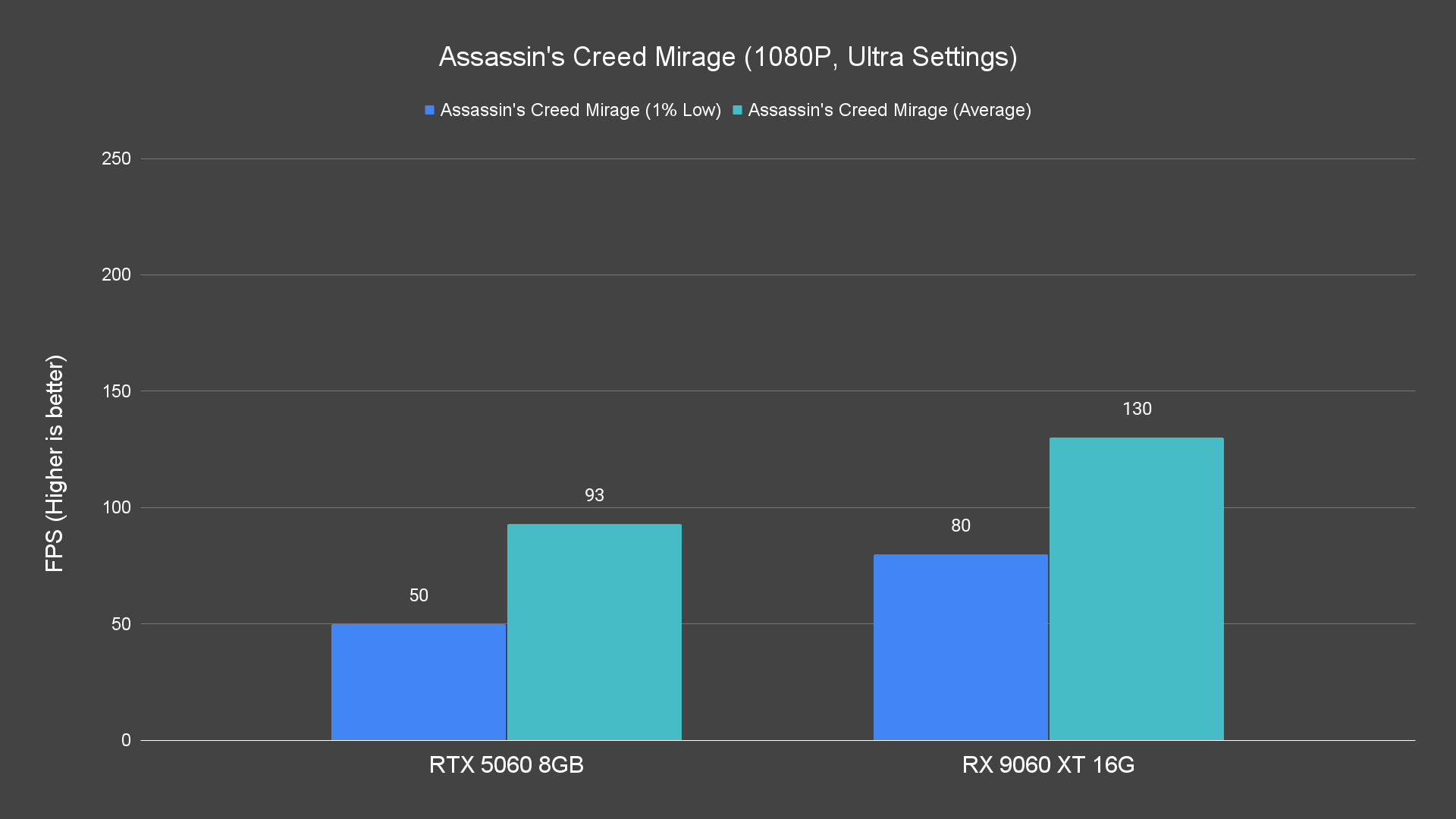
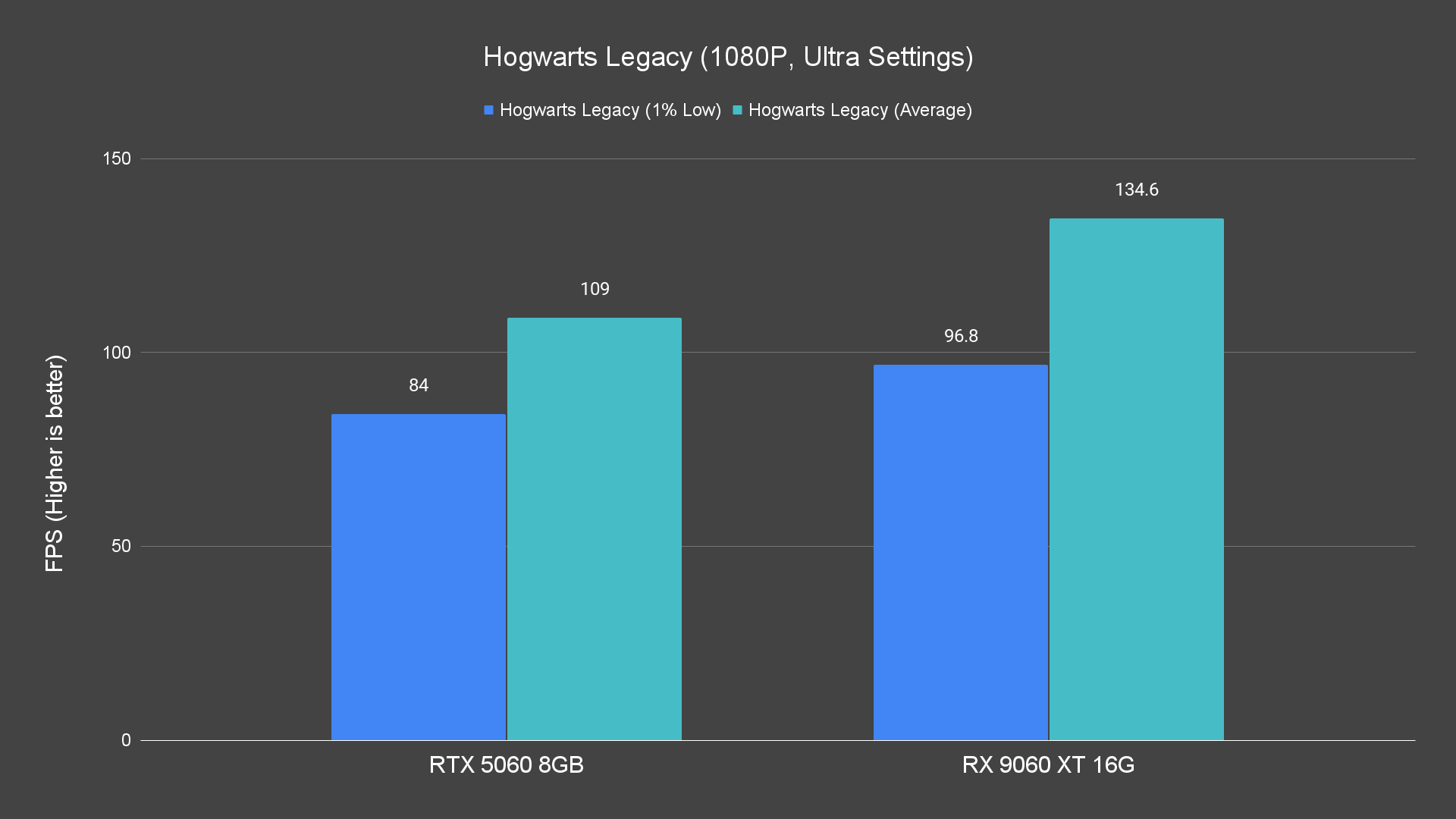
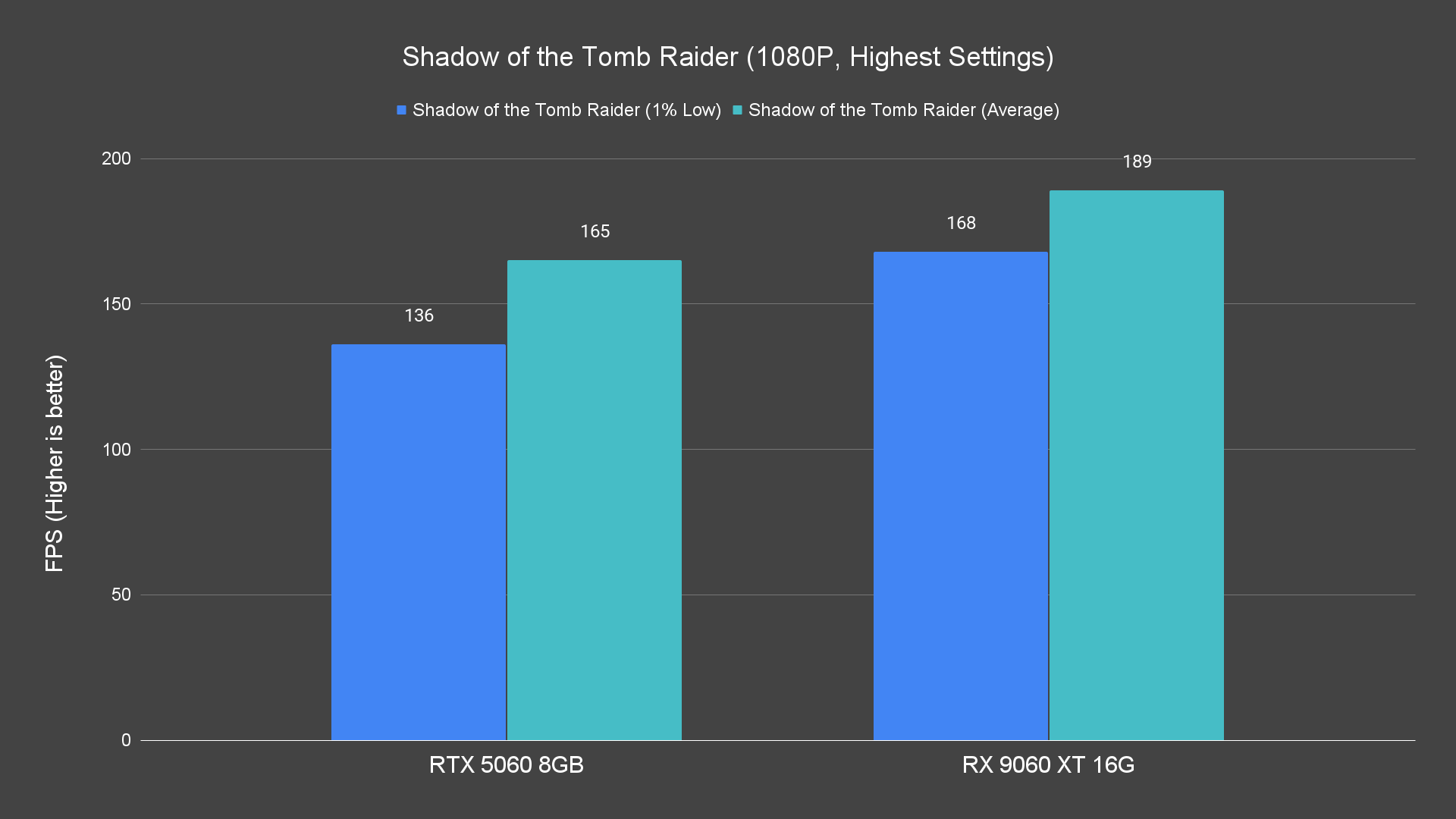
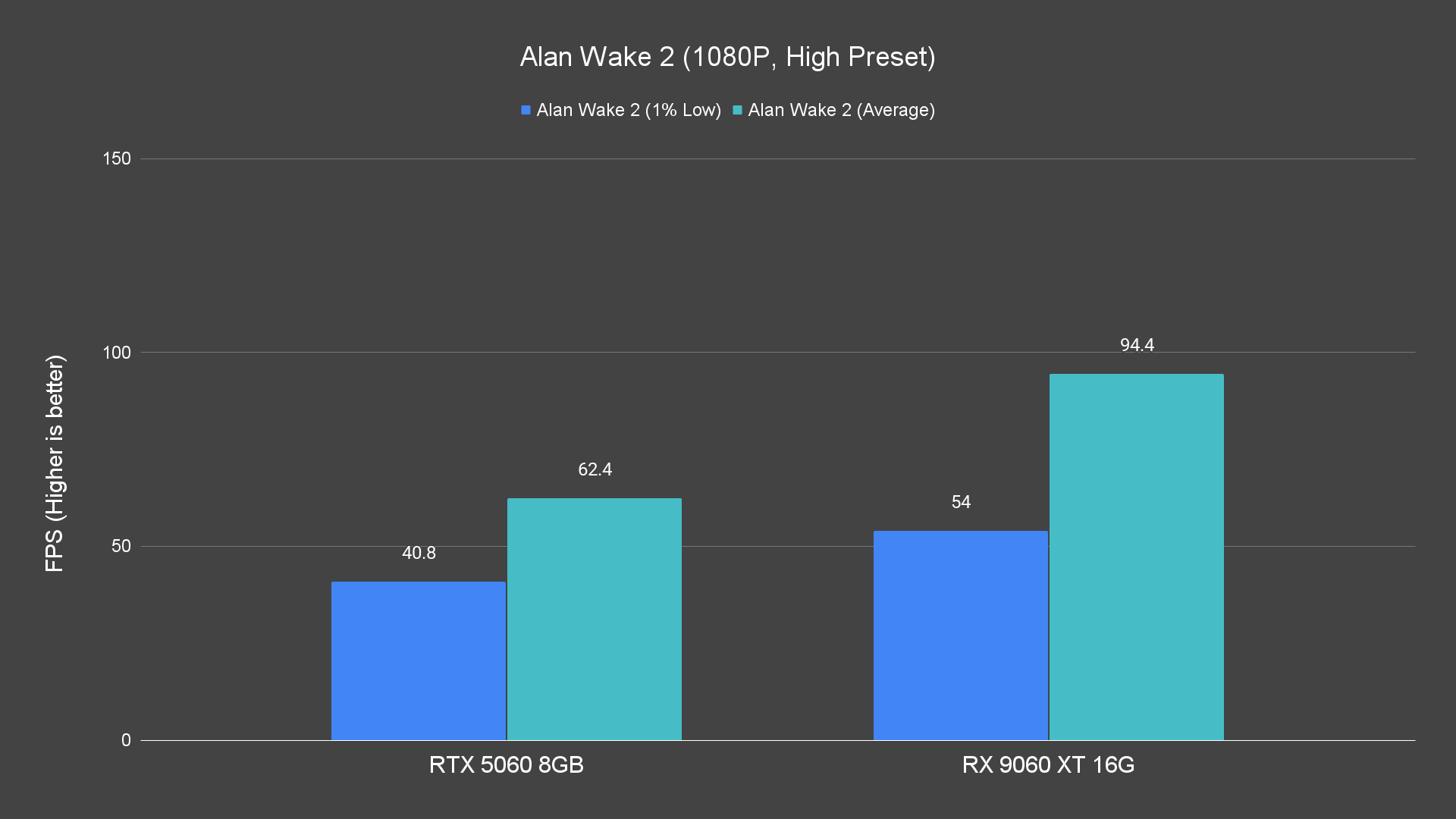
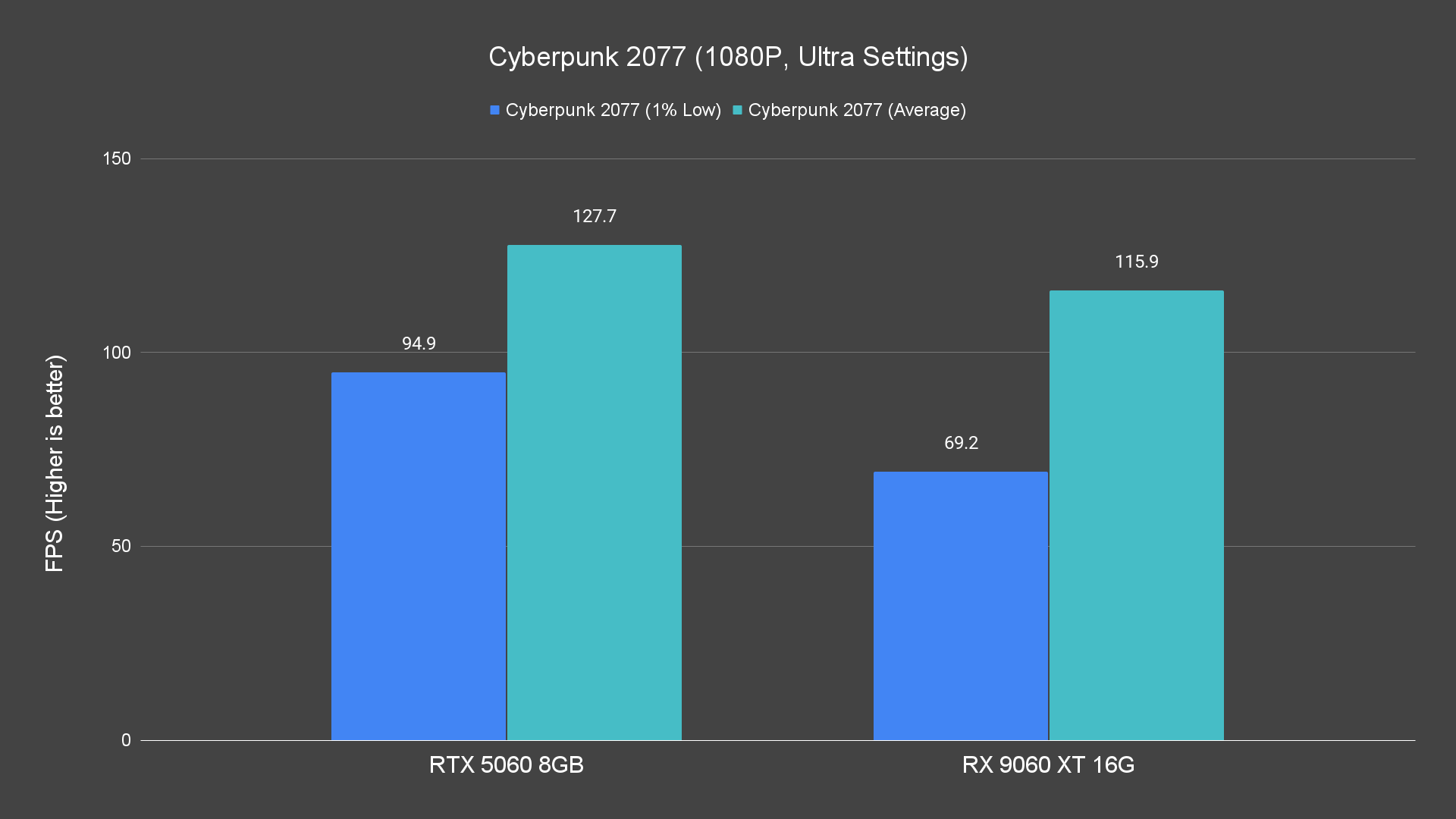
In standard rasterized gaming, the RX 9060 XT handles 1080p effortlessly at high or even ultra settings in most modern titles.
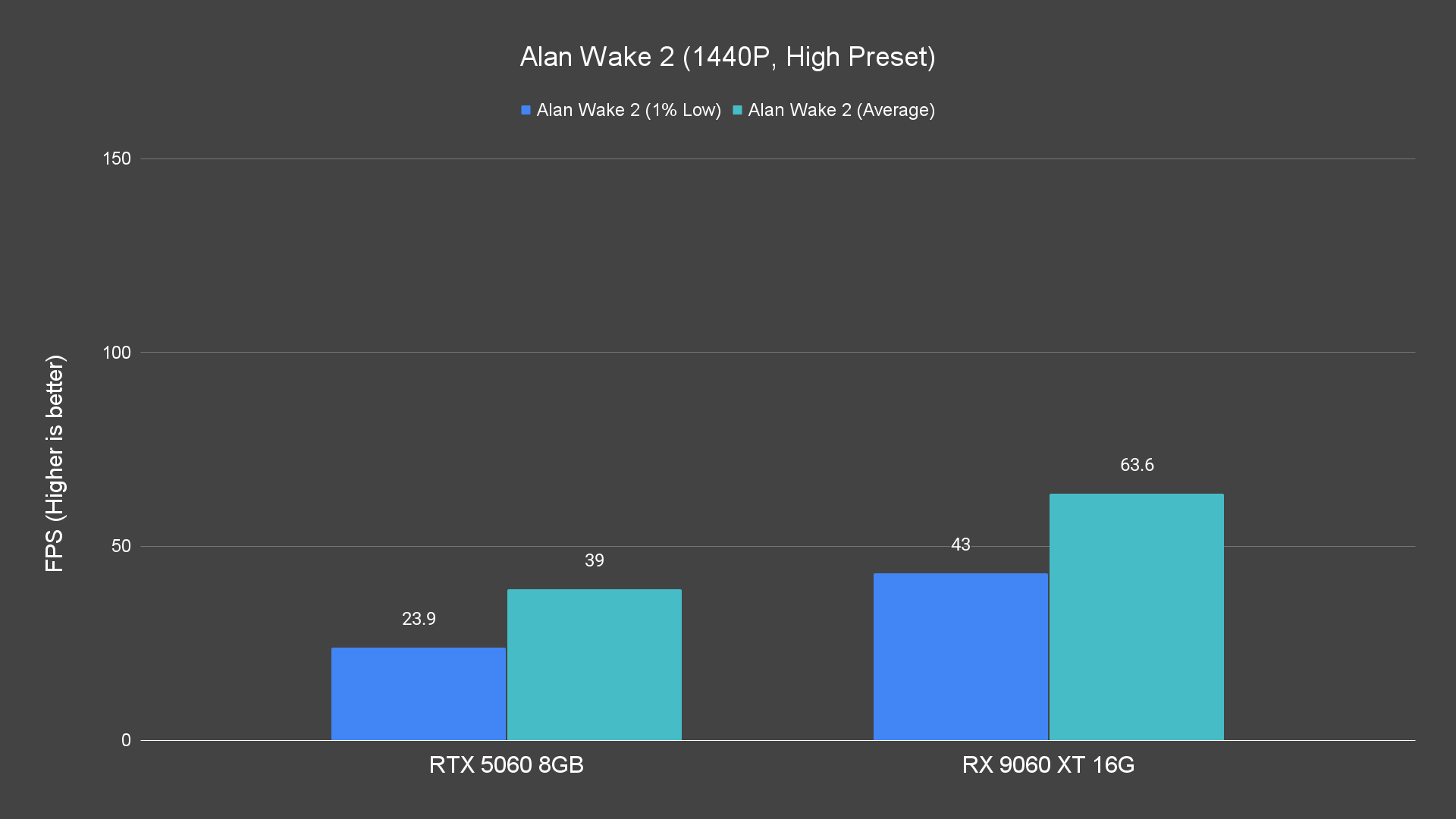
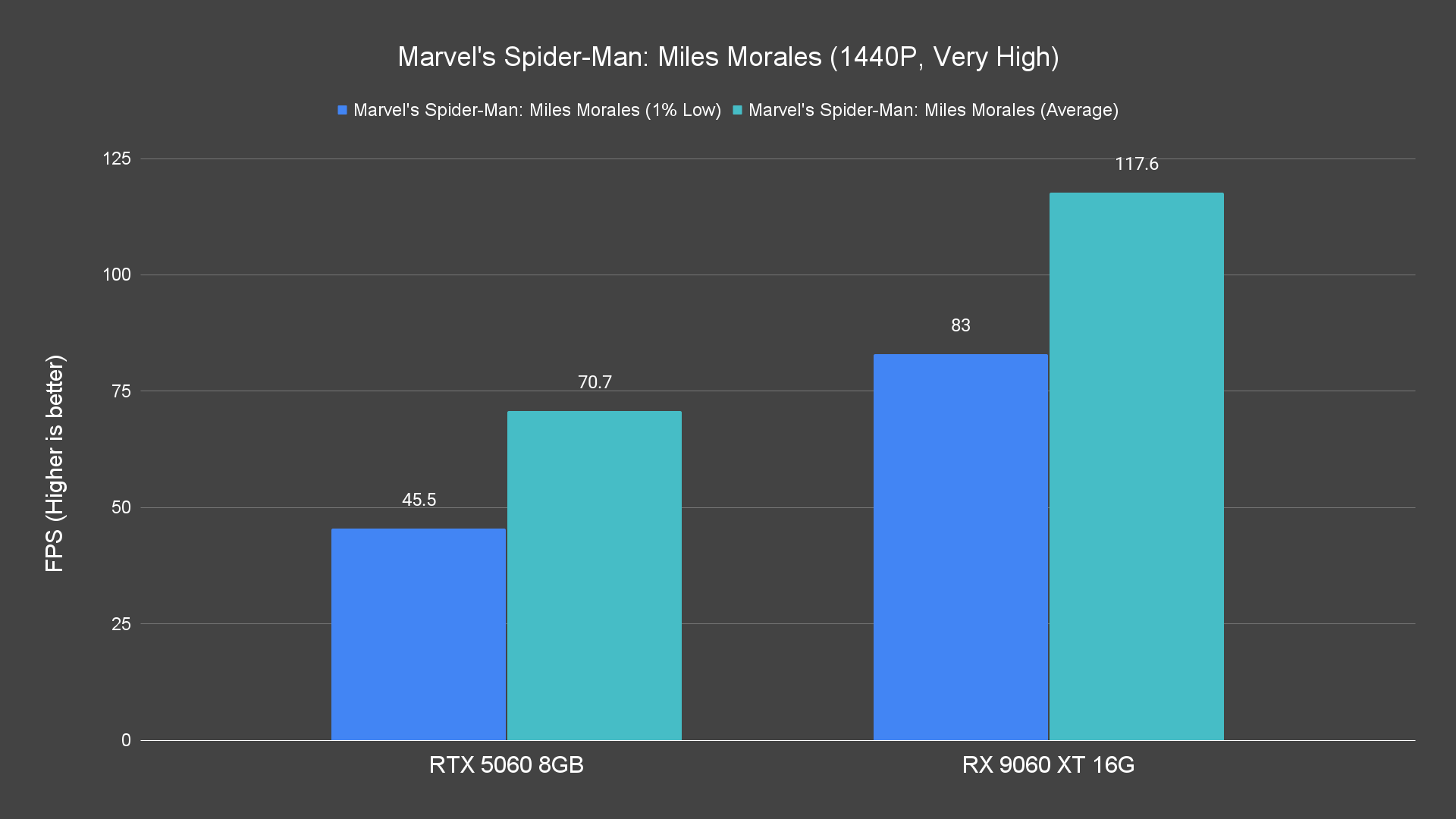
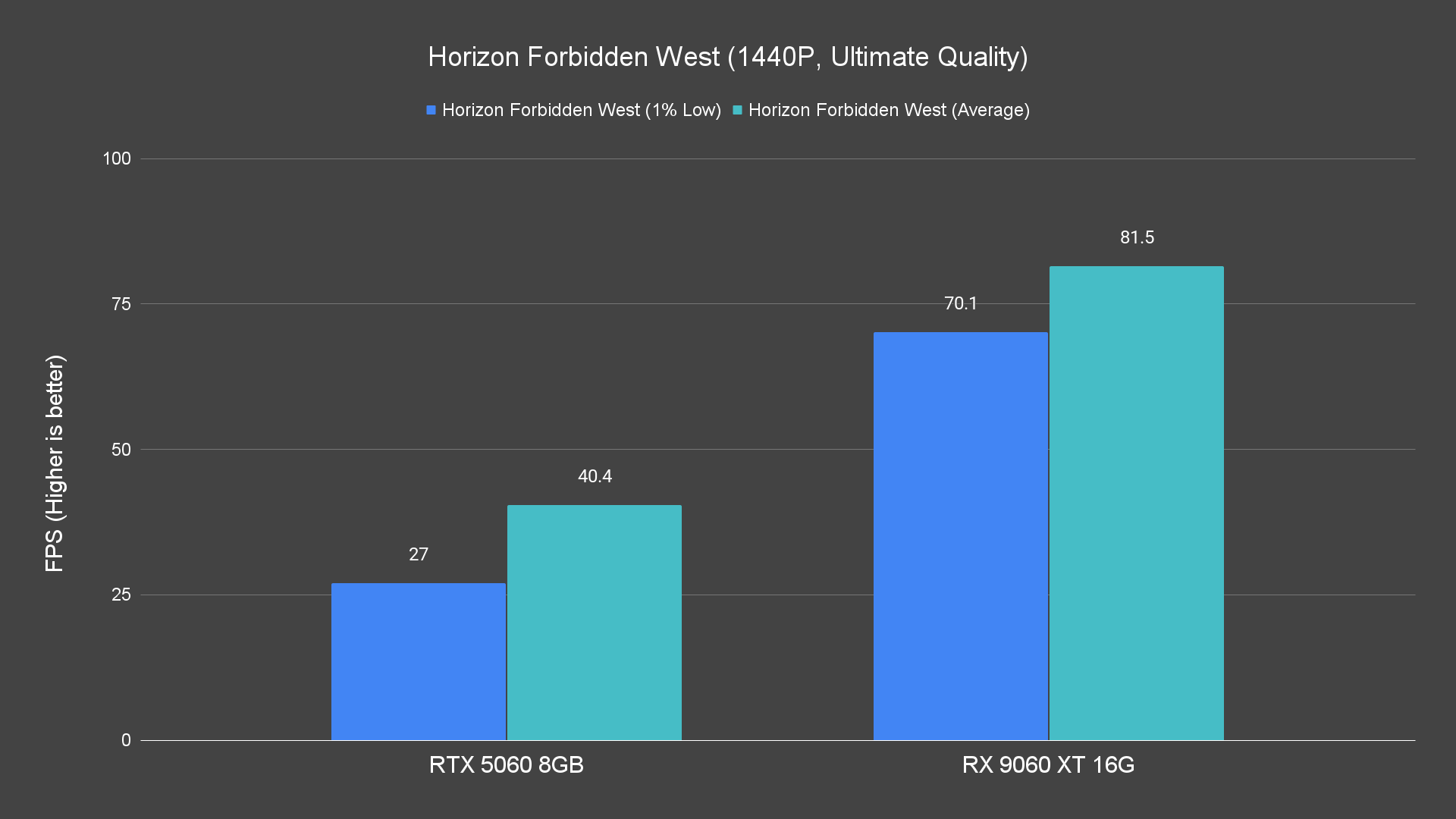
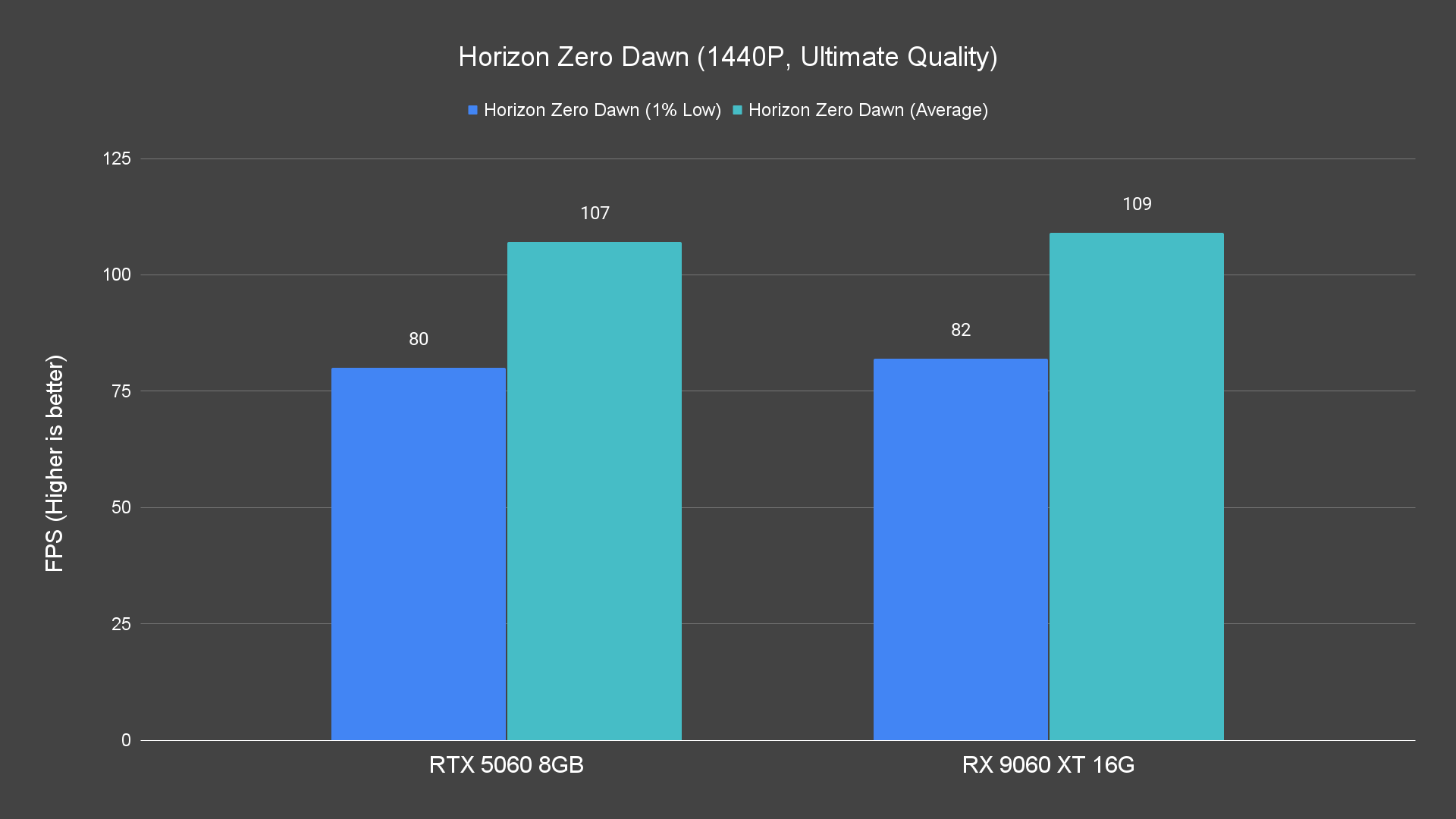
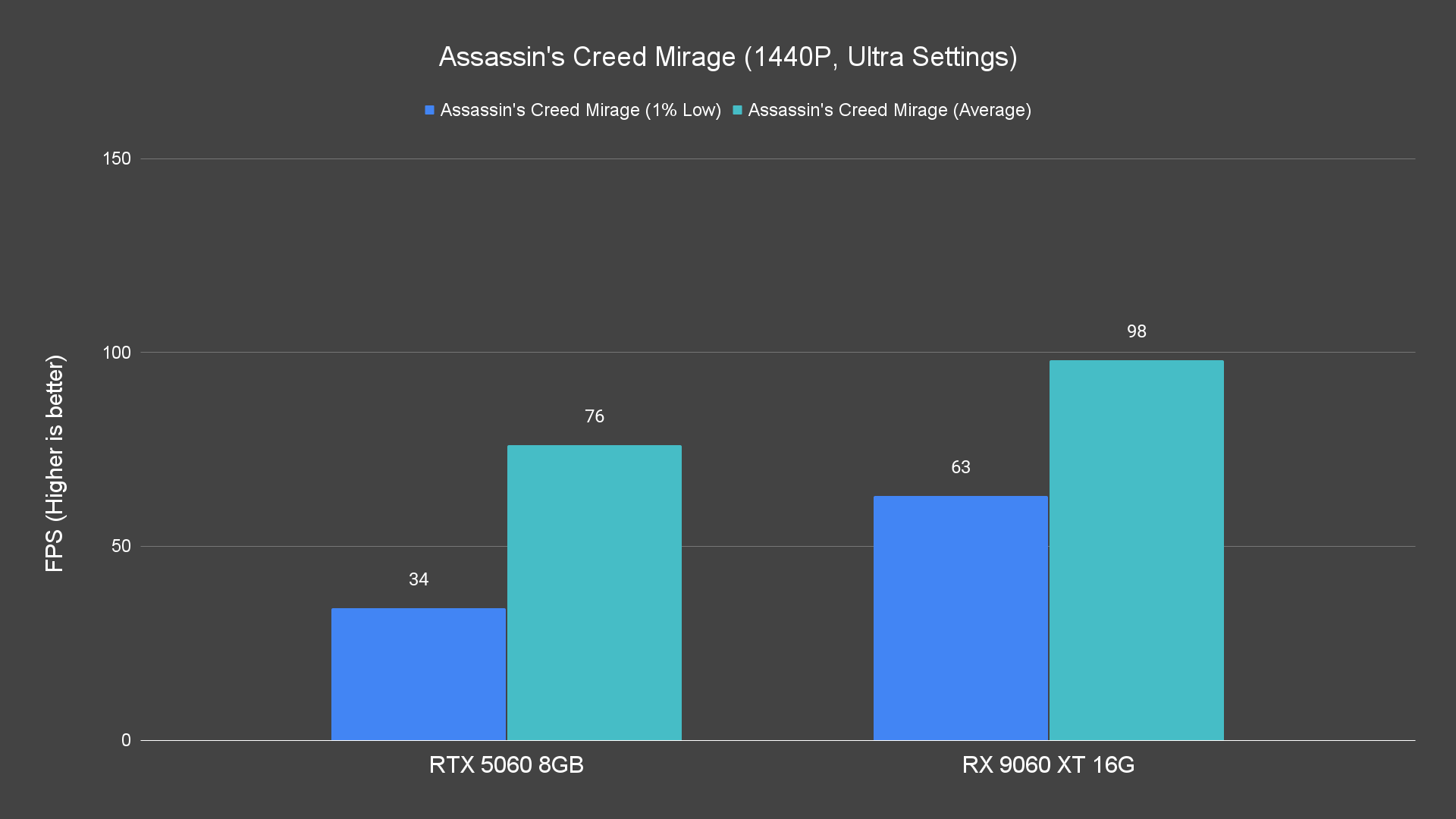
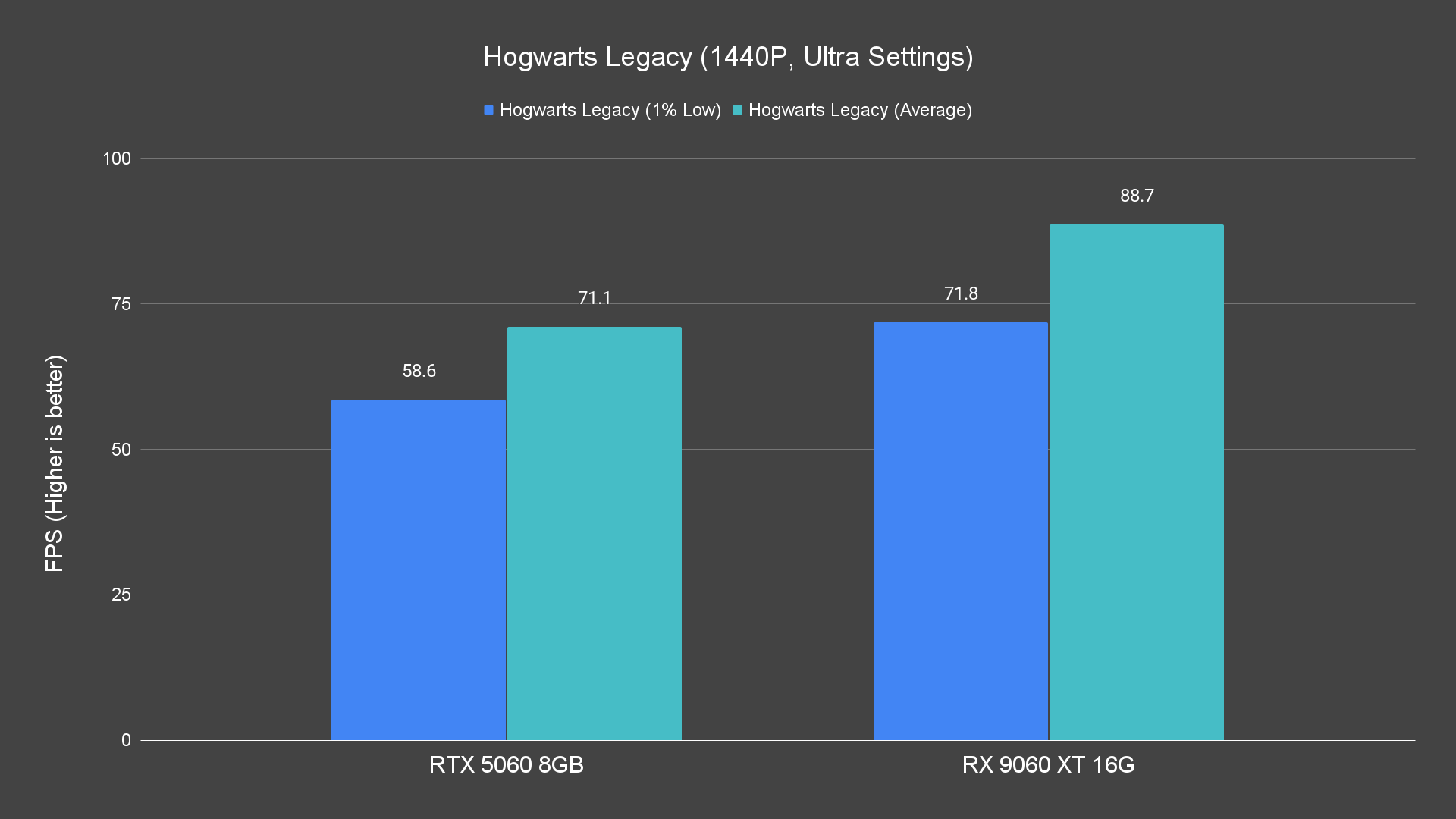
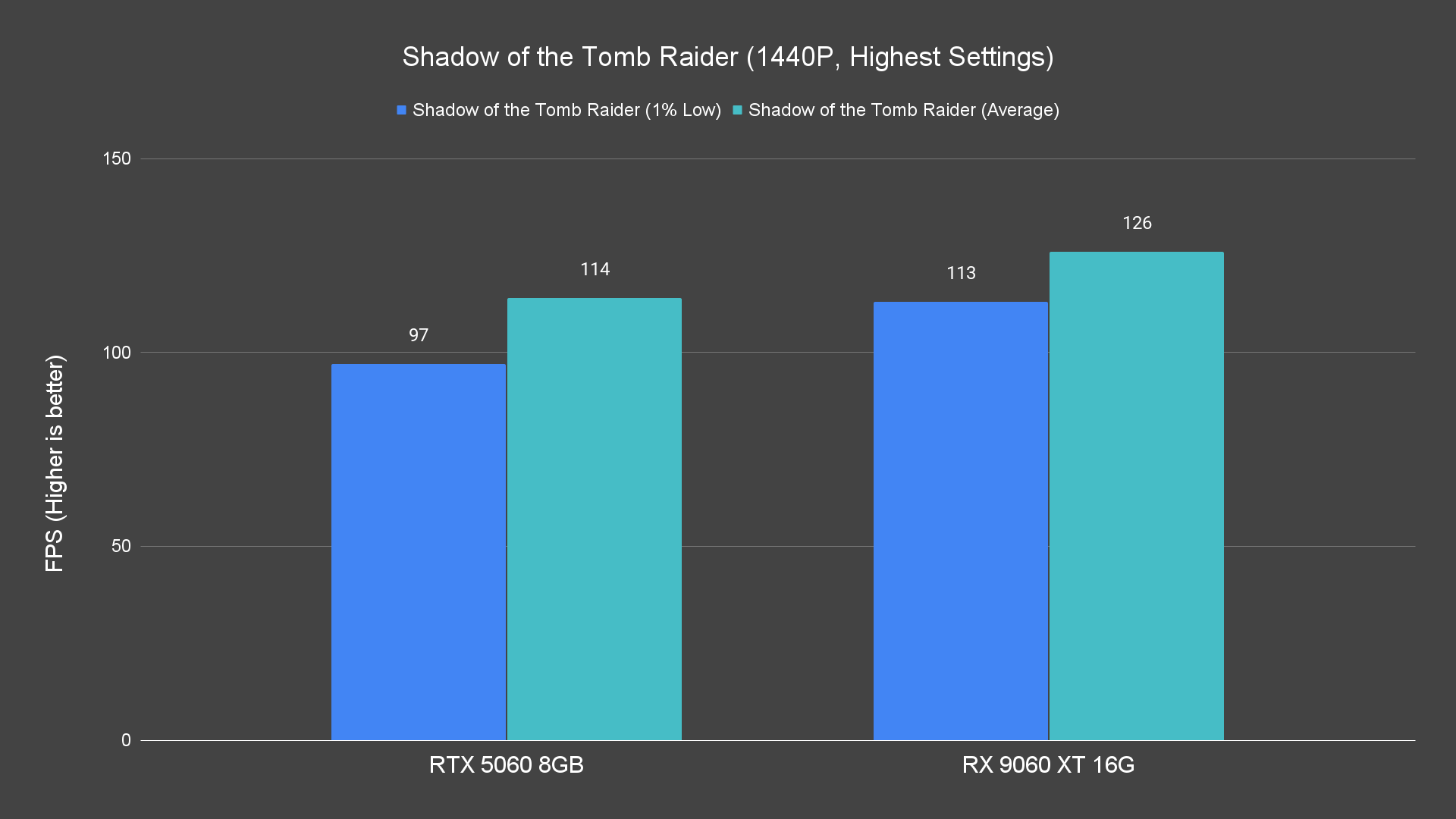
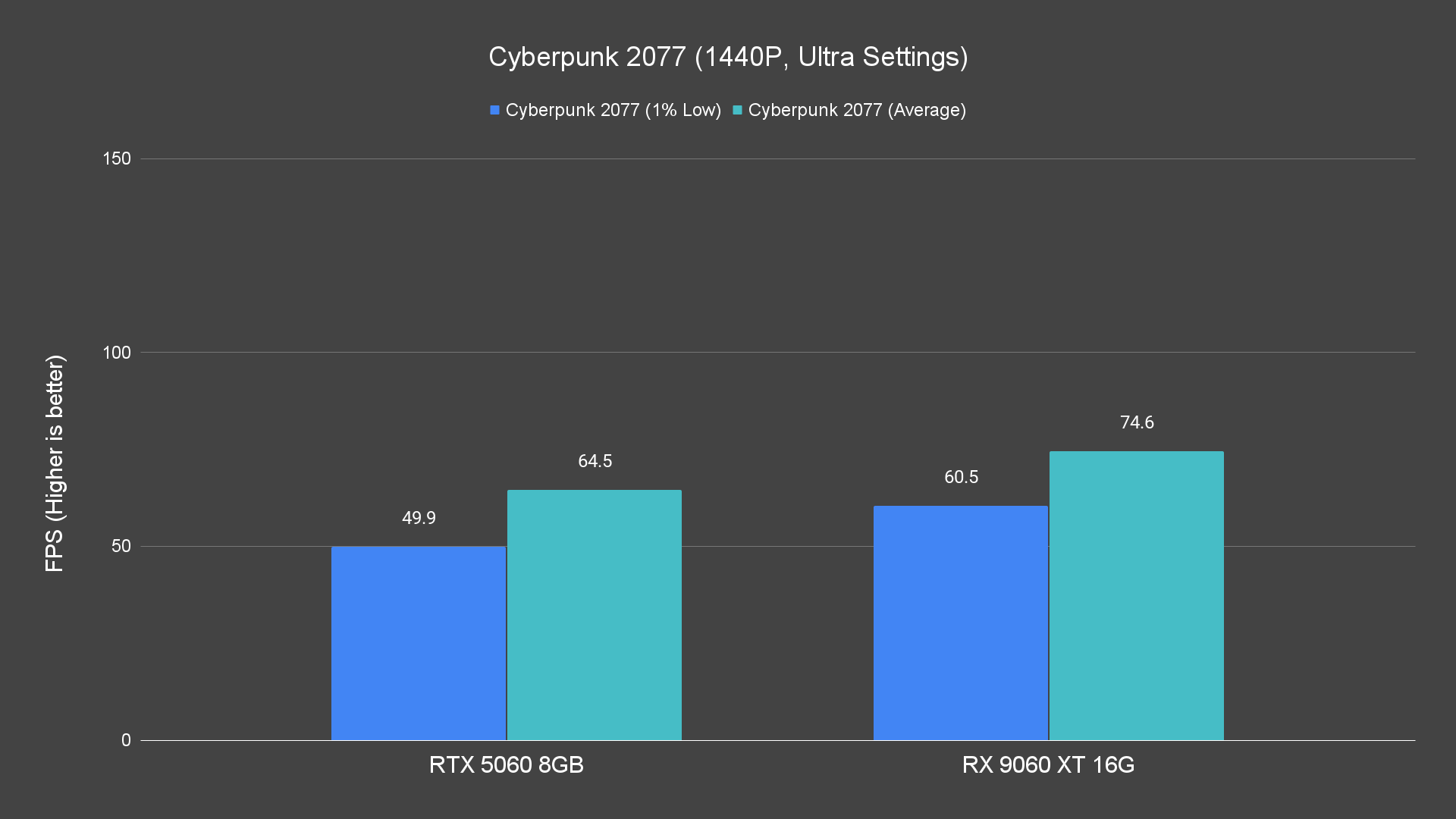
Moving up to 1440p, it remains solid in many games, although for the heaviest ones, you may need to lower a few settings. Its 16 GB VRAM is a comfort here, giving breathing room for high-res textures or open worlds.
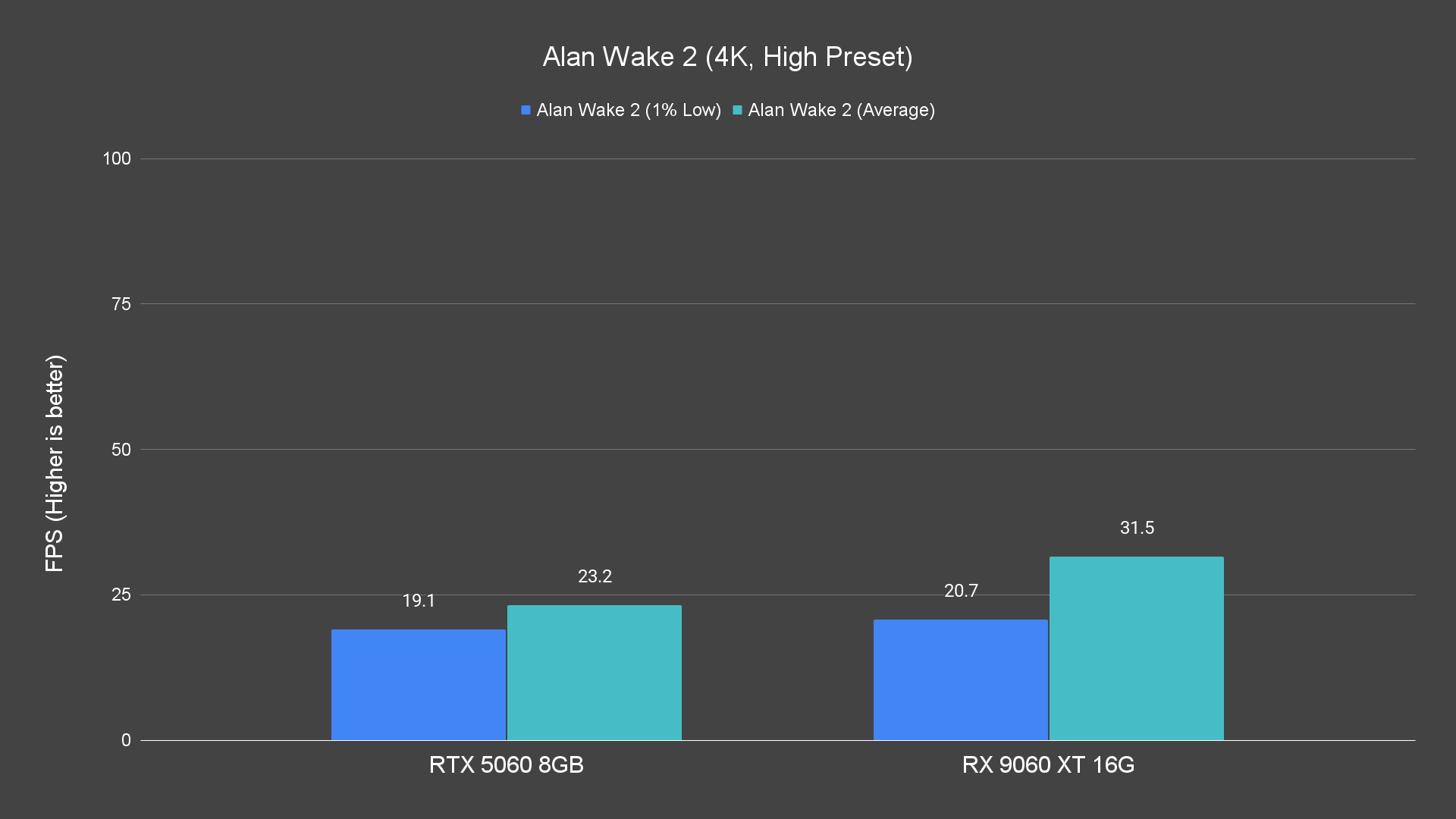
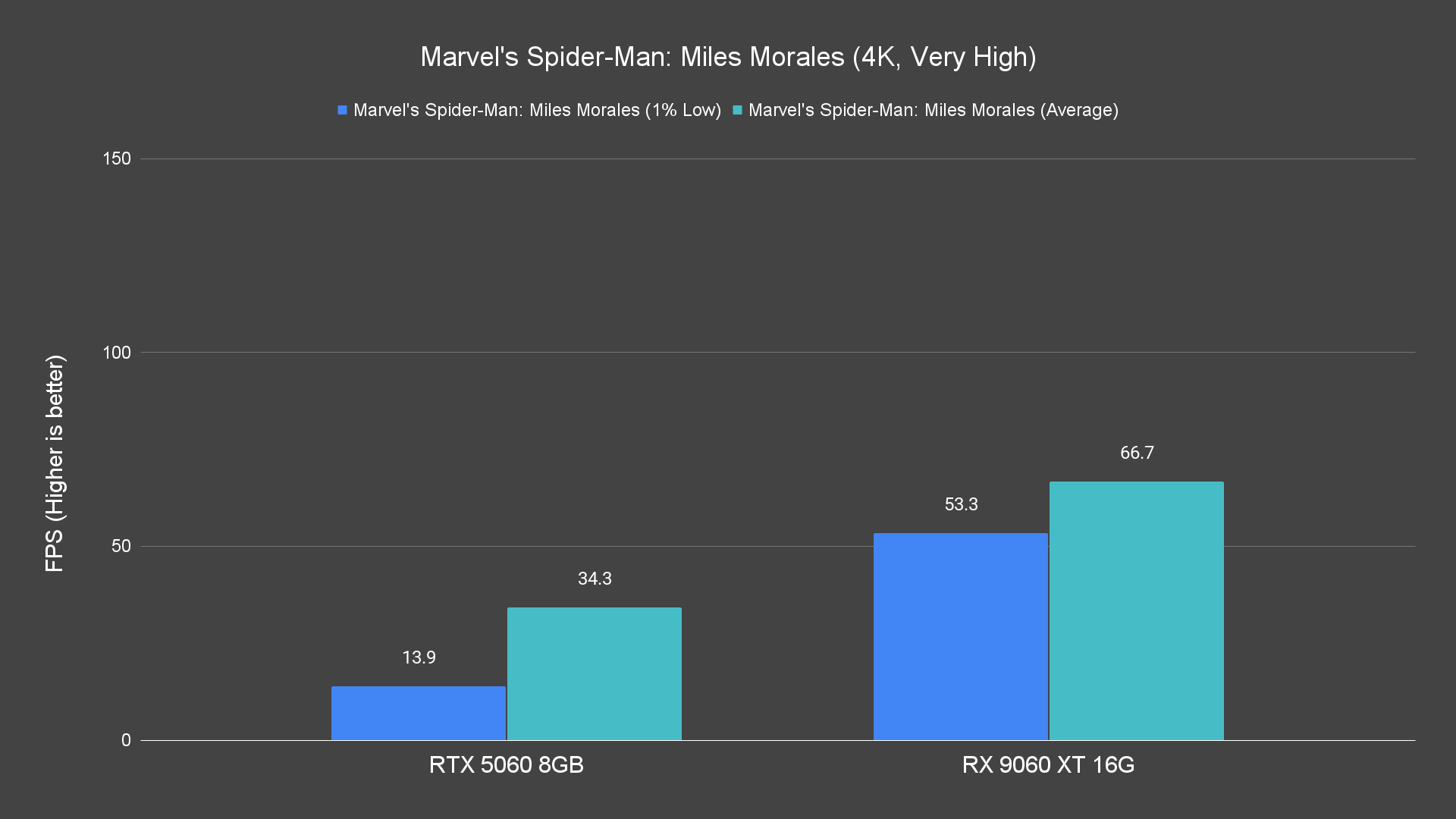
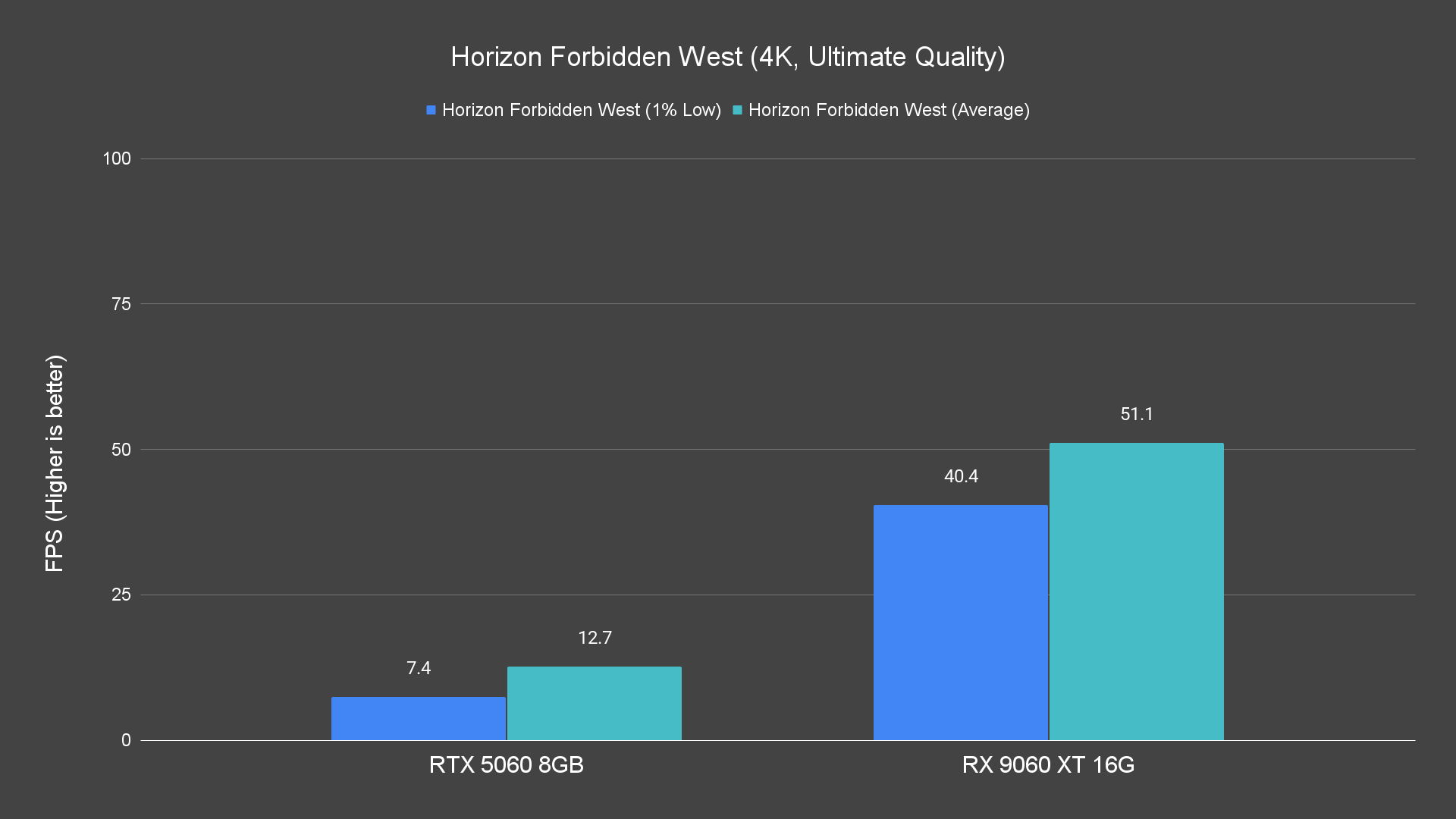
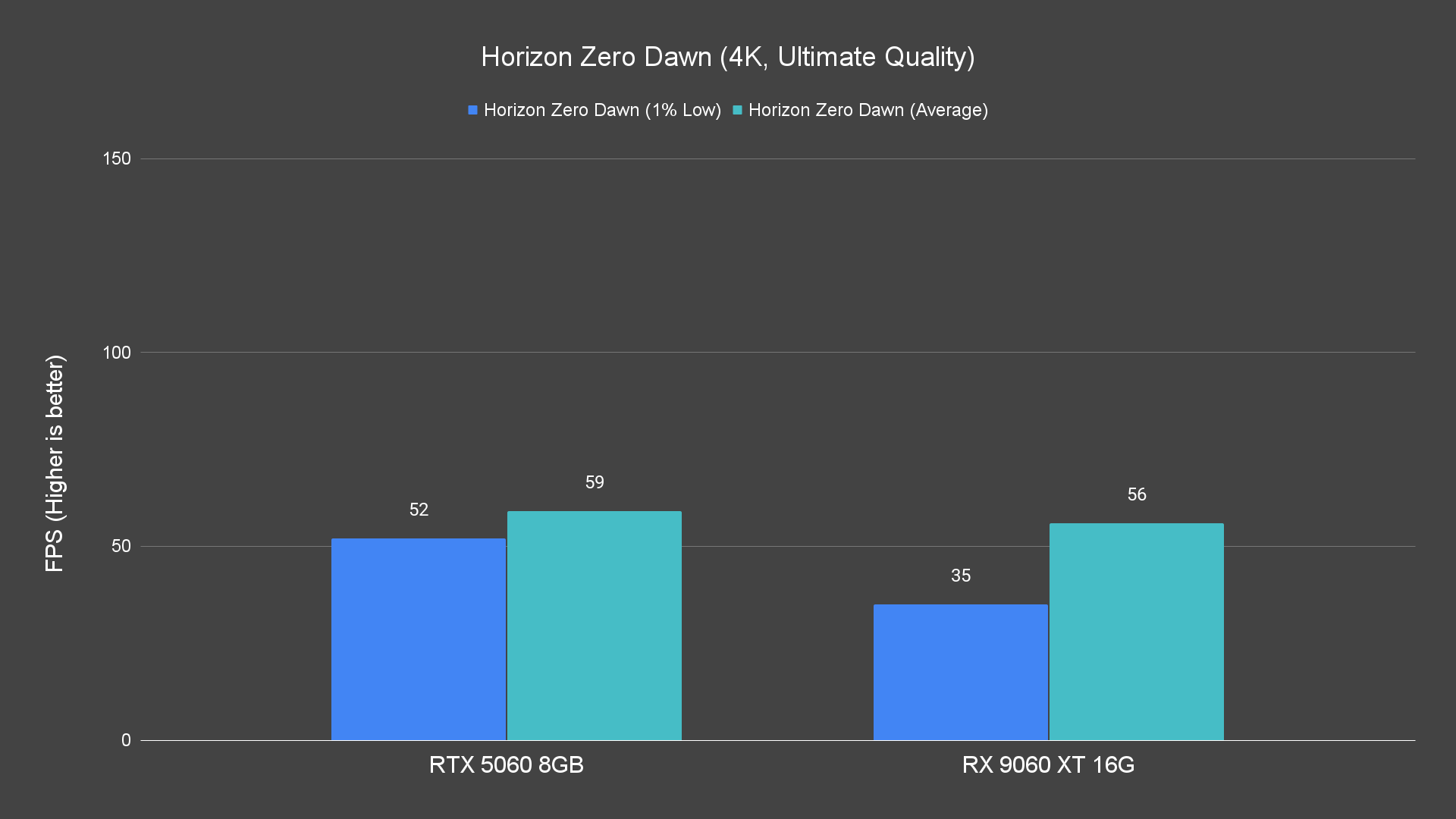
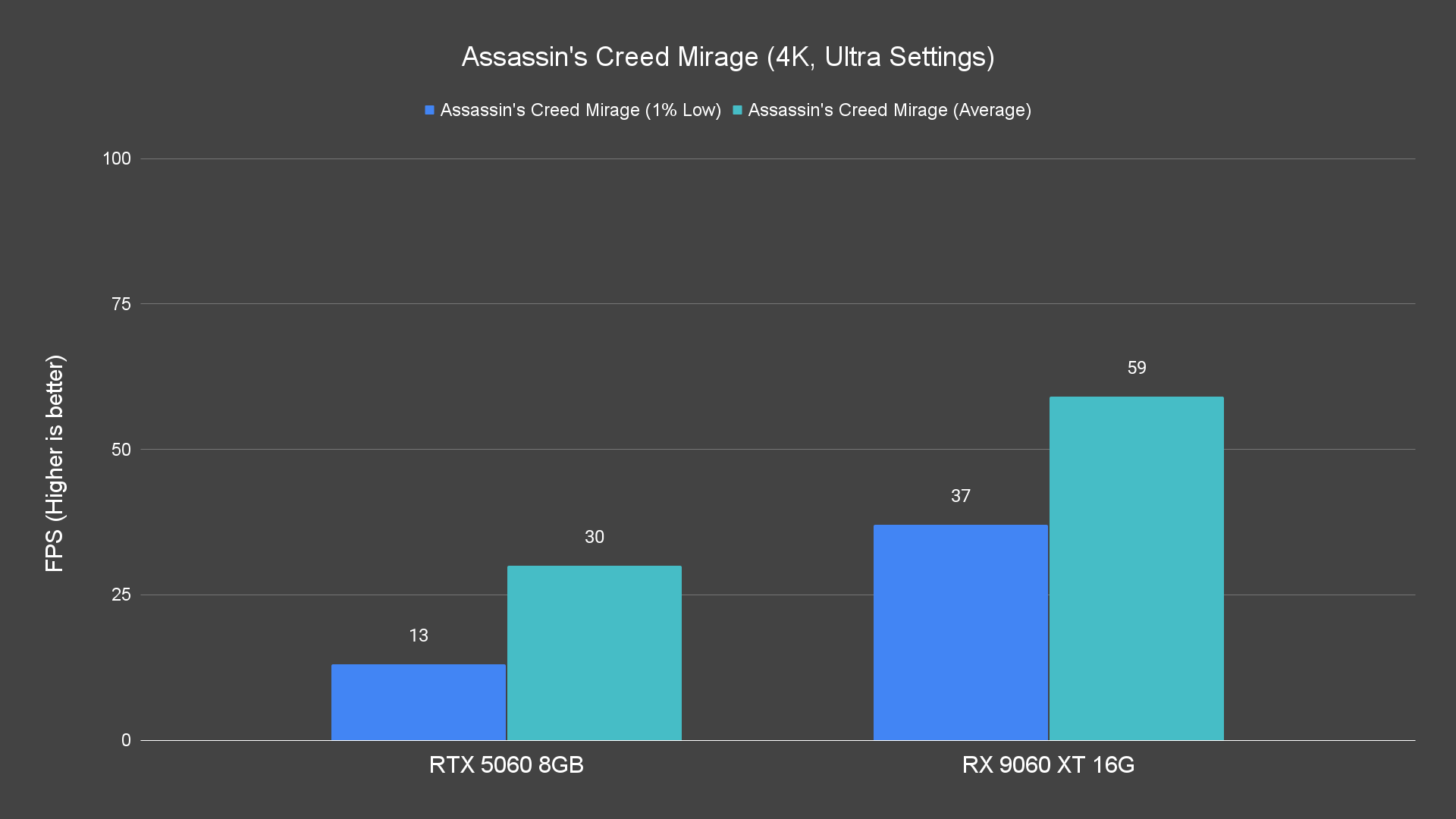
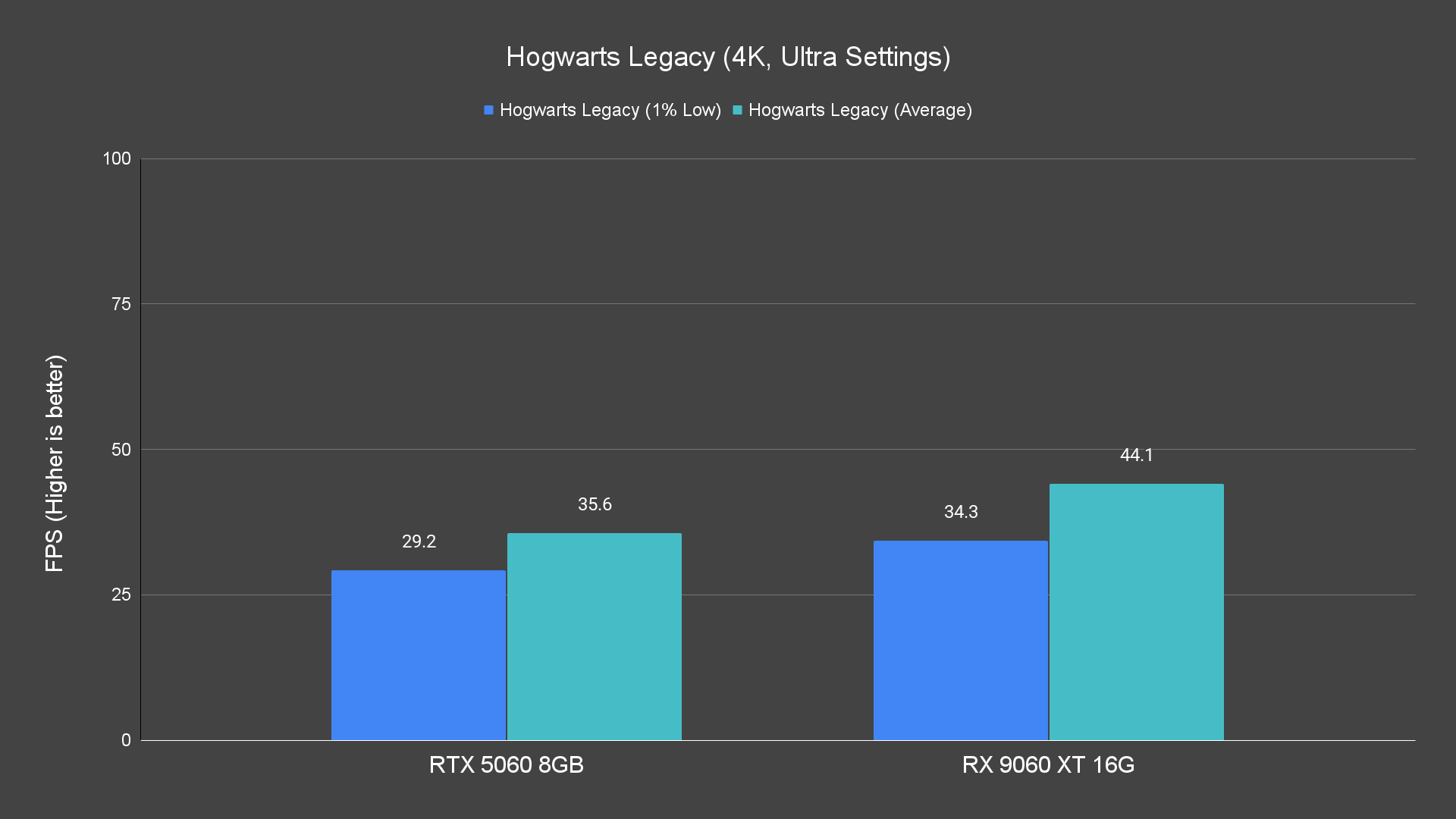
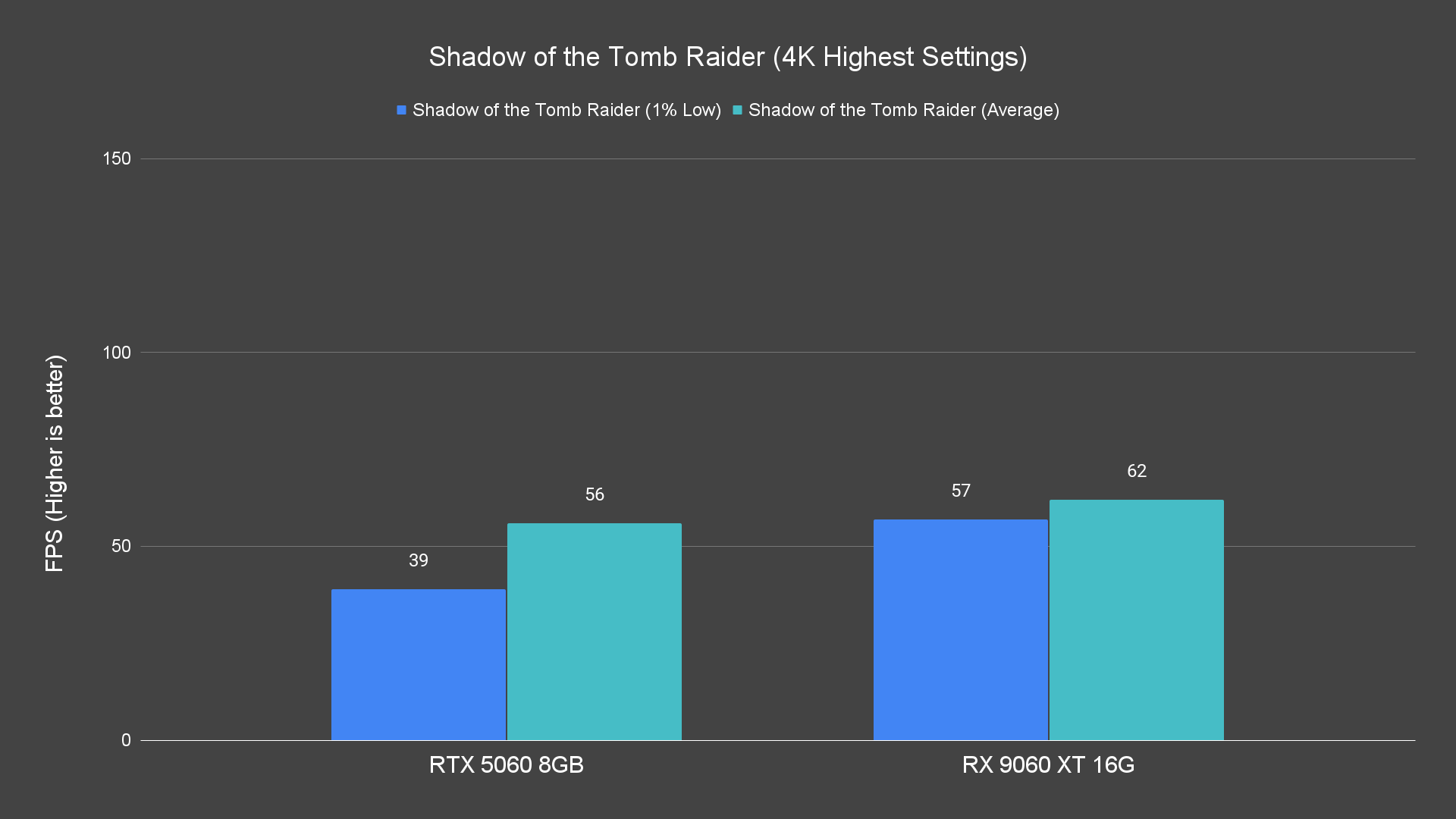
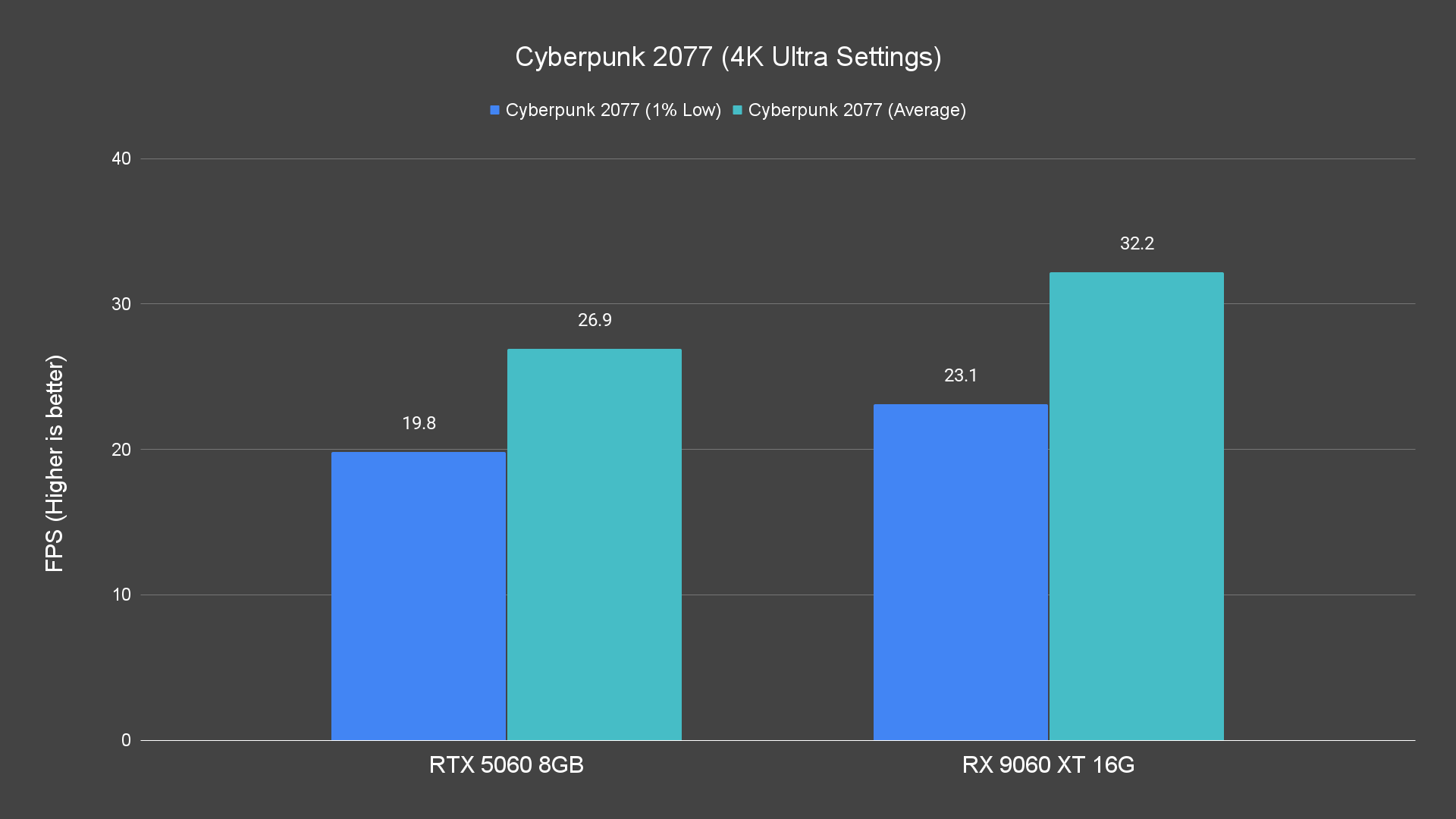
Trying 4K is where limitations emerge. This card simply wasn’t built for pushing 4K high settings. You can still get usable frame rates in lighter games or with reduced settings, but don’t expect AAA titles to run smoothly at 4K max.
Against its competitor, the RTX 5060, the RX 9060 XT tends to outperform in many raster workloads. That means for gamers focused on traditional rendering rather than fancy effects, the value proposition leans toward AMD’s side.
Ray Tracing Performance
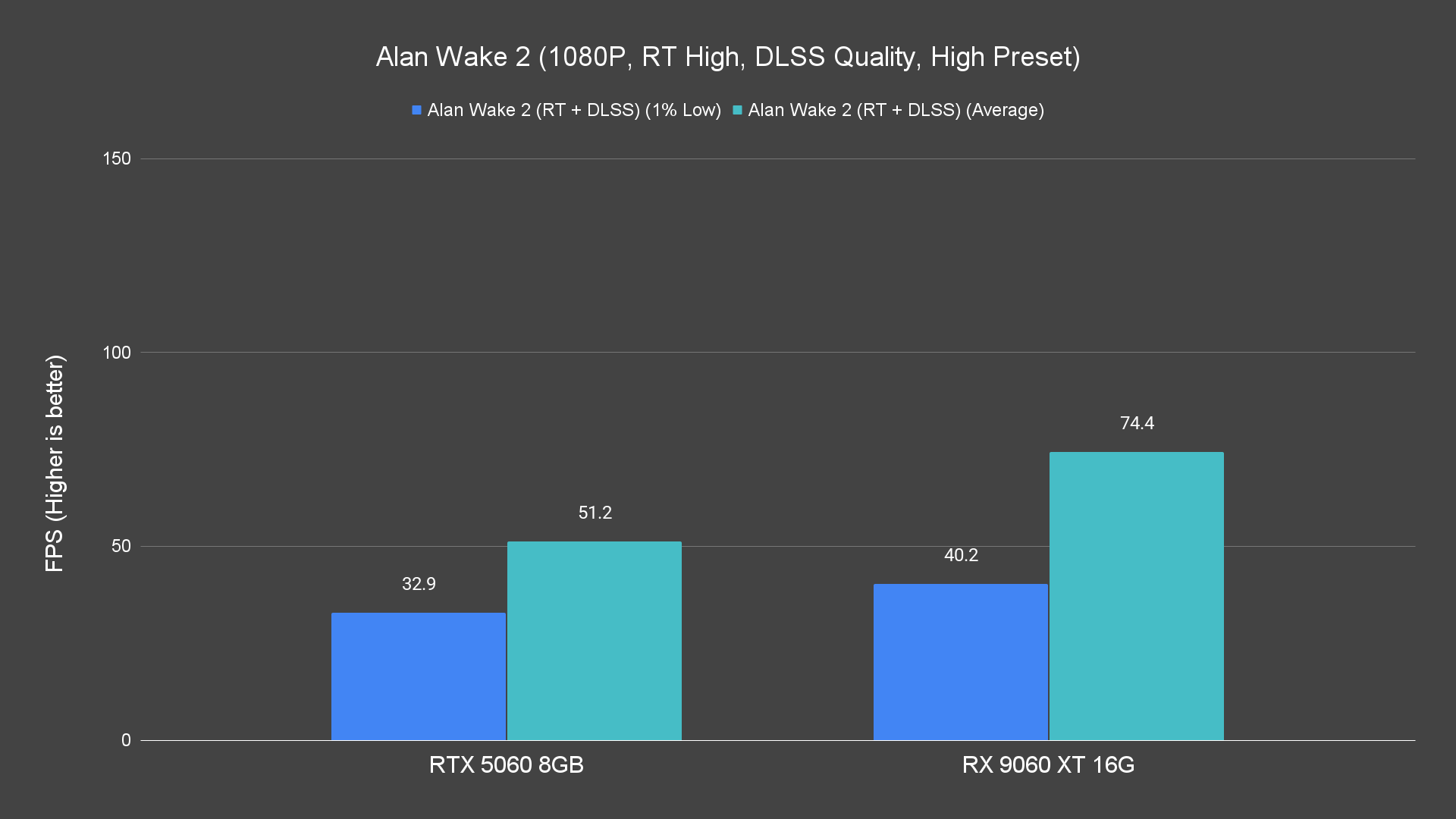
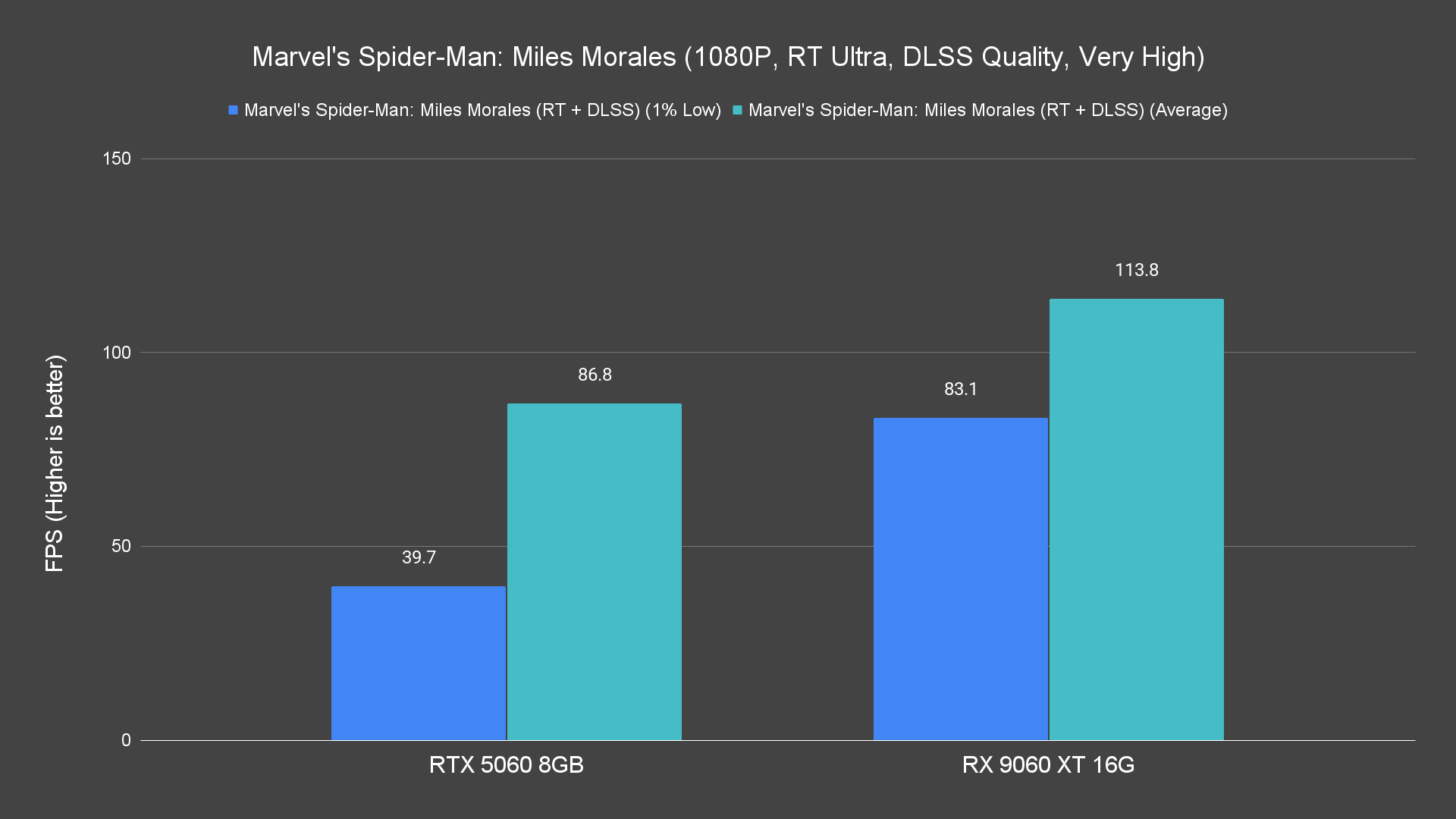
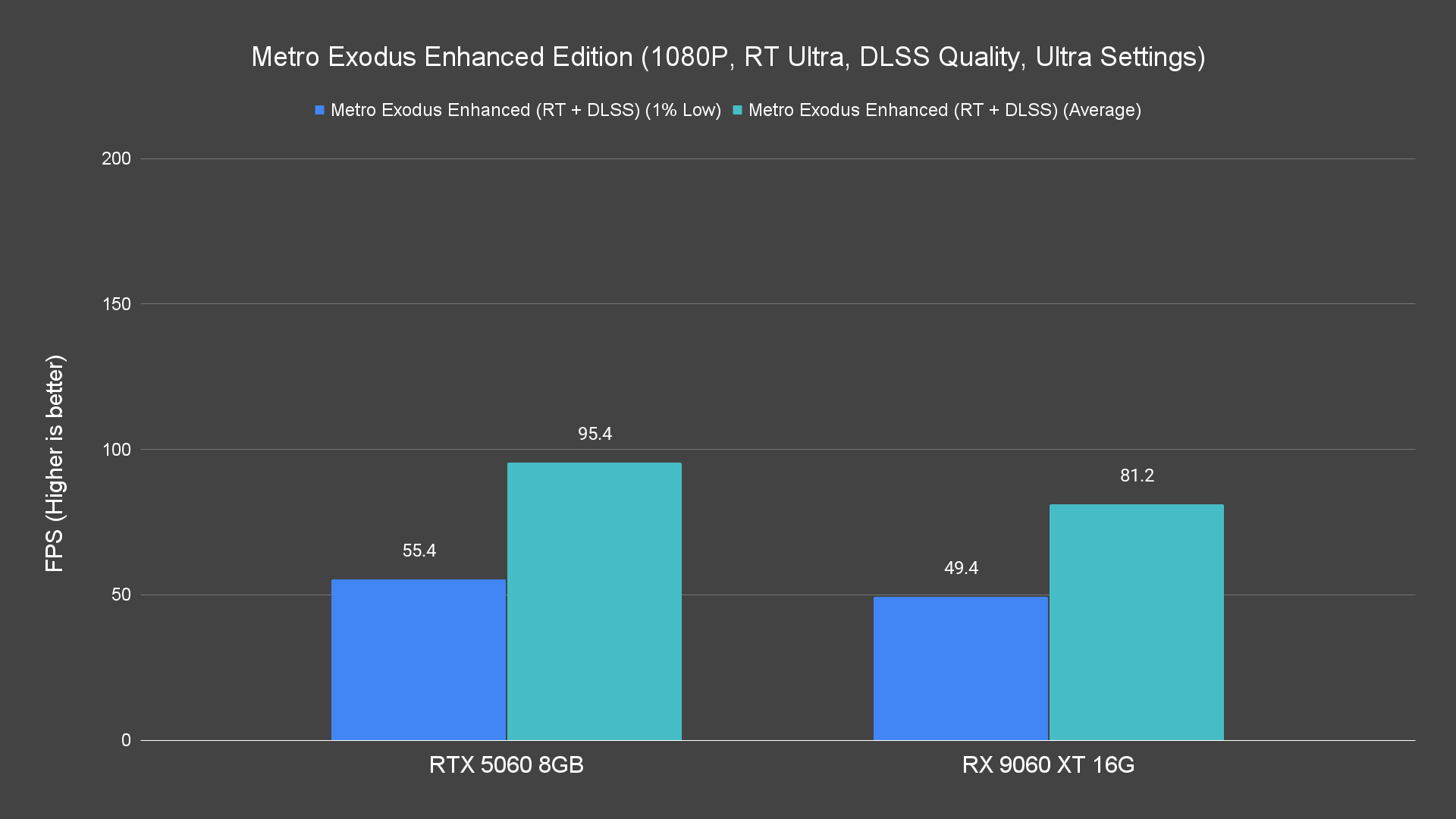
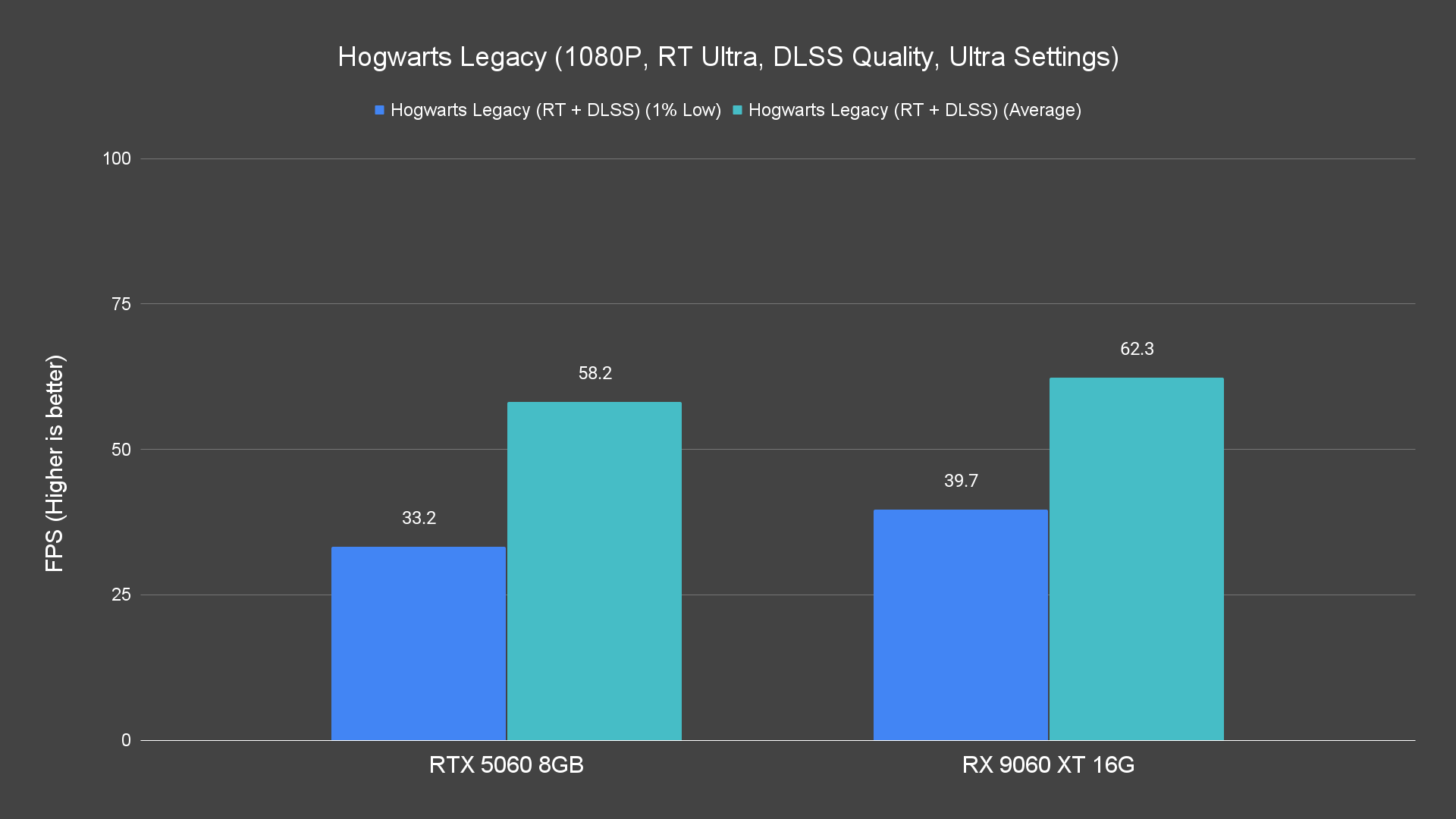
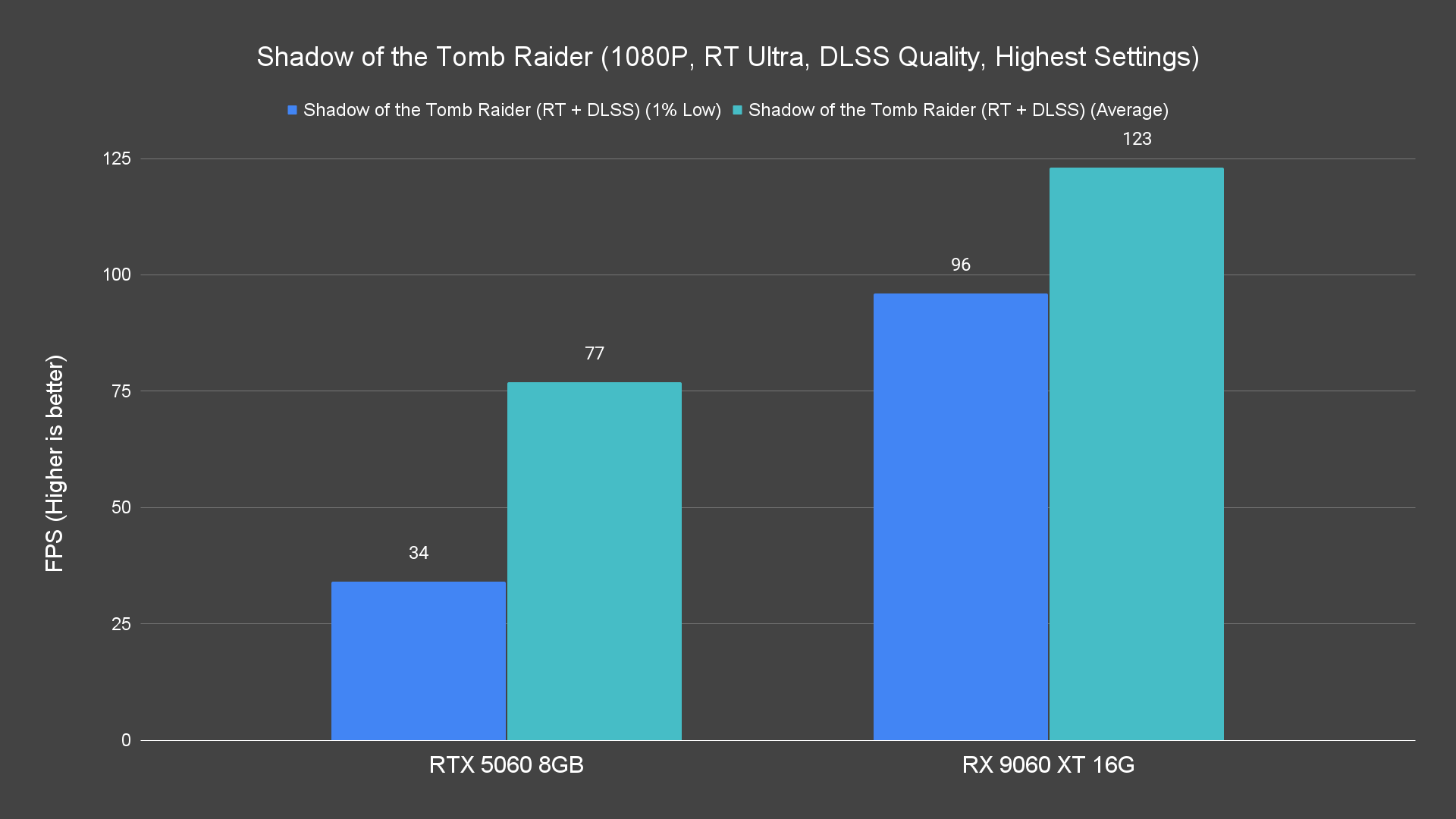
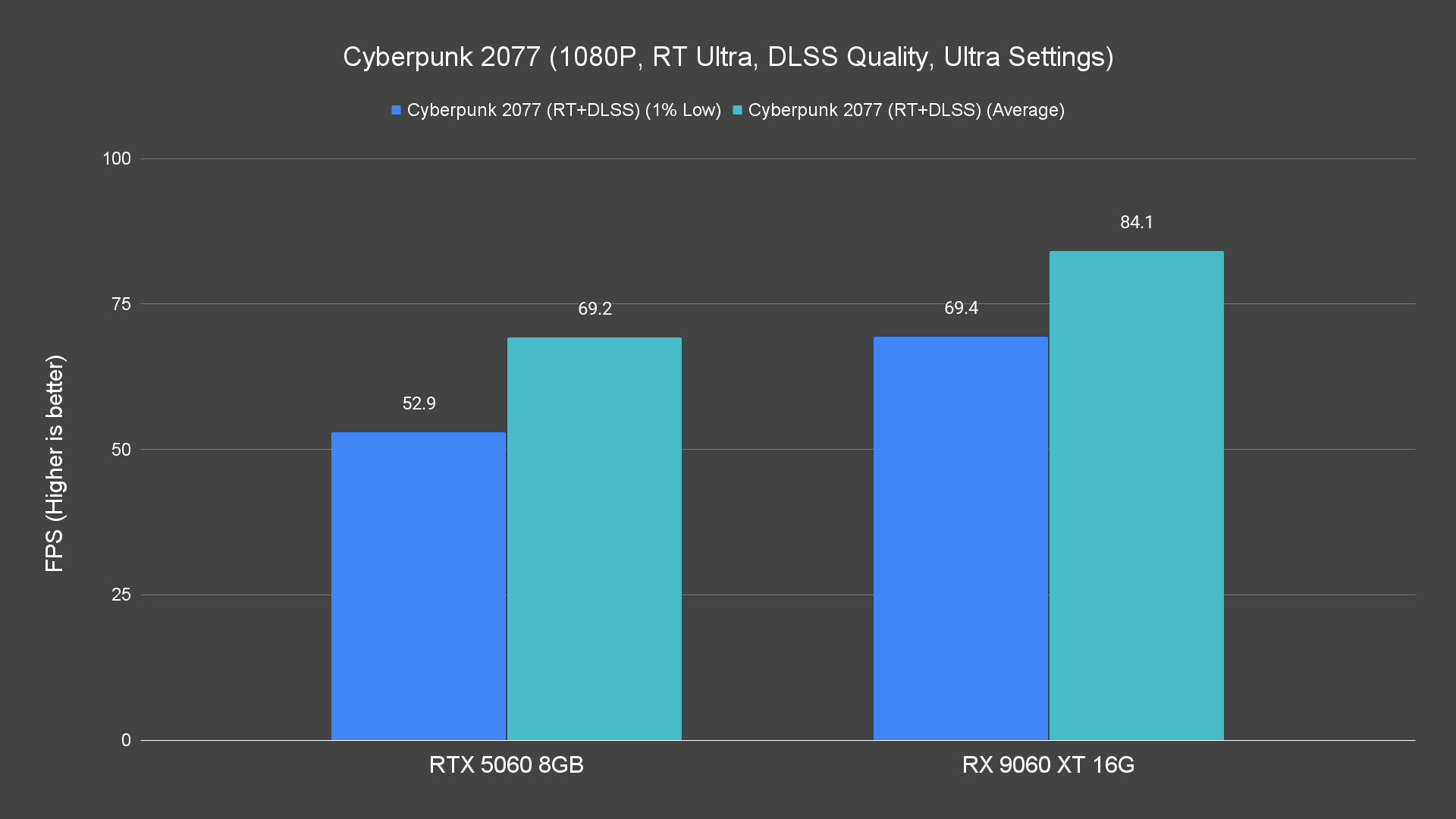
Ray tracing is where the RX 9060 XT begins to strain. At 1080p, it can manage many of the tested titles with ray tracing enabled, though you might need to turn down some settings for consistent performance.
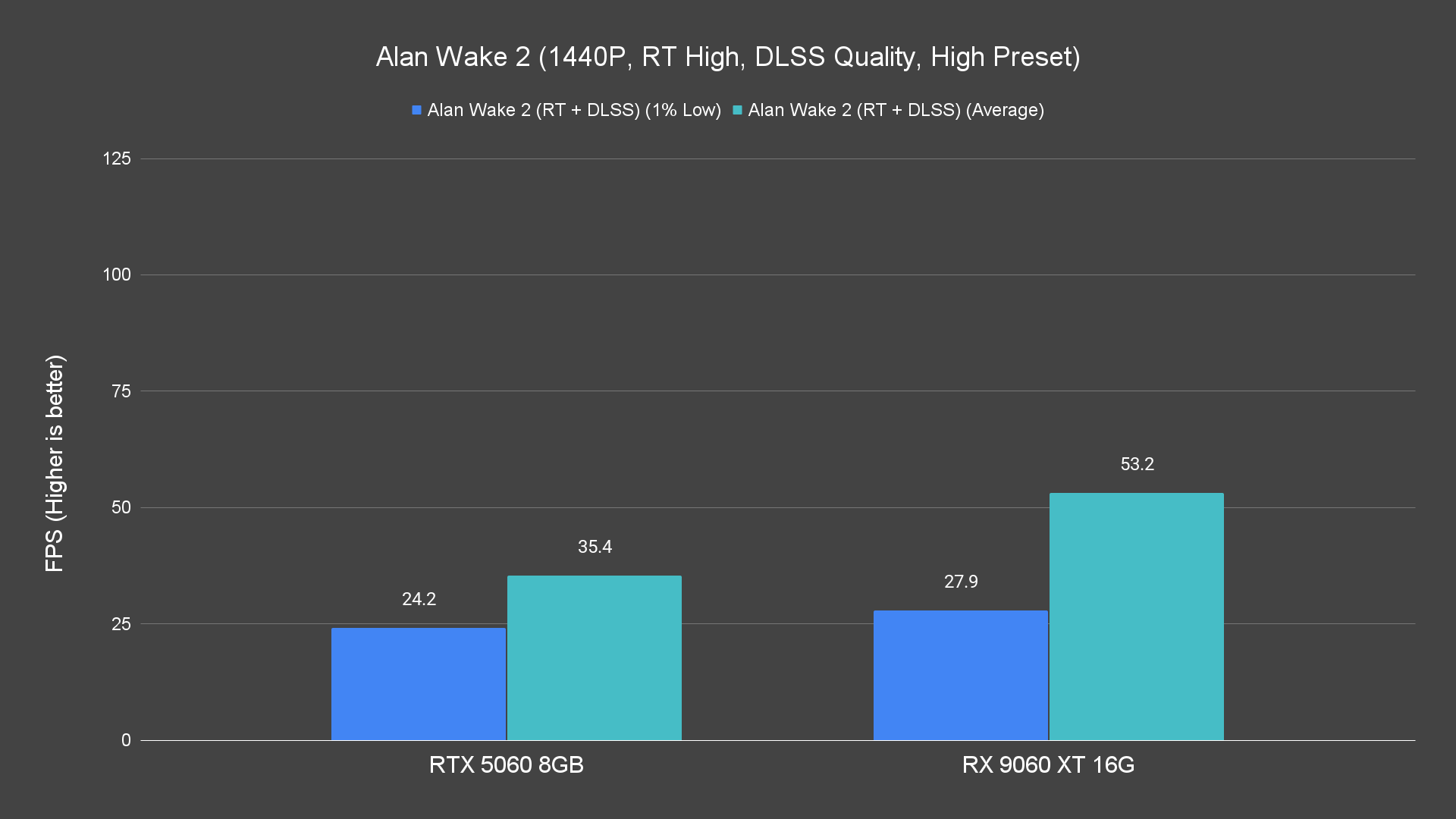
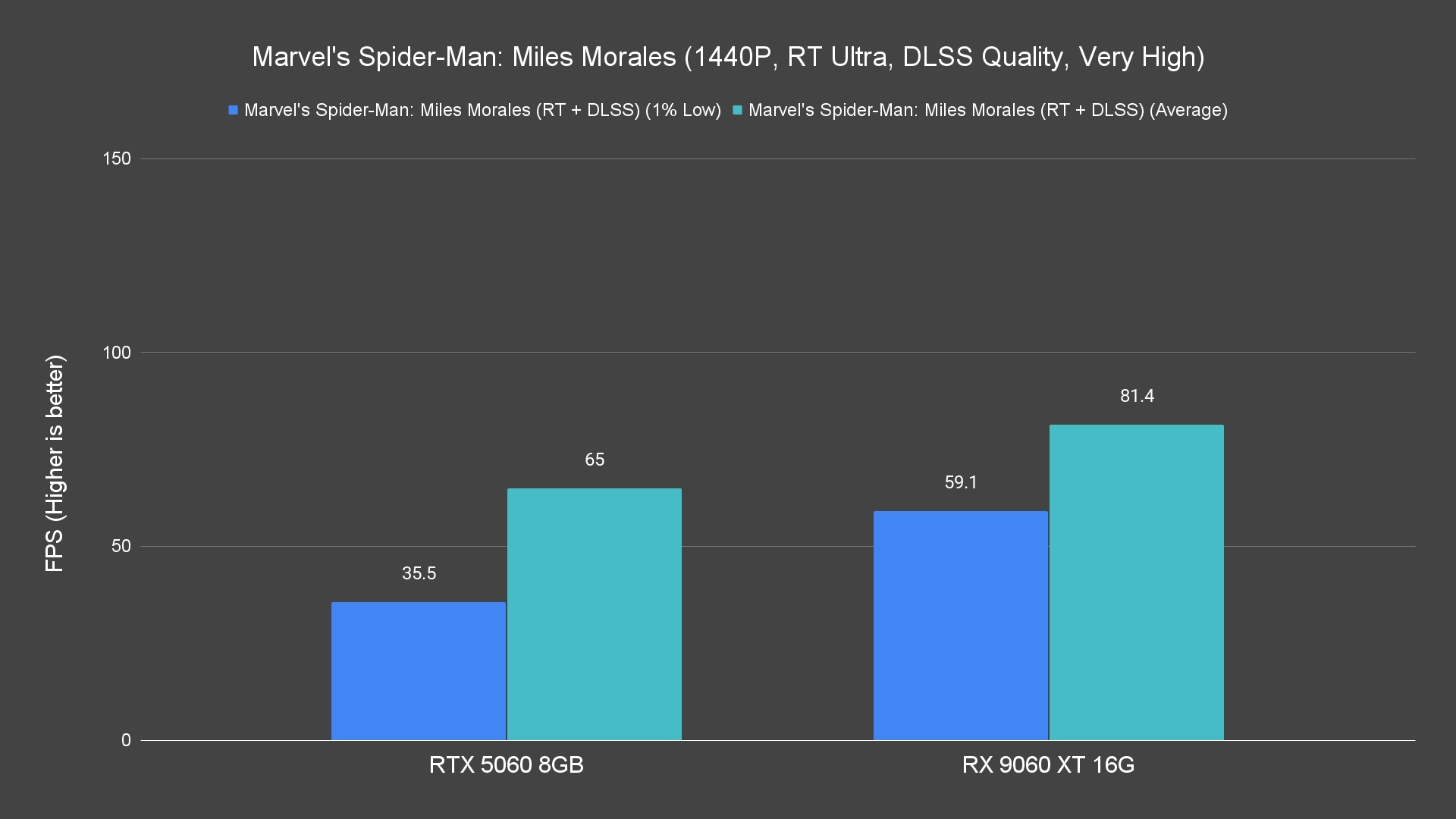
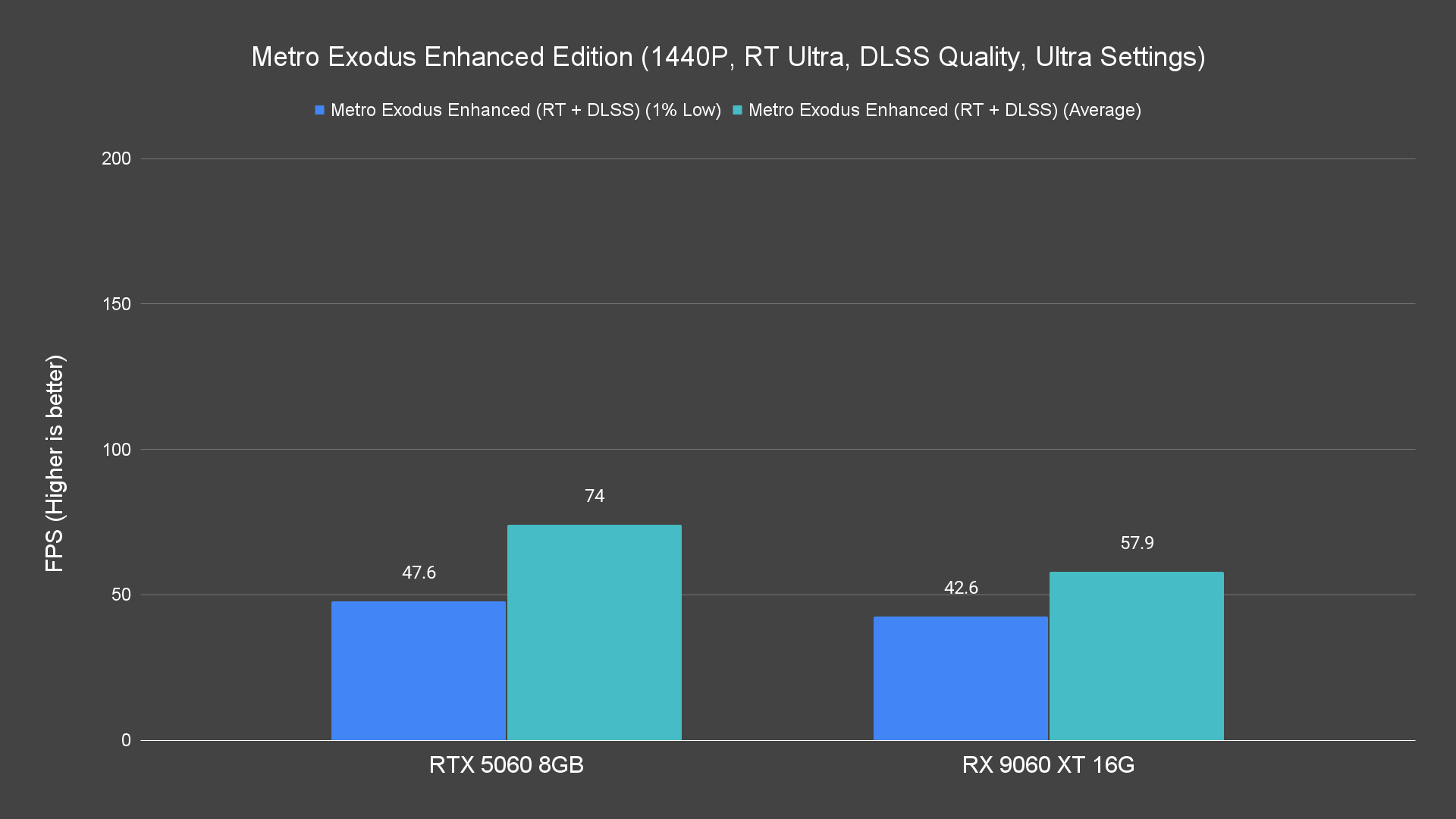
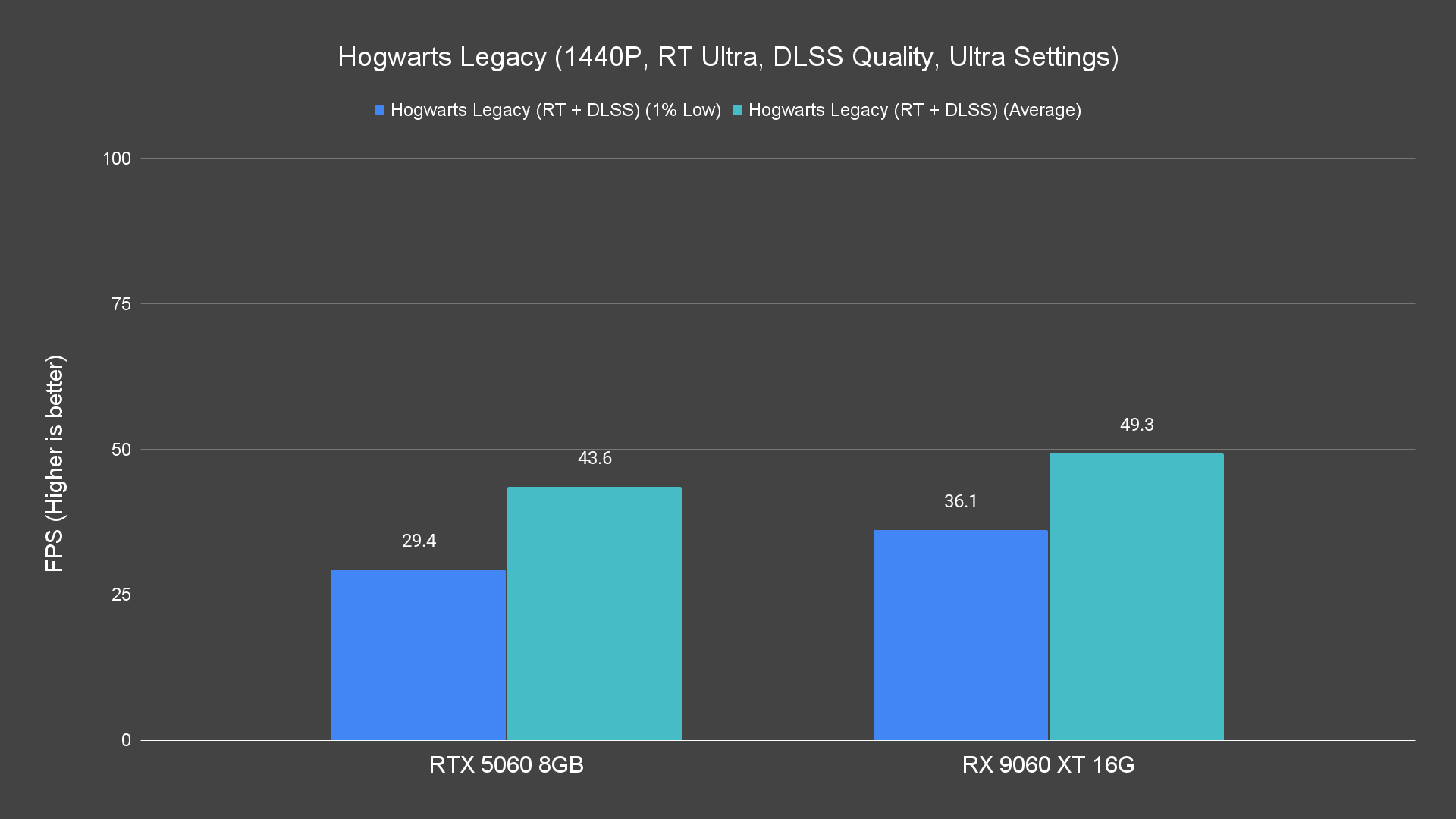
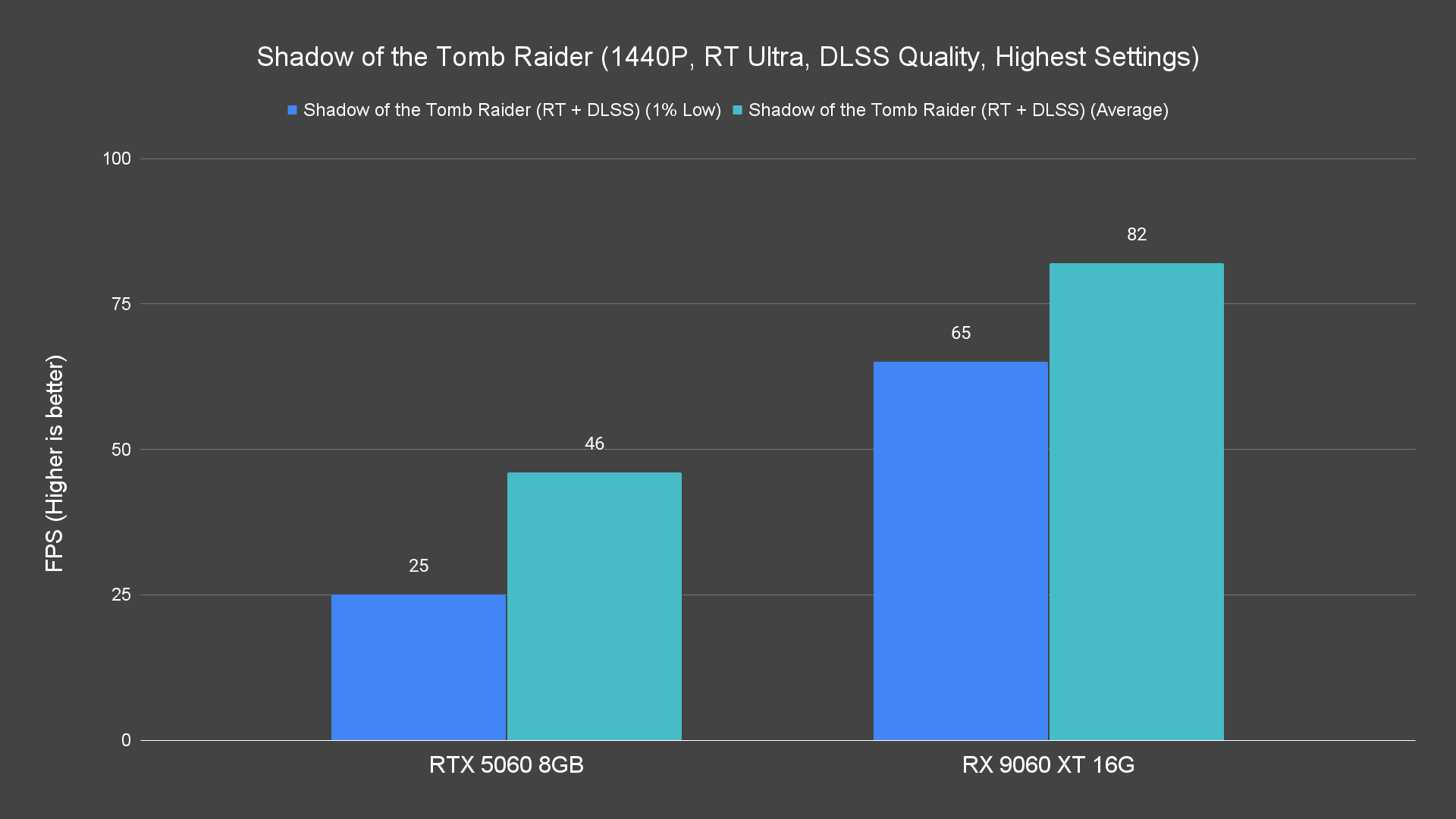
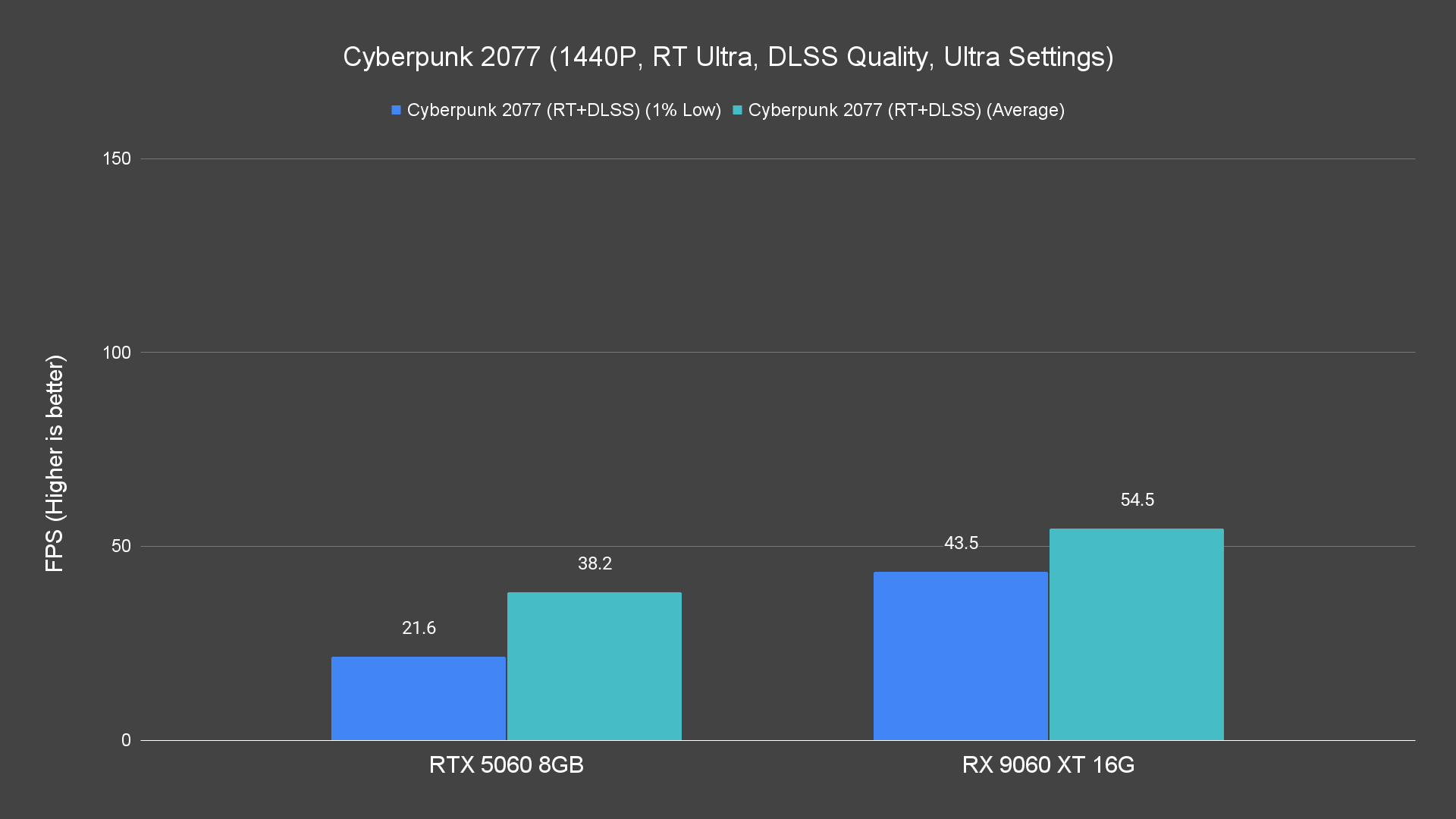
At 1440p, the limitations become more obvious — some games remain playable, but frame rates suffer in complex scenes.
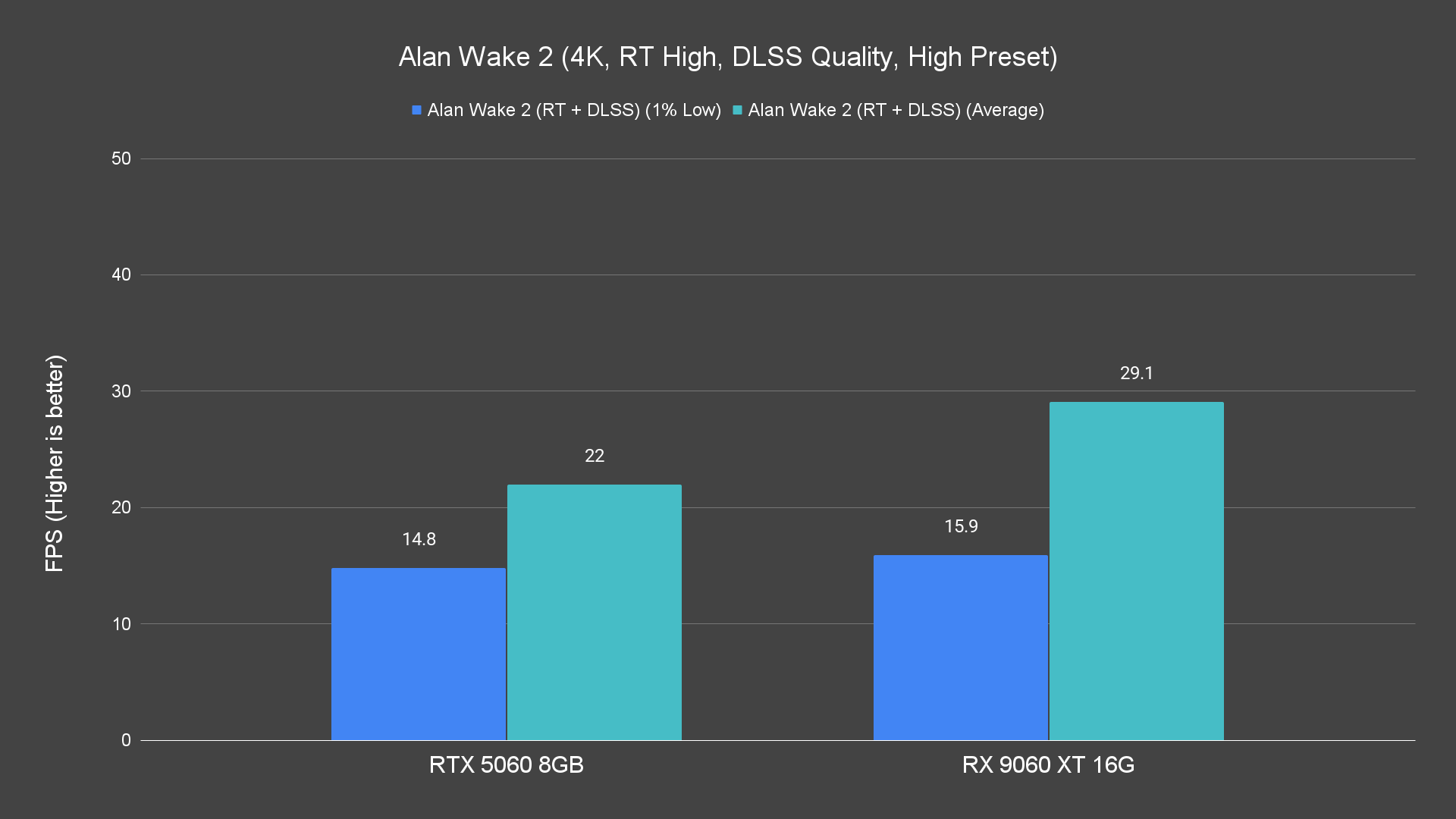
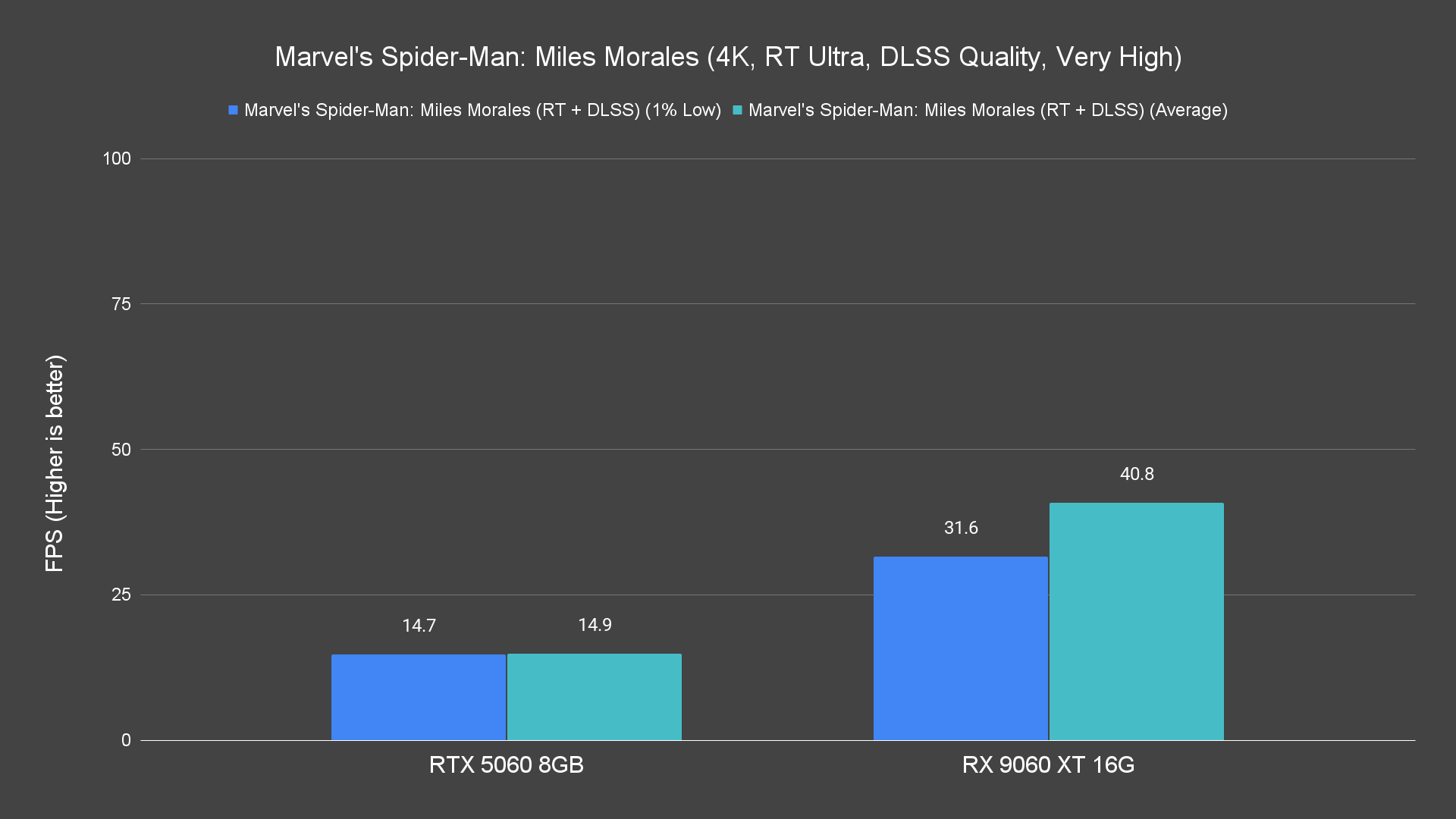
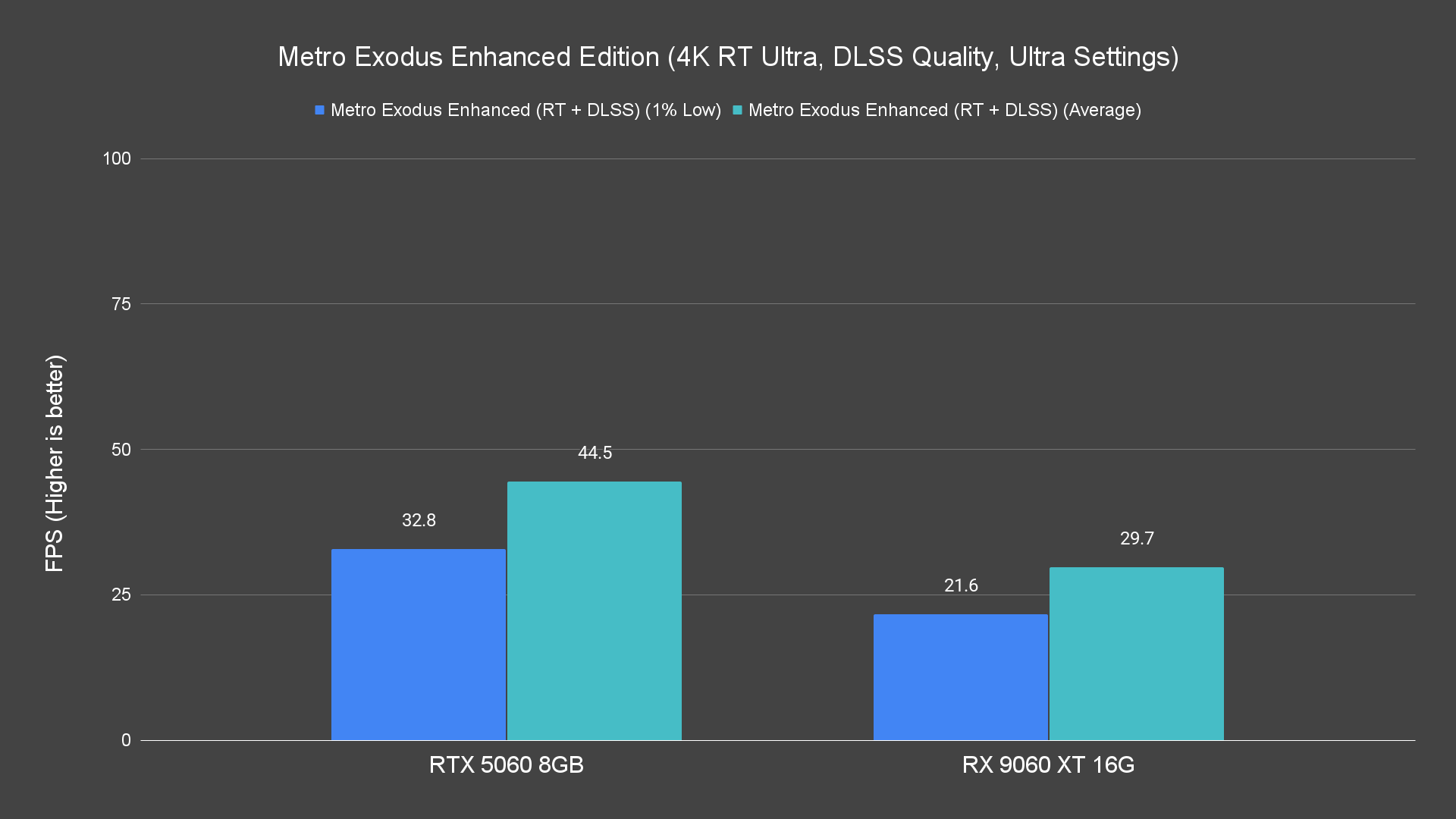
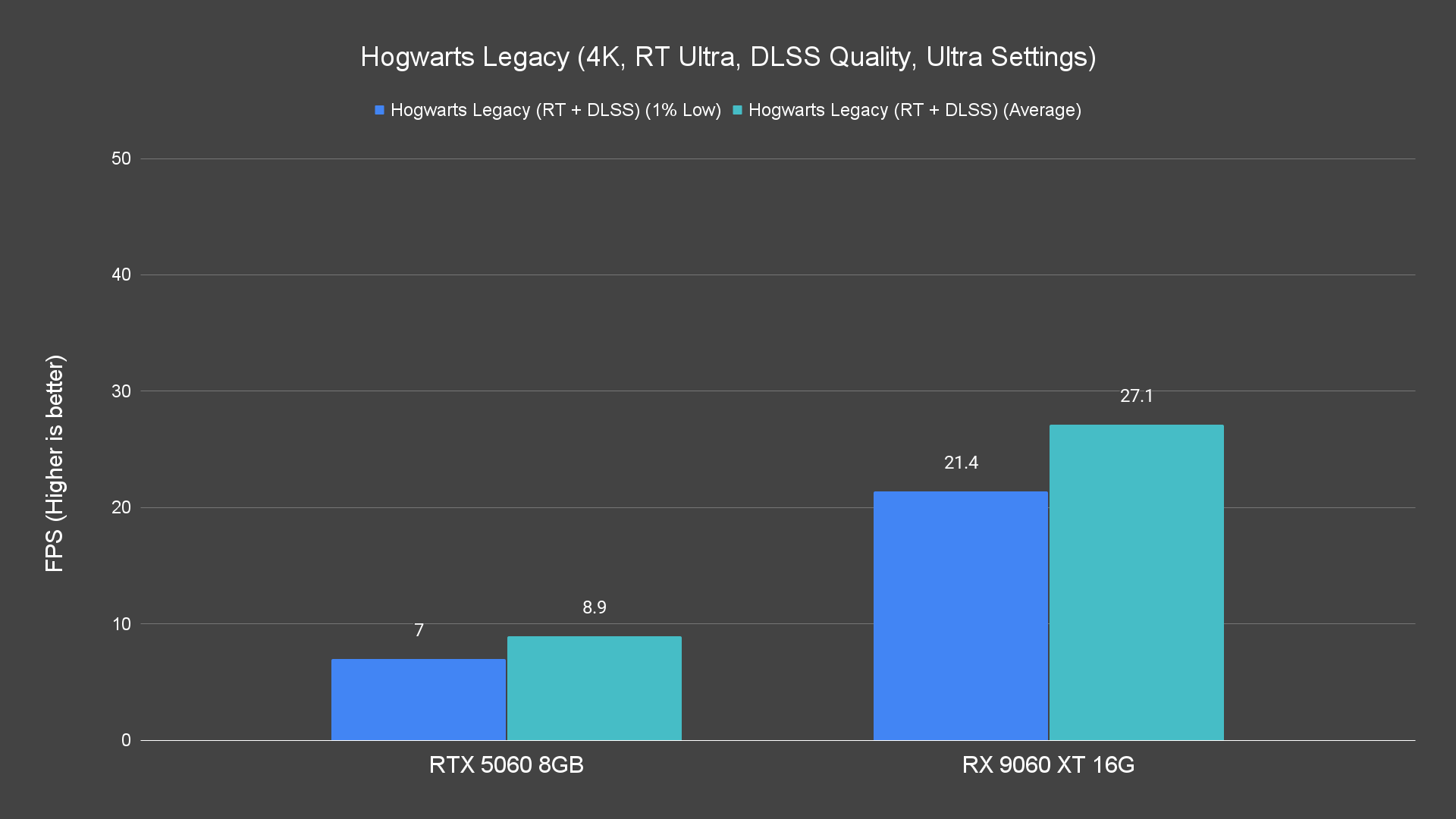
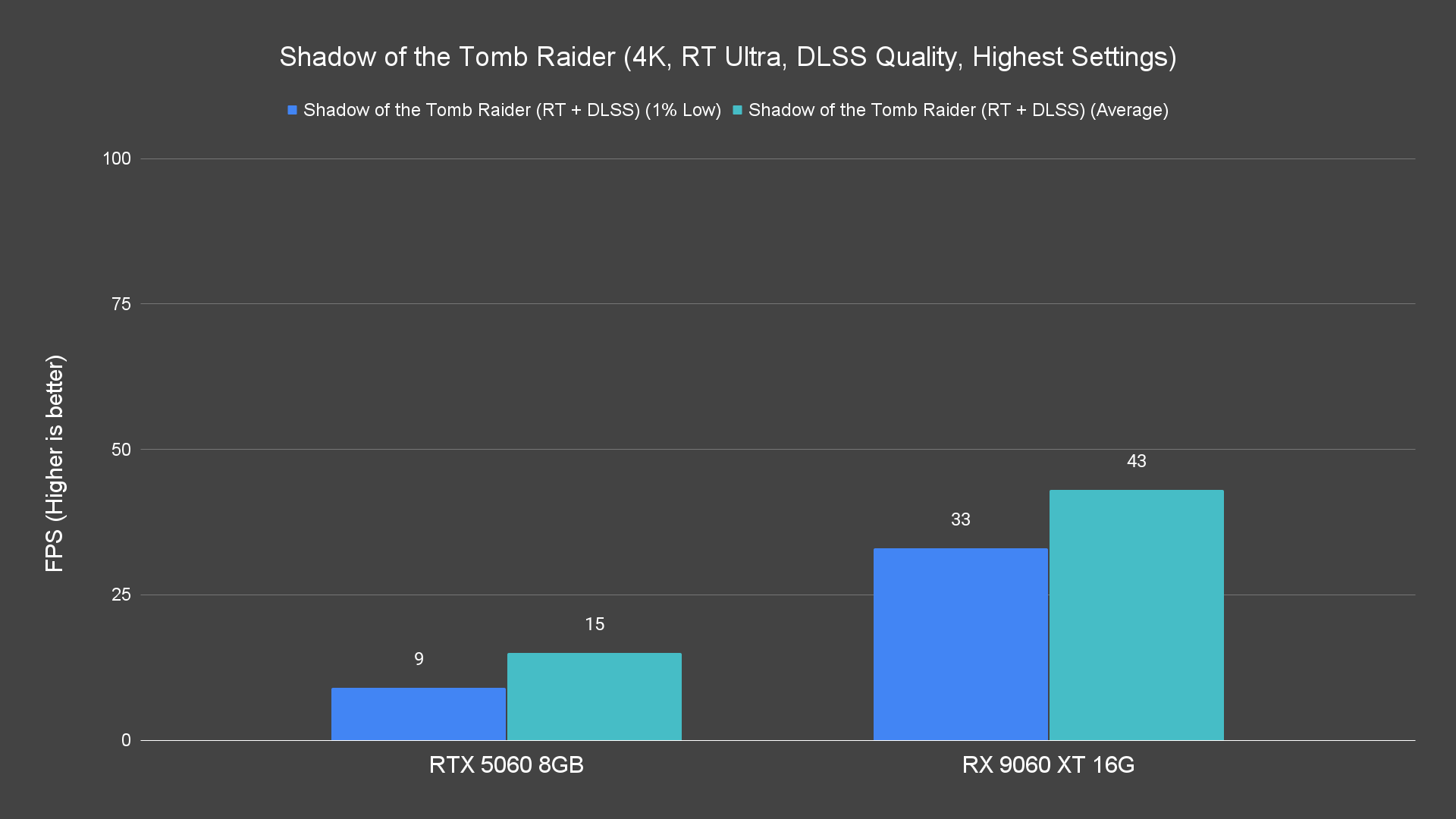
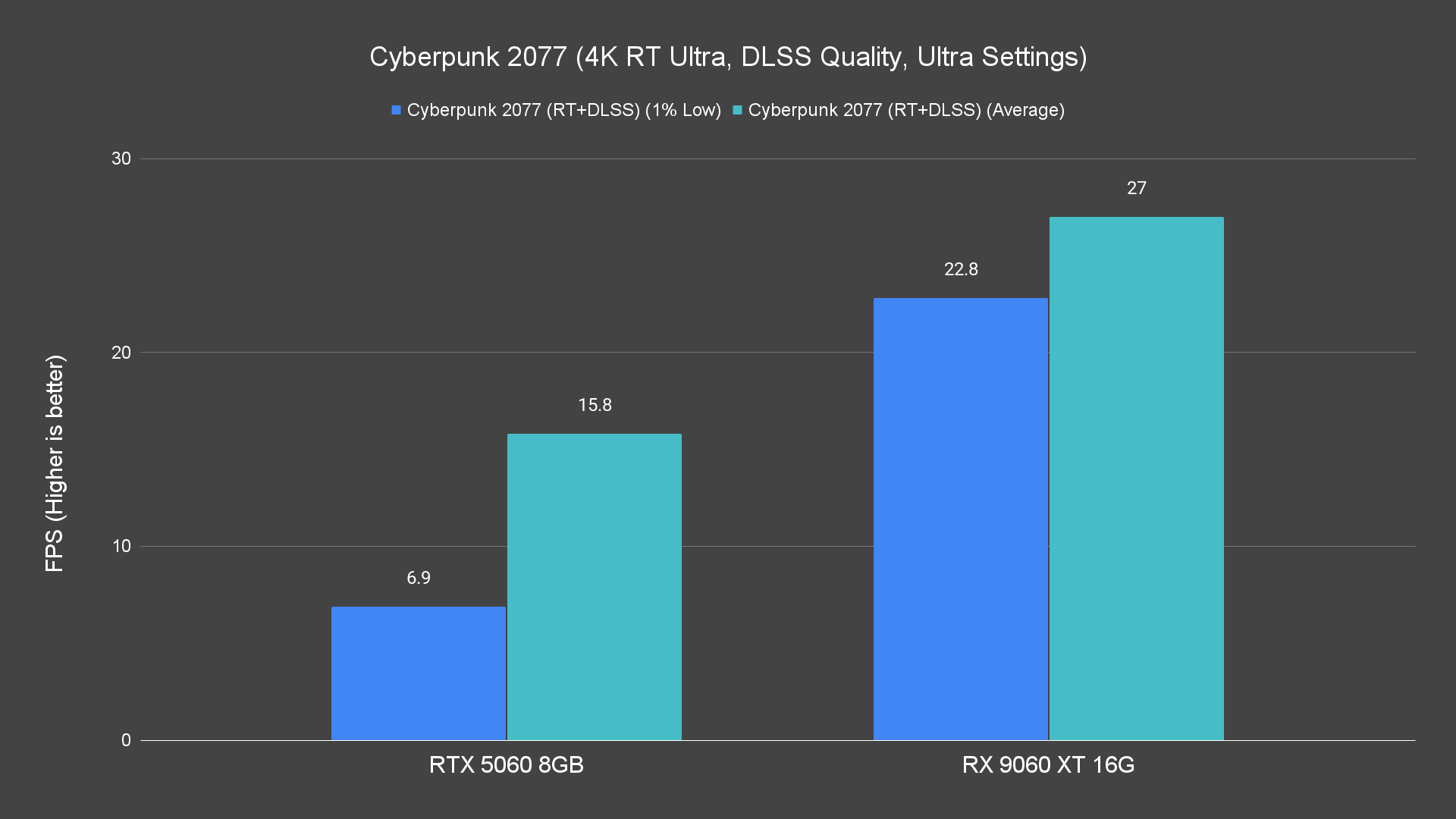
At 4K with ray tracing on, performance drops sharply, and stutter becomes more common.
That said, AMD’s FSR (FidelityFX Super Resolution) remains a helpful tool. While it cannot match DLSS in every scenario, it does extend playability in ray-traced games better than nothing.
Thermals, Power & Efficiency
A quick highlight on the MaxContact on the ASUS Prime RX 9060 XT cooler, where ASUS claims that it helps to improve heat transfer by increasing the heatsink’s contact surface area for more efficient cooling. This is something for us to find out from the stress test results.
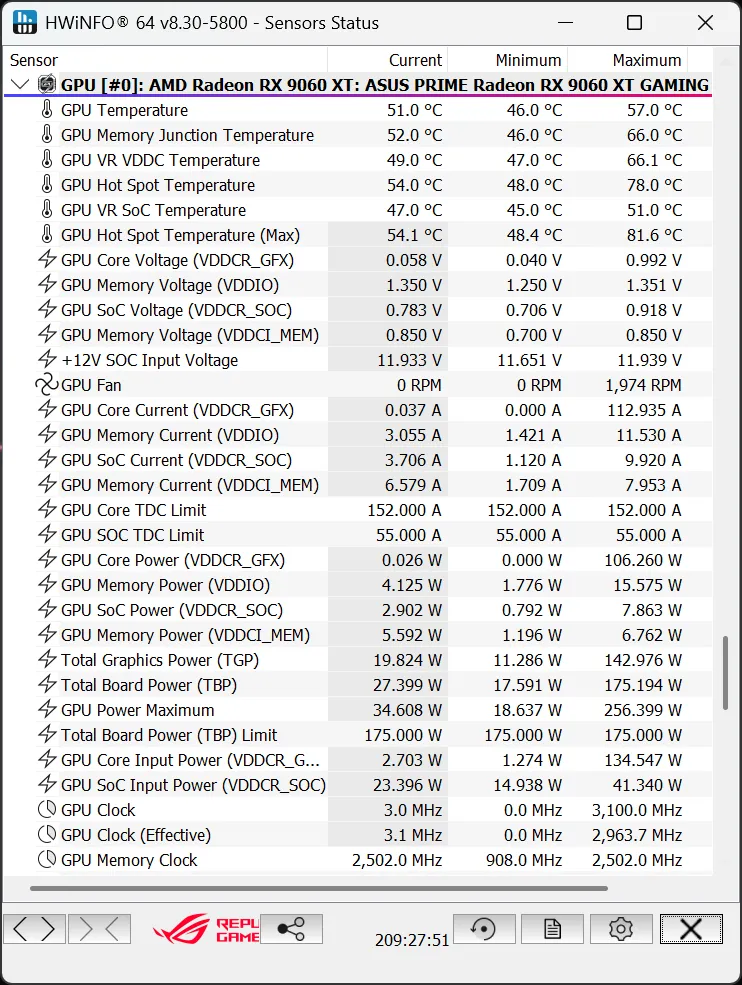
Under stress testing, the ASUS Prime RX 9060 XT reached 57 °C on the GPU and 66 °C on the memory junction. In gaming, the GPU temperature remained close to 56 °C, while the memory junction temperature stayed around 66 °C. The GPU hot spot temperature for both scenarios is very similar, which is at 78 °C.
These are pretty reasonable numbers for this class of cooler and power draw, I’d say. As for the acoustic performance, the fans are clearly audible under load but not overly aggressive, and in lighter loads, they quiet down cleanly. ASUS did include a dip switch on the card to toggle between the performance and quiet mode BIOS for different user needs. For us, we just stick with the performance mode BIOS all the way because the fan runs quietly for most of the time.
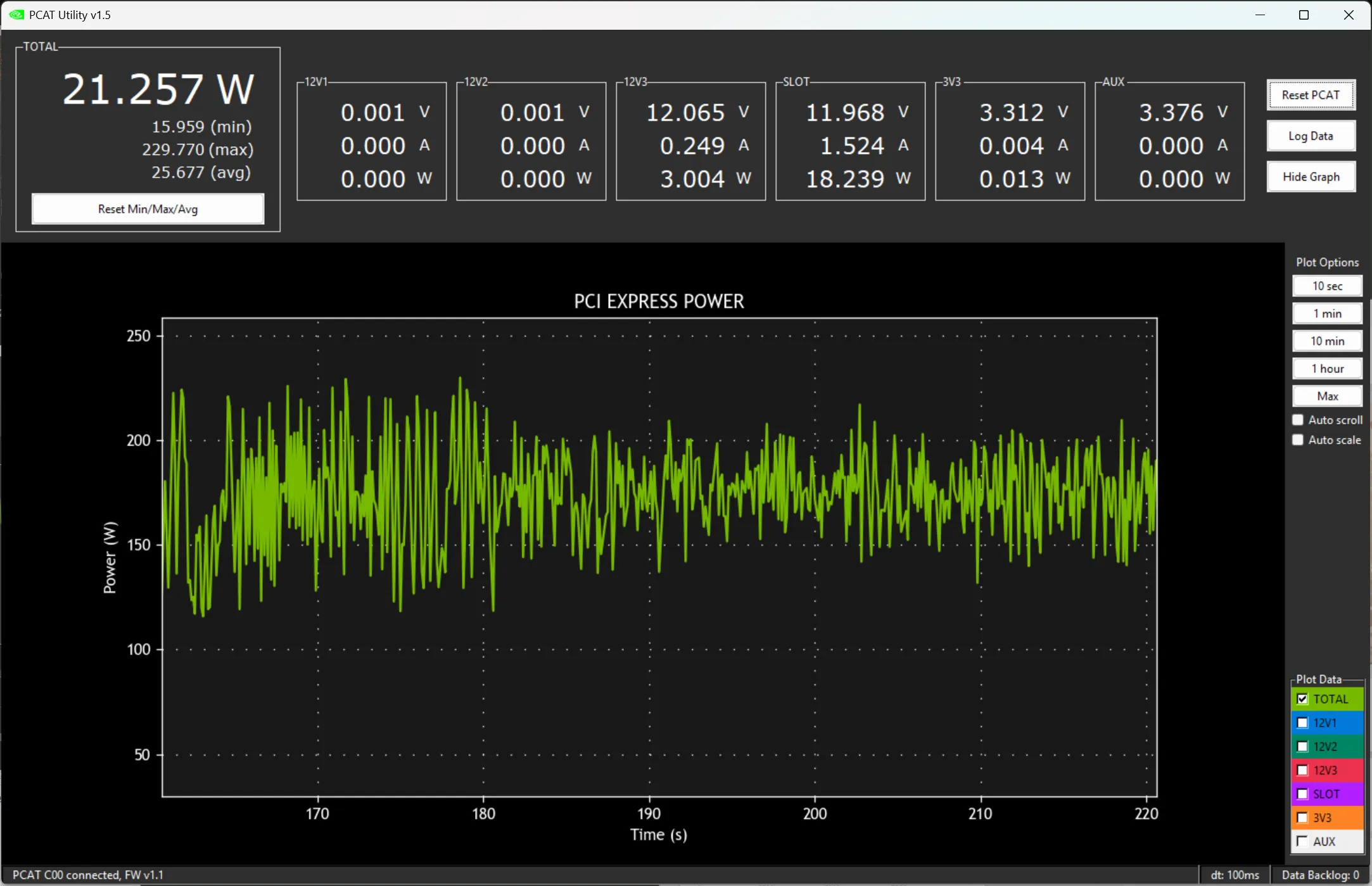
In terms of power, the card’s load push is approximately 400 W, which includes the system draw. Given the performance it offers, this level of power is reasonable and does not demand extravagant power supplies.
Final Thoughts
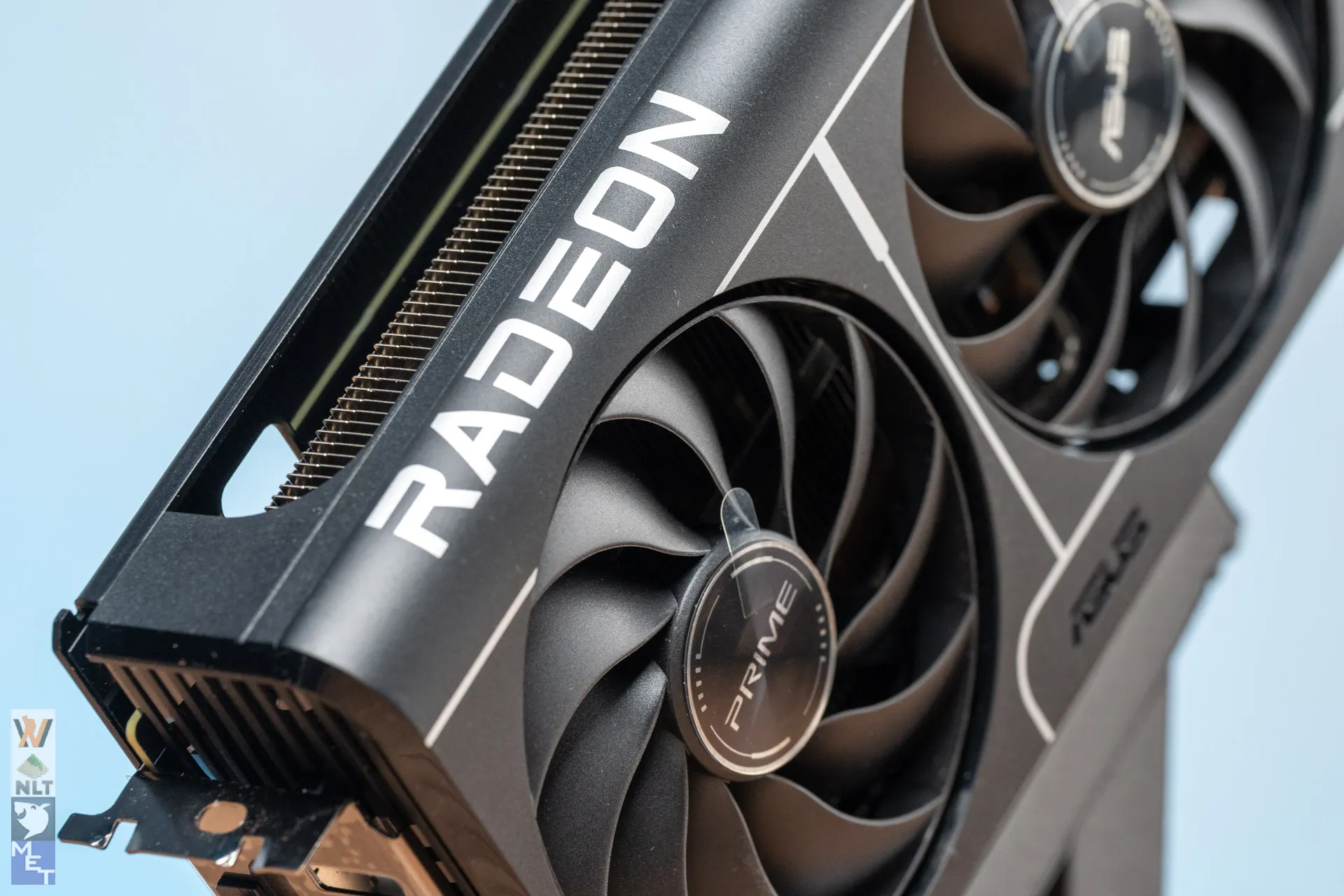
The ASUS Prime RX 9060 XT is not a showpiece, but it does deliver what matters: strong performance in raster gaming, competent thermals, and a dependable build. Its ray tracing capabilities are limited, so if advanced lighting and reflections are your top priority, you’ll feel its boundaries. But if your focus is on efficient, high frame rate play at 1080p or 1440p, this card is a strong contender.
Another thing to highlight is, of course, the cooler design. It might not be the flashiest option in the lineup, but the Prime RX 9060 XT finds its value in being cool, quiet, and dependable. For builders who just want a straightforward card that does its job well without unnecessary extras, this is a pretty good pick.
For its price in Malaysia, it offers a compelling mix of performance, features, and future-proofing via its larger VRAM. Currently, the ASUS Prime RX 9060 XT 16GB model is priced at RM 1,799, while the 8 GB version is listed at RM 1,599. This puts the card in a competitive range for mid-tier GPUs, given its performance and VRAM headroom, especially with the high GPU prices nowadays.
And just like their motherboards, ASUS also offers a 4-year-long premium warranty for their graphics cards when you register the product at https://www.asus.com/my/events/infoM/activity_PremiumWarranty.