The wait is finally over! NVIDIA’s next-generation GPUs have arrived, and the GeForce RTX 5090 is leading the charge. This powerhouse promises to push the boundaries of gaming and productivity, leveraging NVIDIA’s latest Blackwell architecture. With jaw-dropping specifications, cutting-edge technologies like DLSS 4.0, and an unprecedented number of CUDA cores packed onto a single die, the RTX 5090 sets a new benchmark in performance and AI-driven tasks.
But does it live up to the hype? More importantly, is it the ultimate upgrade for enthusiasts and gamers, or just another premium-priced toy? In this article, we take a first look into its game performance, power and thermal efficiency, and real-world scenarios with DLSS 4 enabled to see if the RTX 5090 truly earns its crown.
Quick Look at the Card
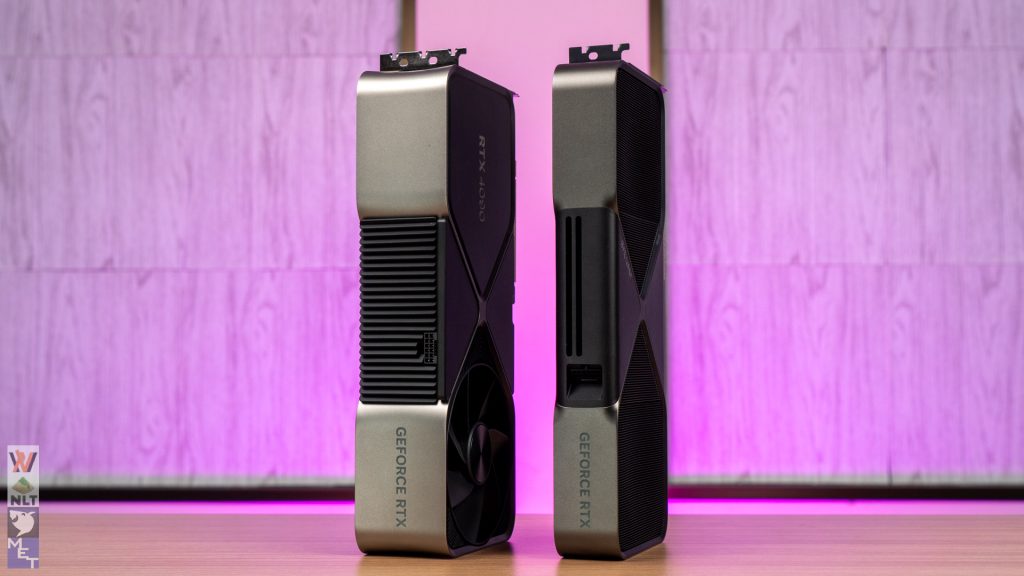
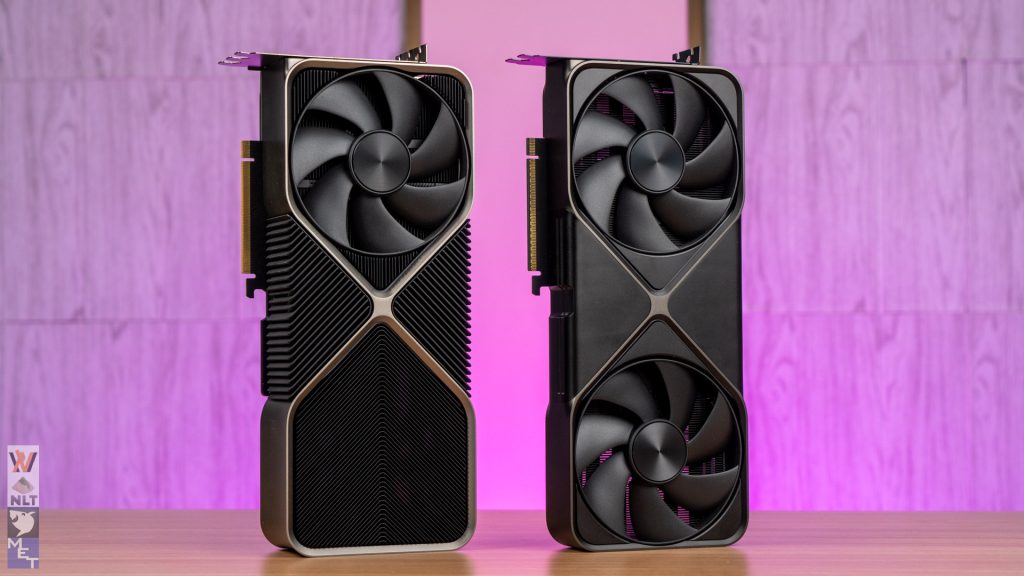
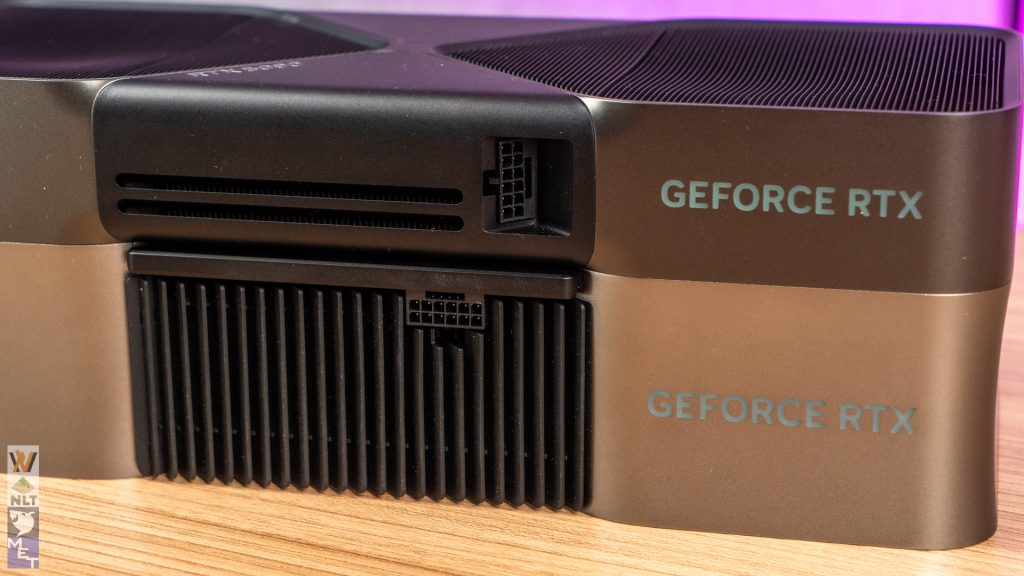
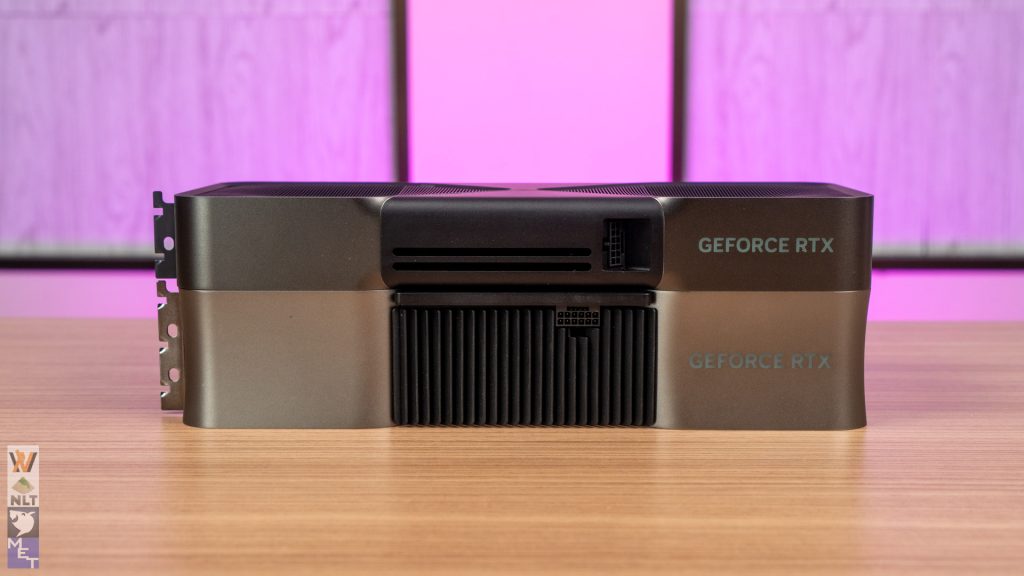
The GeForce RTX 5090 Founders Edition immediately grabs attention with its surprising size. After the colossal heatsinks of the RTX 3090 and RTX 4090, we expected a similar design here. Instead, NVIDIA has delivered a sleeker, more compact card.
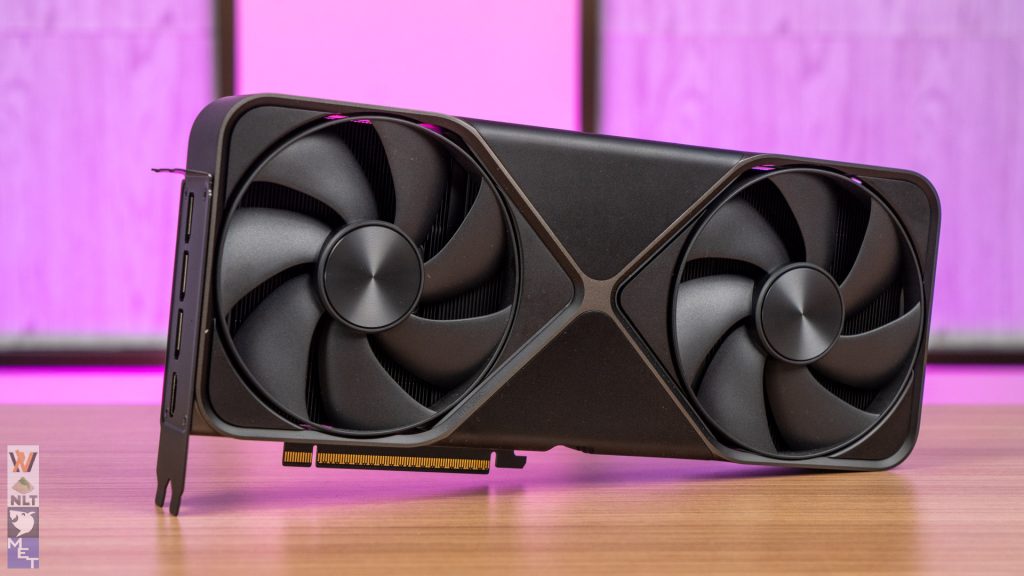
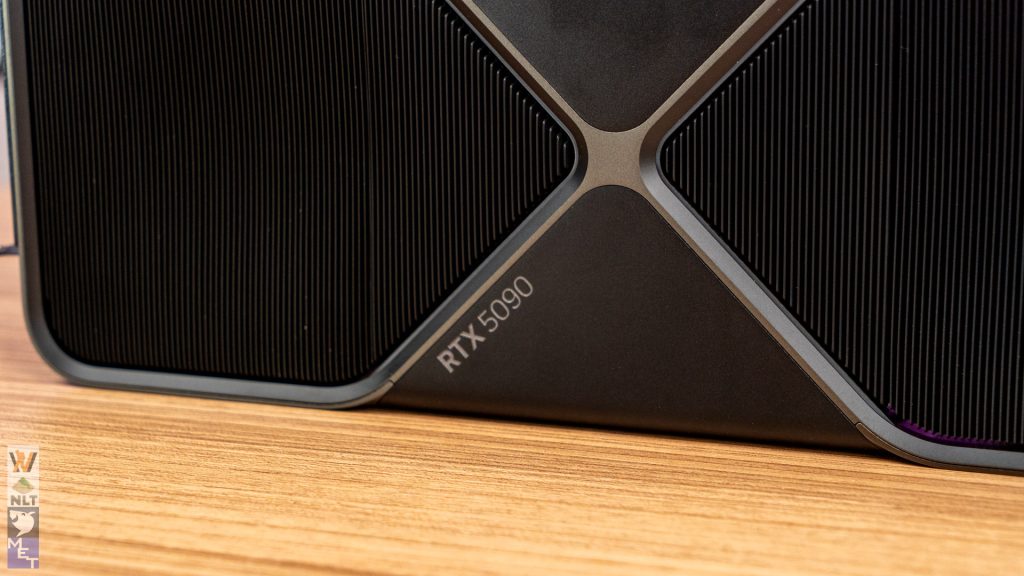
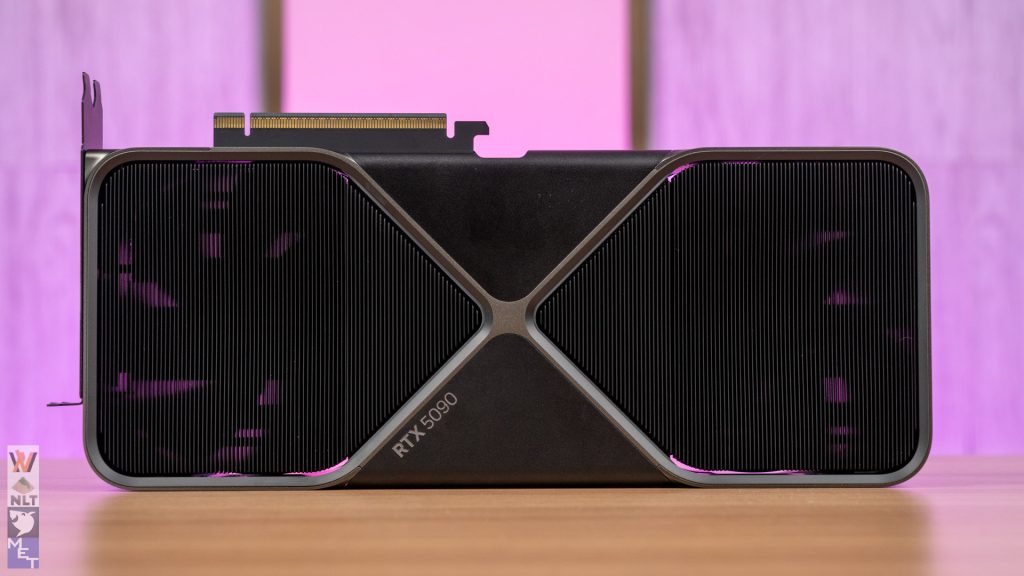
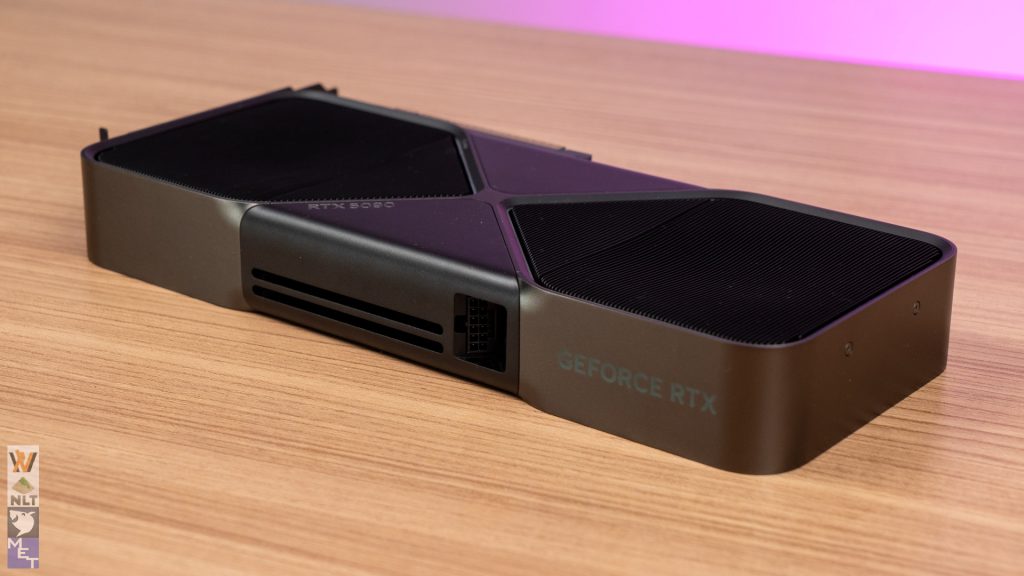
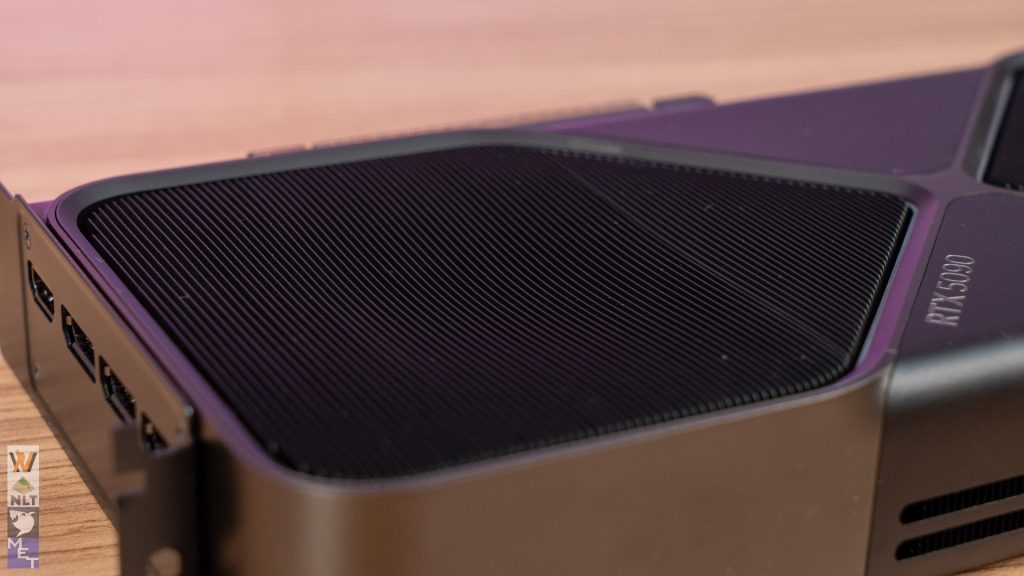
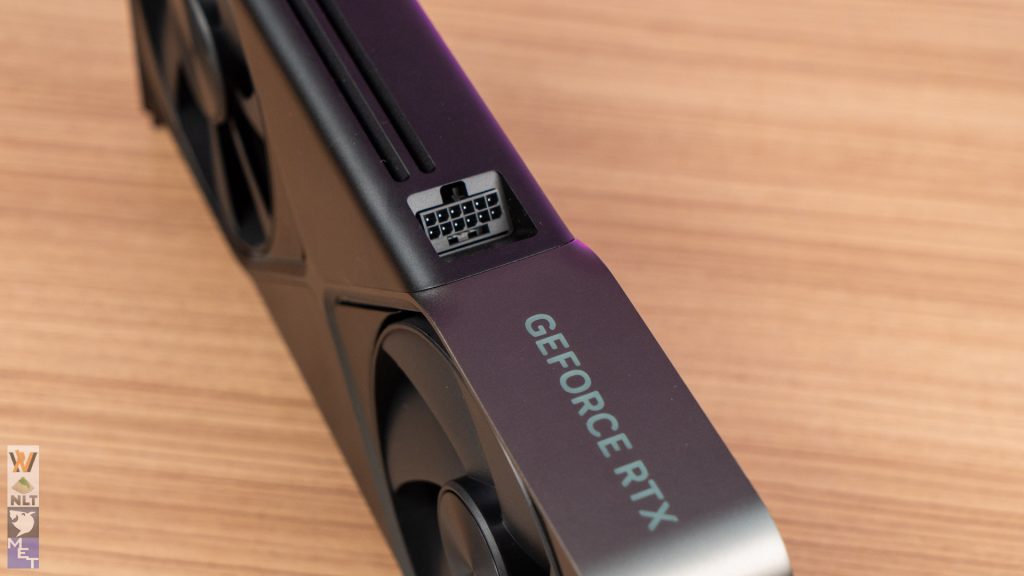
One standout feature is the revamped cooler design. While maintaining the familiar aesthetic, NVIDIA has taken thermal performance to new heights with a dual-fan configuration and an enlarged vapor chamber to keep the RTX 5090’s immense power in check. The refined flow-through design ensures optimal airflow across the PCB and heatsinks, making the card both highly efficient and impressively quiet under load.
Visually, the RTX 5090 retains its industrial look but now features sandblasted metal accents and subtle lighting. The cooler’s smaller, dual-slot profile ensures better compatibility with compact cases, addressing a concern from previous generations.

Additionally, NVIDIA includes a new, more flexible 12VHPWR cable. It’s longer and easier to route, which pairs well with the angled connector. Of course, the 12VHPWR cable on existing power supplies will work just fine with the RTX 5090.
Beyond the new cables, the updated adapter also features a redesigned header, which we believe addresses the overheating issues caused by excessive bending angles with the previous adapter if you have a tight space between the card and the side panel of your case.
Test System Setup
| CPU | Intel Core i9-14900K |
| Motherboard | ASUS ROG Maximus Z790 APEX ENCORE |
| Memory | KLEVV CRAS V RGB ROG Certified DDR5 (24GB x2) |
| Graphics Card | RTX 5090 Founders Edition / RTX 4090 Founders Edition |
| Power Supply | Cooler Master M2000 Platinum |
| Primary Storage | Kingston KC3000 2TB |
| CPU Cooler | Cooler MasterLiquid PL360 Flux |
| Chassis | Cooler Master MasterFrame 700 |
| Operating System | Windows 11 Pro 64-bit 24H2 |
Base Performance Tests
Before diving into DLSS 4, let’s analyze the RTX 5090’s base raster and ray tracing performance without frame generation. This gives us a clearer picture of its raw capabilities compared to the RTX 4090.
Raster Performance
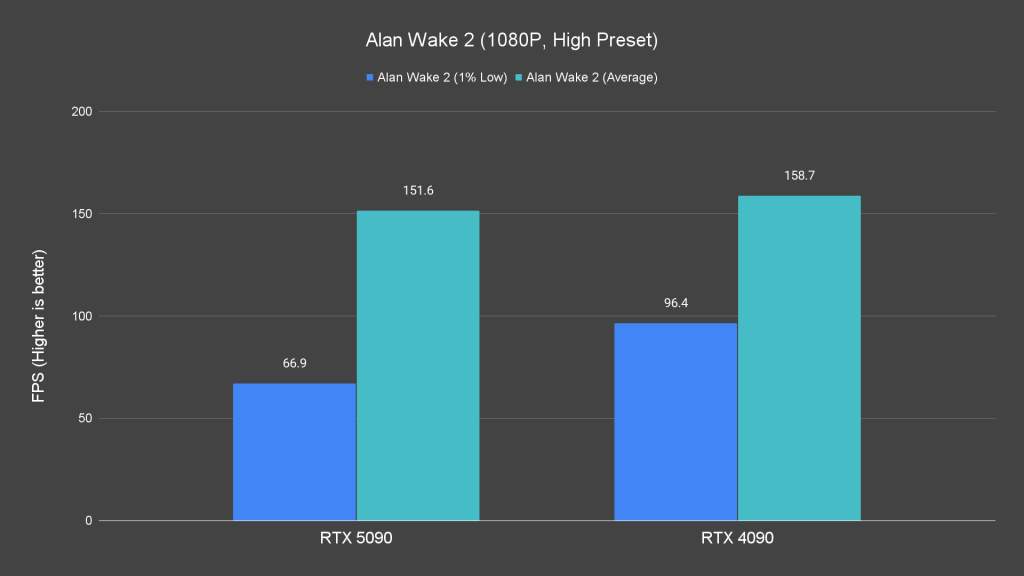
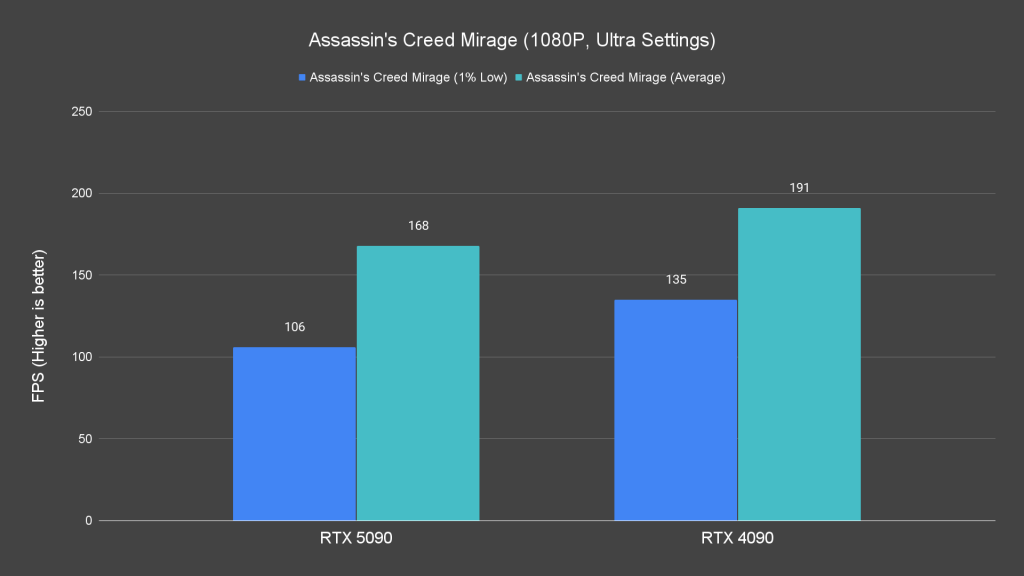
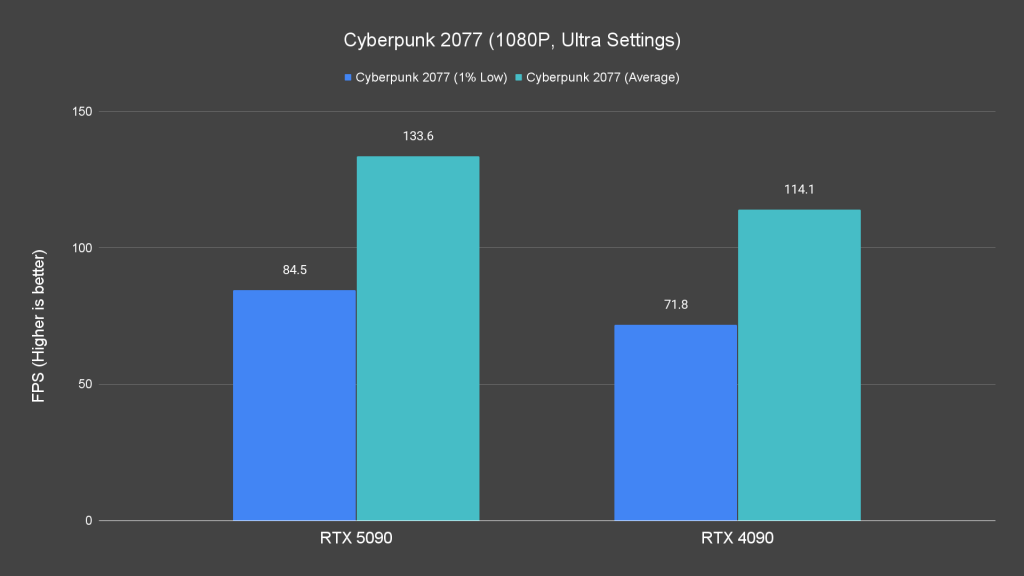
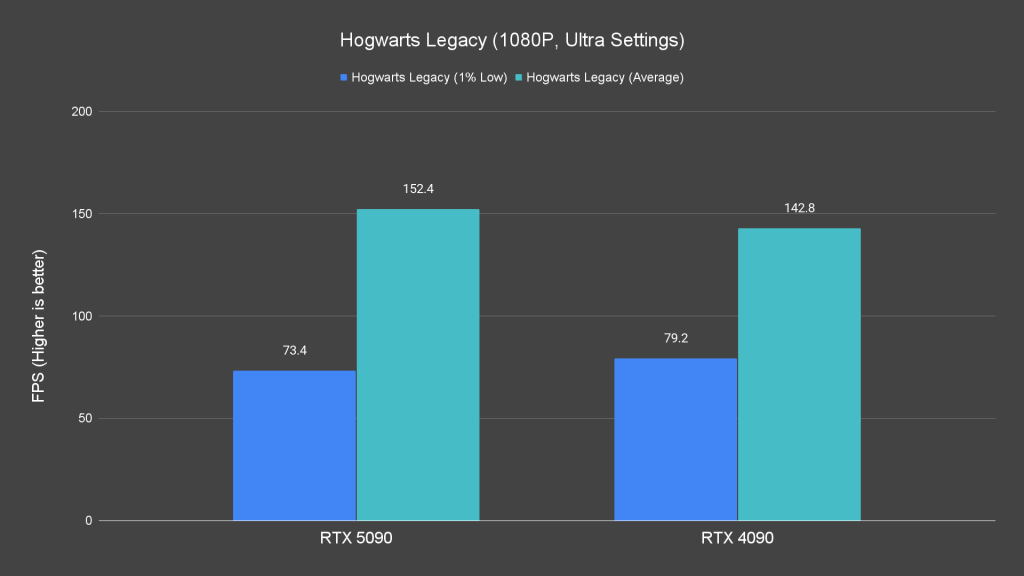
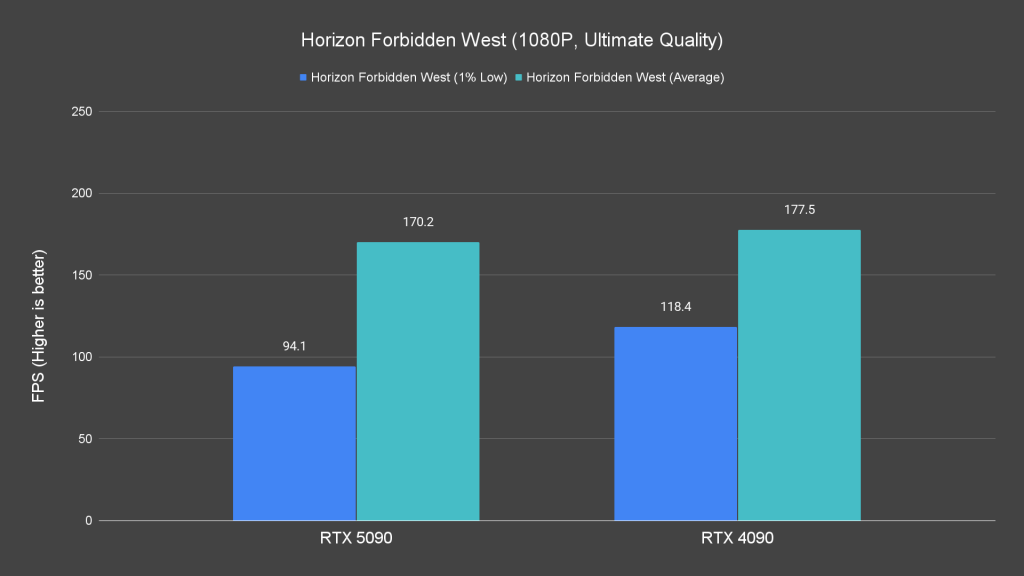
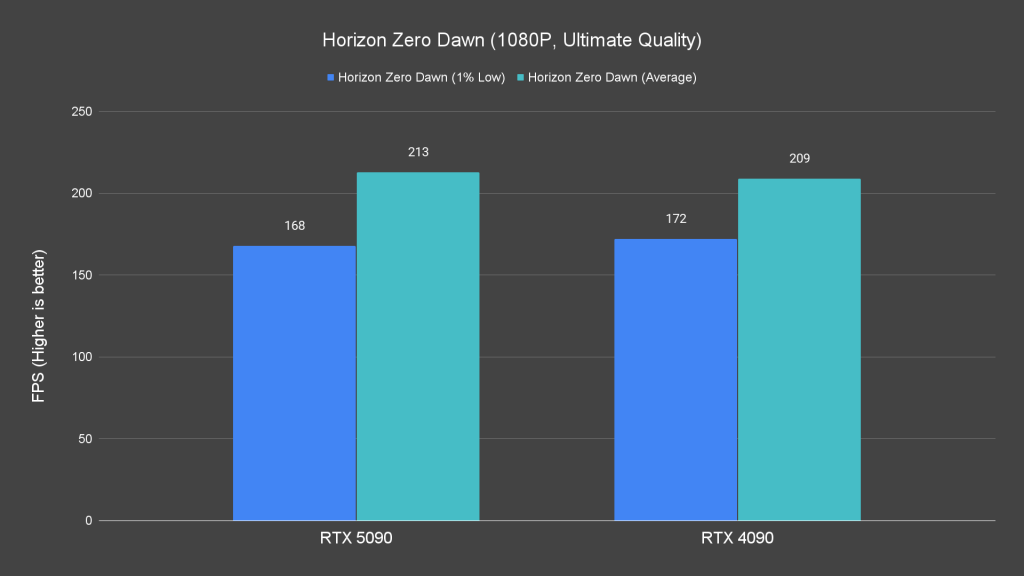
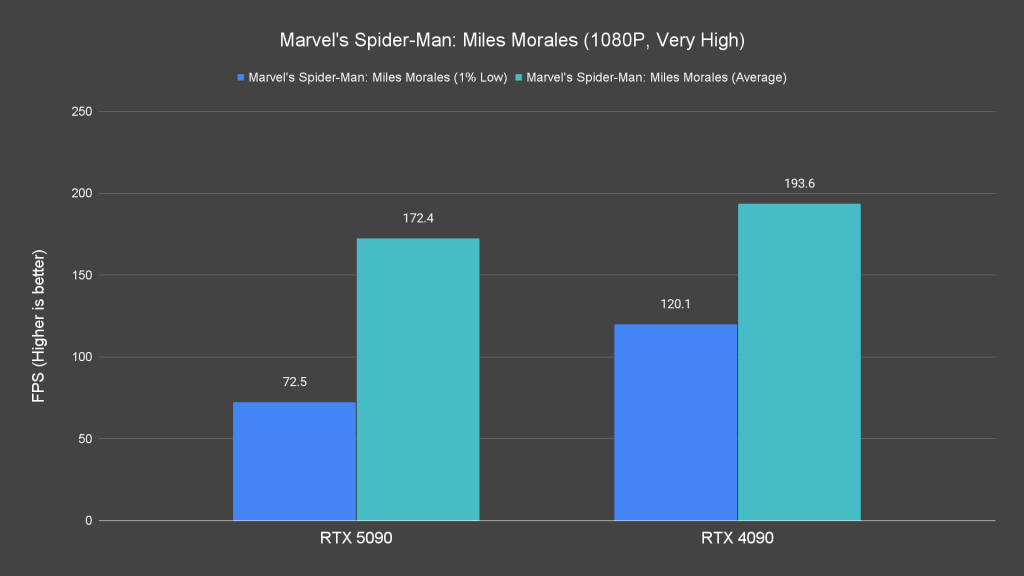
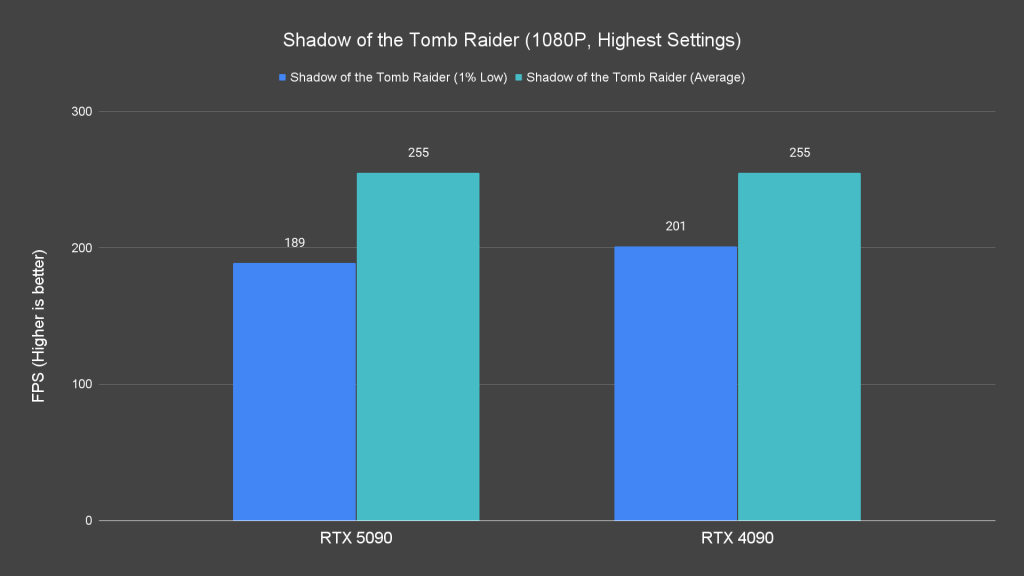
At 1080p, the RTX 5090 is heavily CPU-bound, which limits its lead over the RTX 4090. While titles like Alan Wake 2 and Cyberpunk 2077 show noticeable gains, the RTX 4090 leads in other cases.
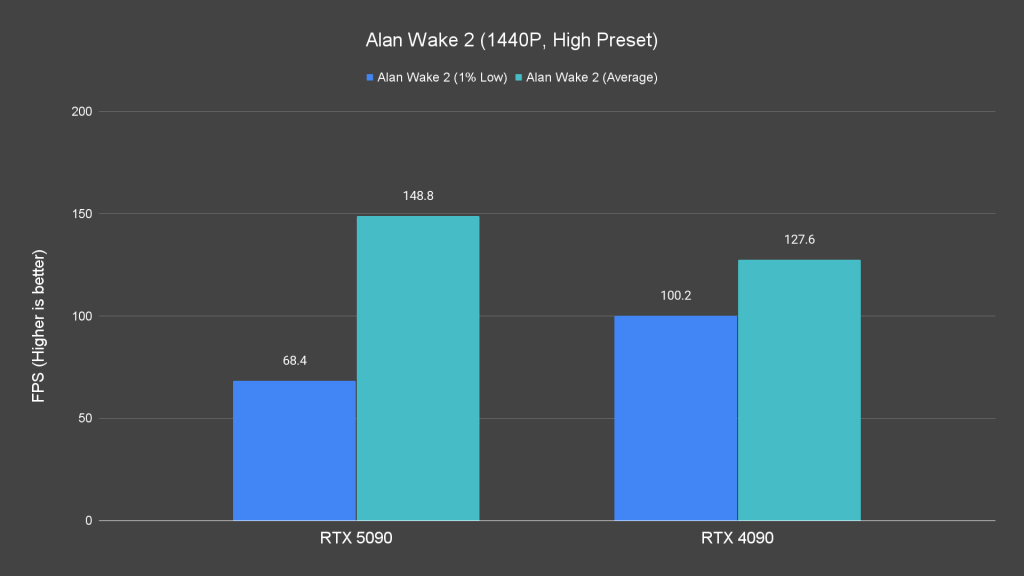
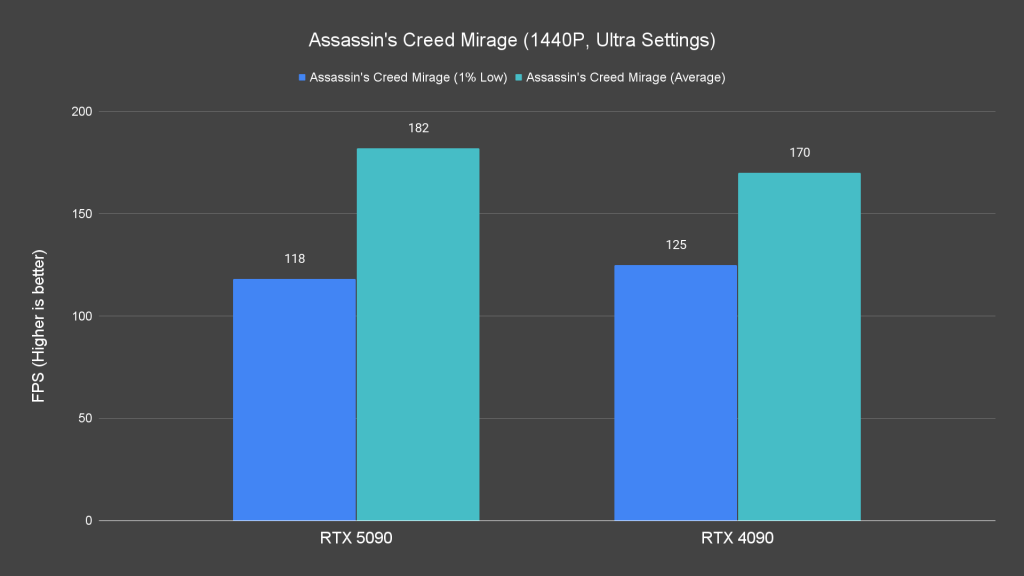
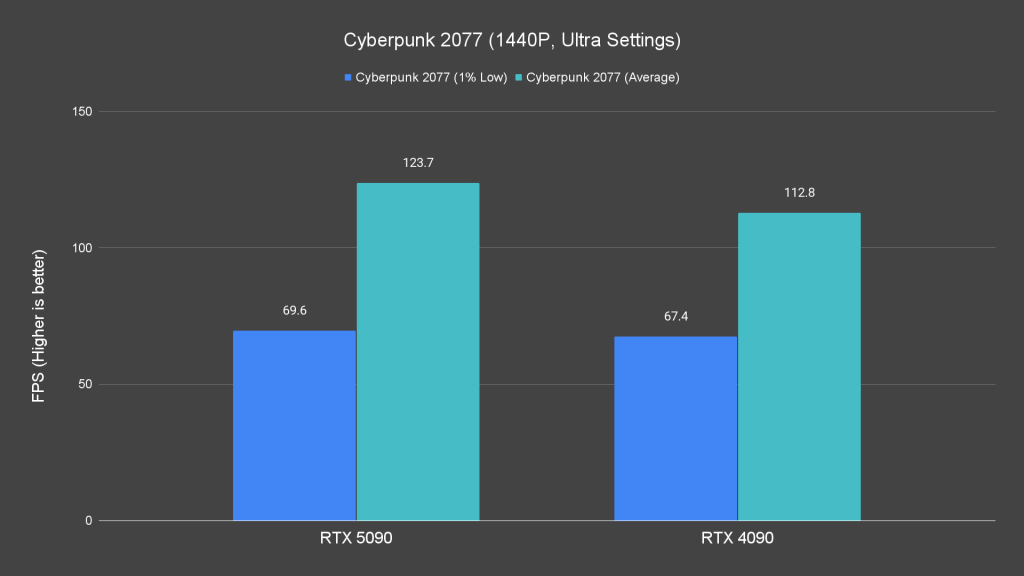
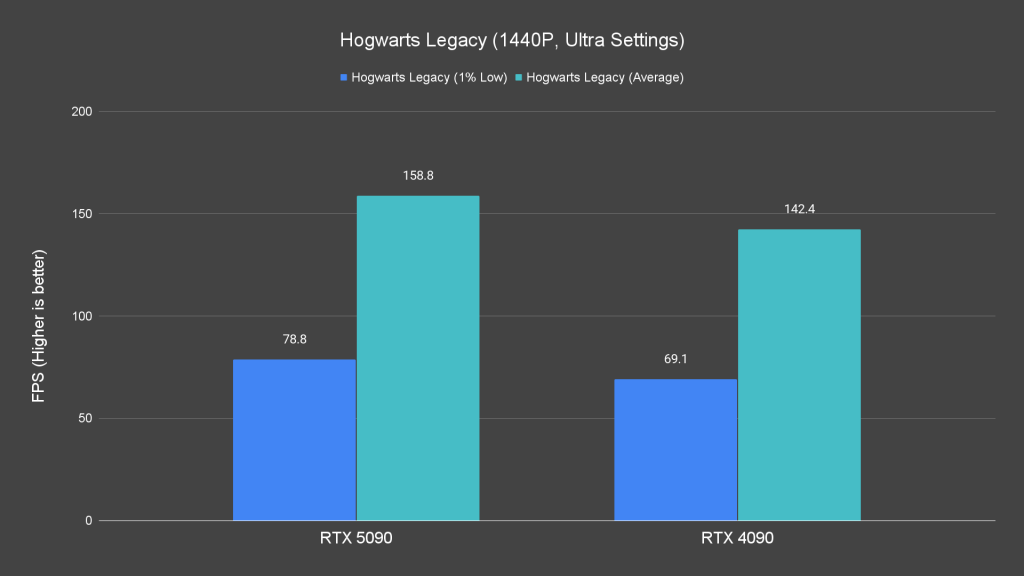
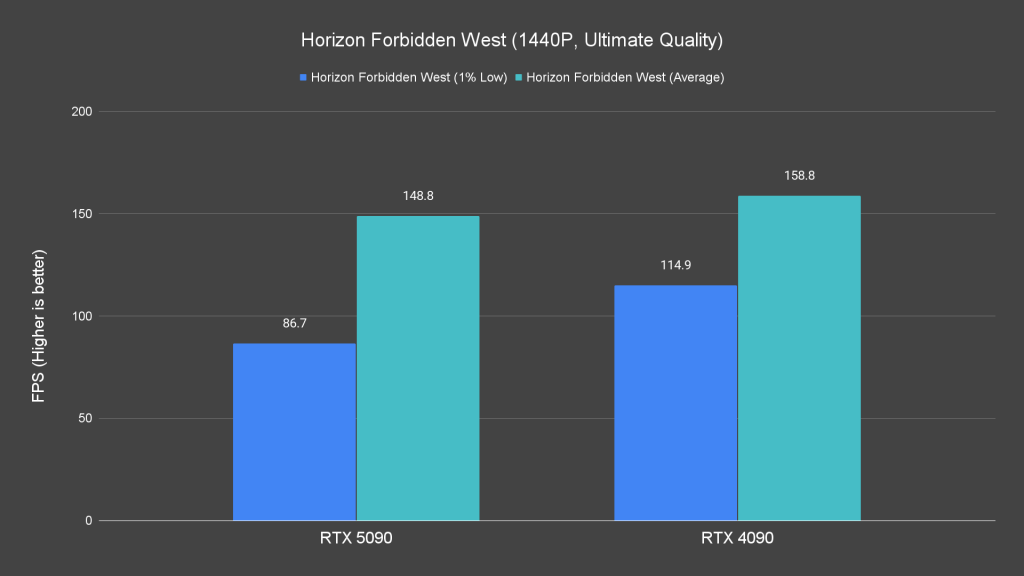
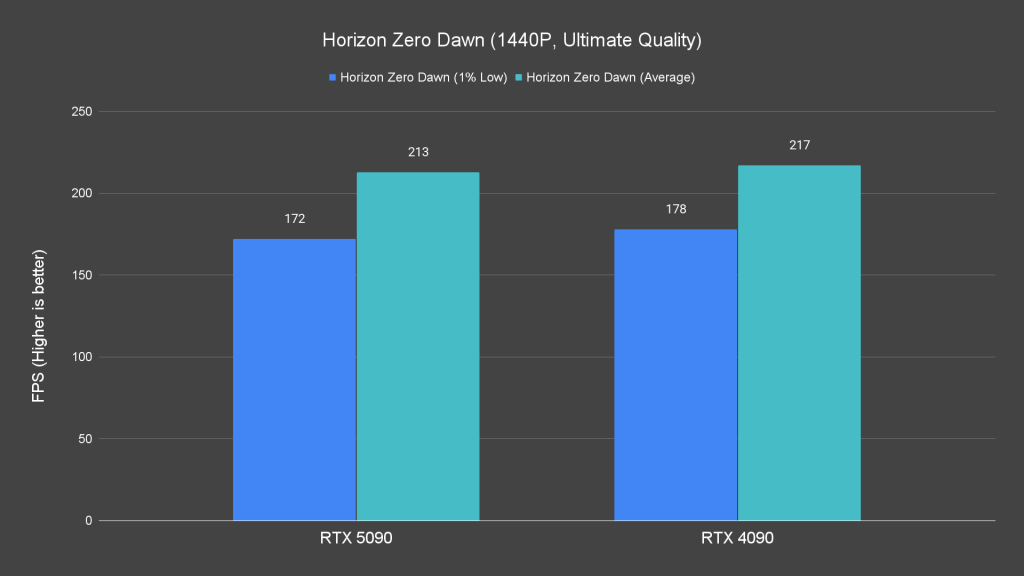

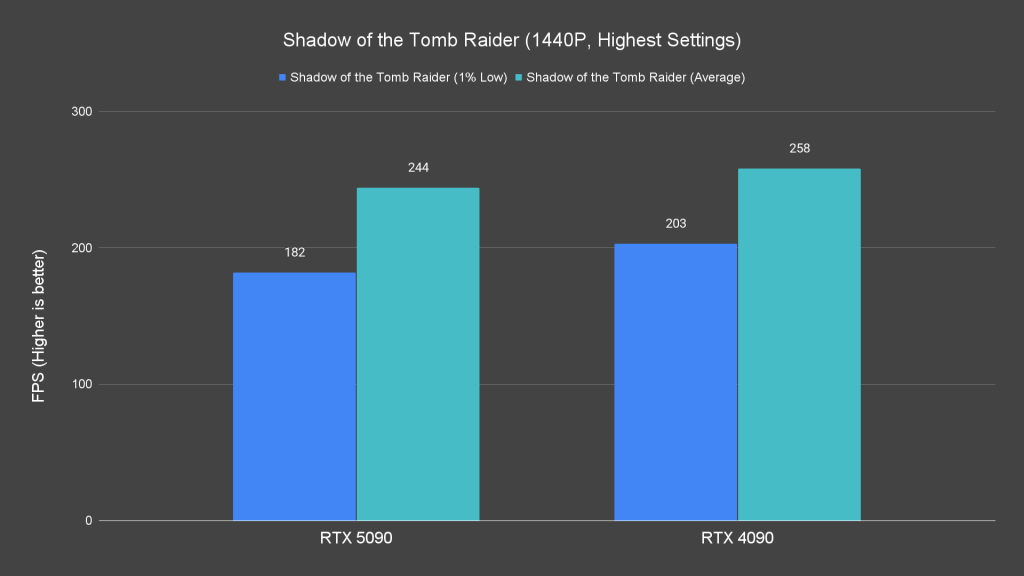
A similar trend persists at 1440p, where the CPU bottleneck remains a limiting factor.
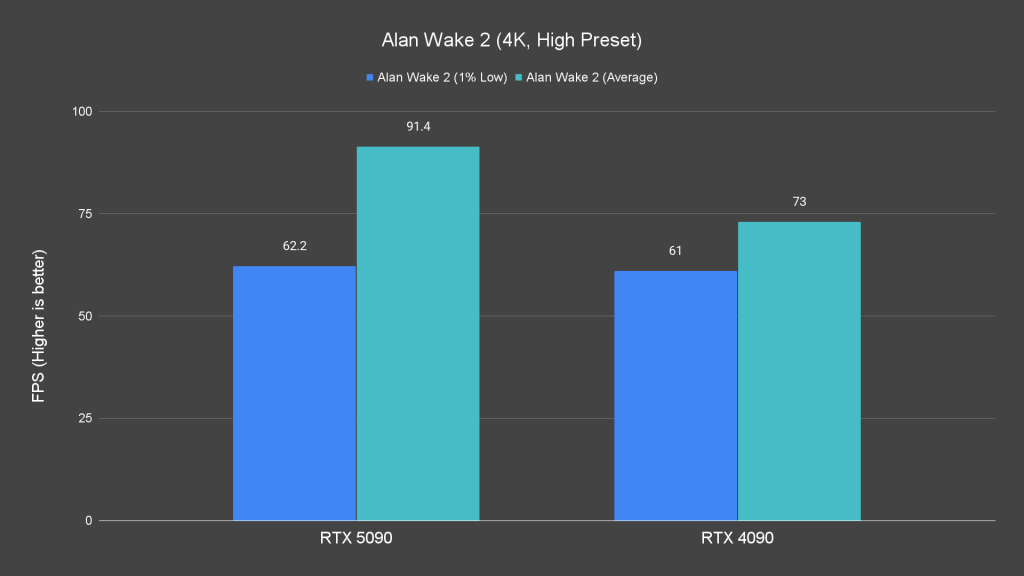
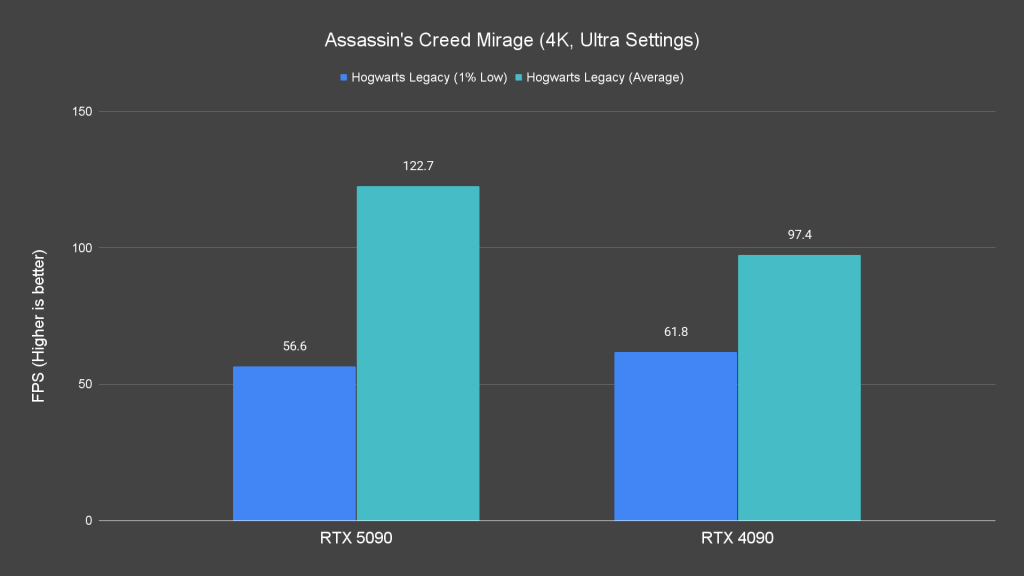
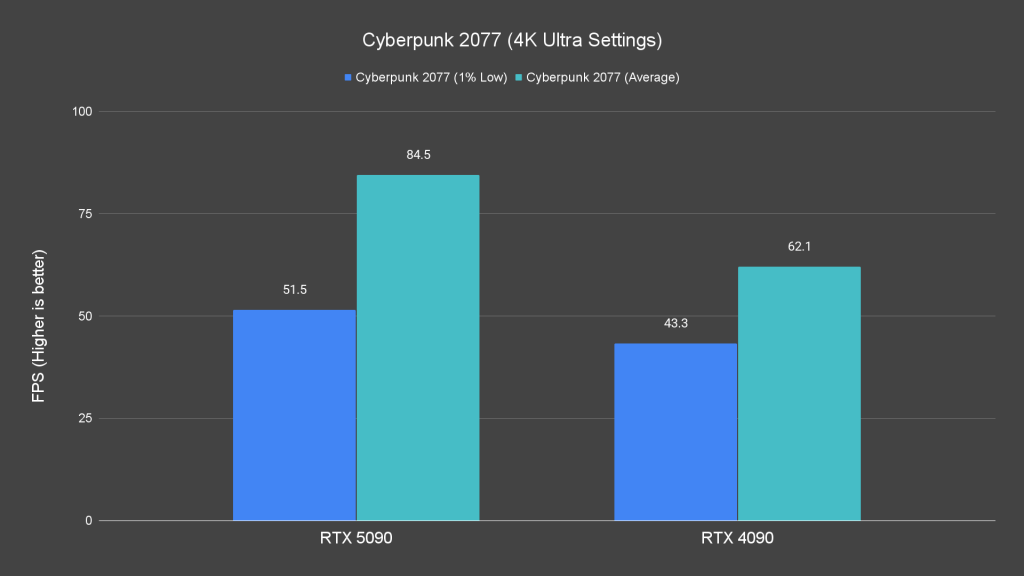
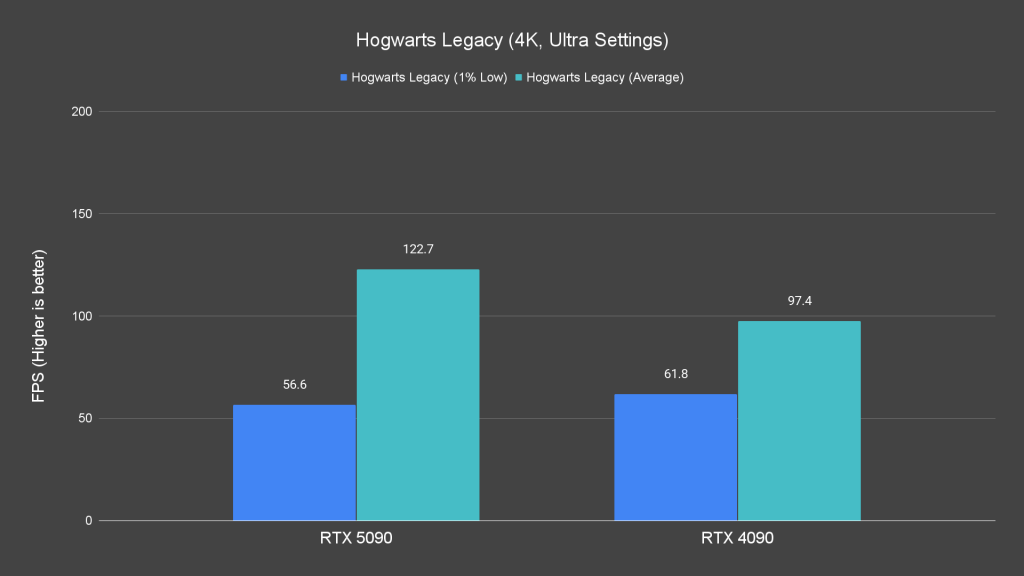
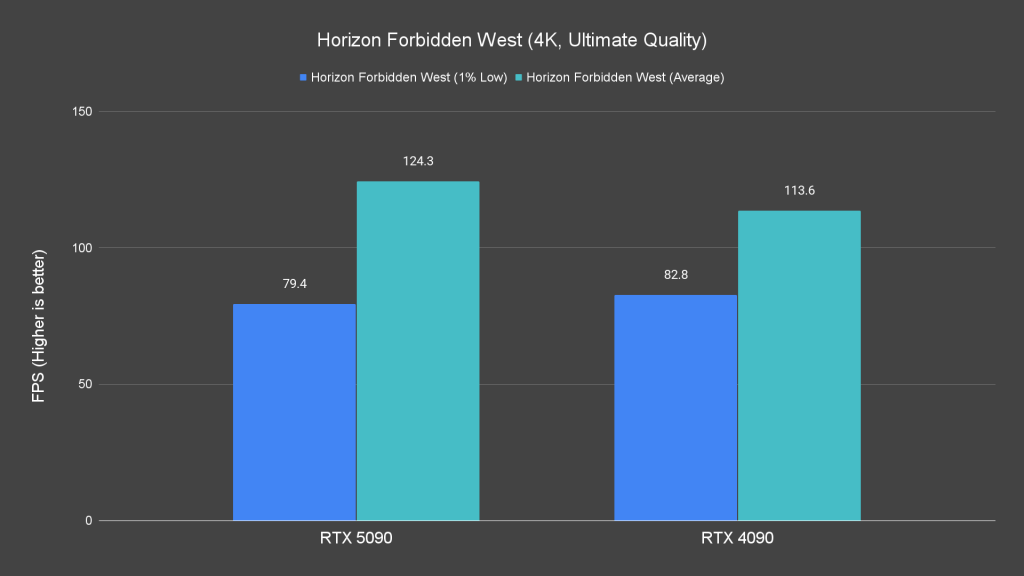
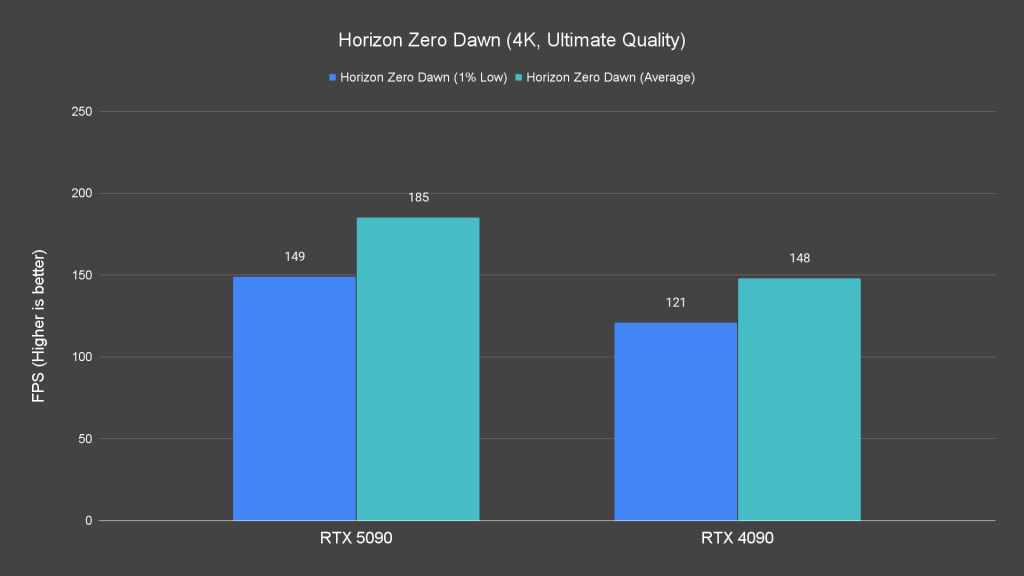

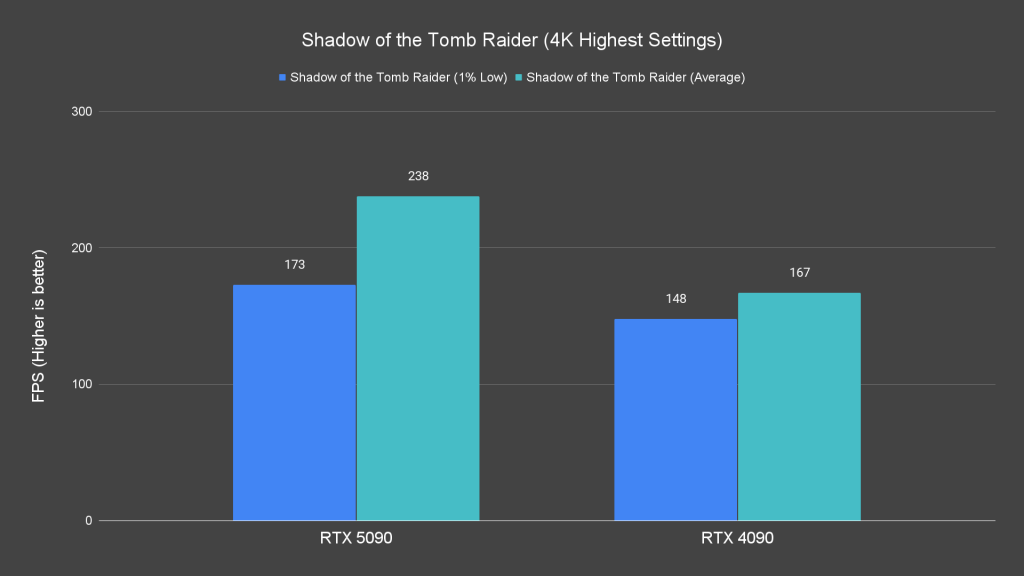
However, at 4K resolution, the RTX 5090’s true potential shines. It outperforms the RTX 4090 across the board, showcasing significant gains in most titles except Marvel’s Spider-Man: Miles Morales. This solidifies its role as a GPU designed for high-resolution gaming.
Ray Tracing Performance
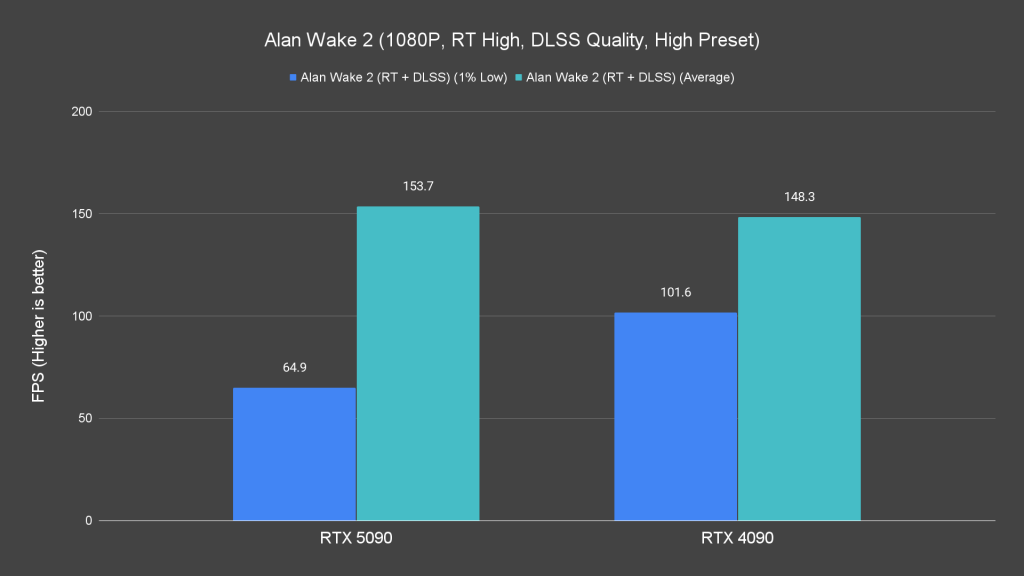
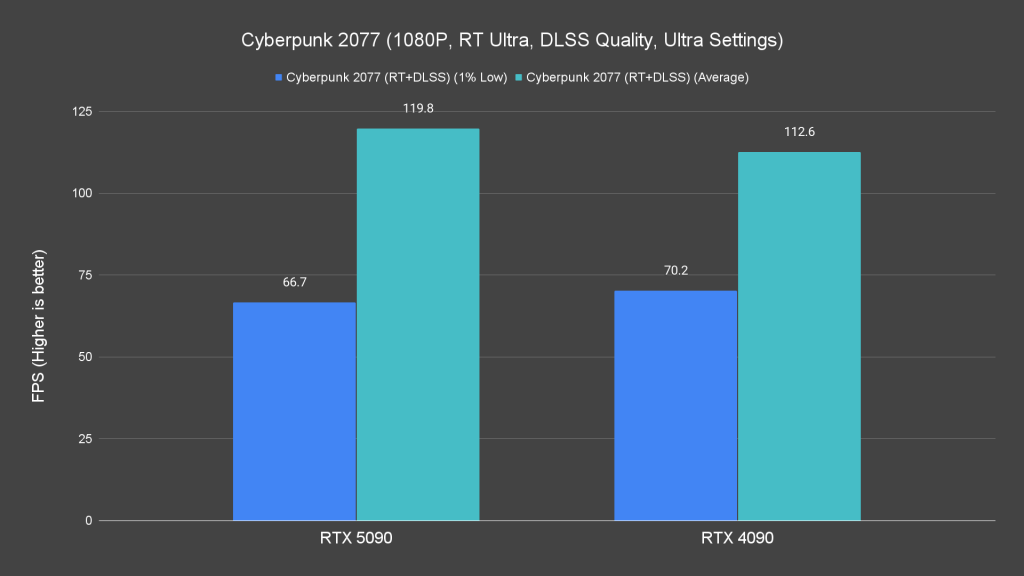
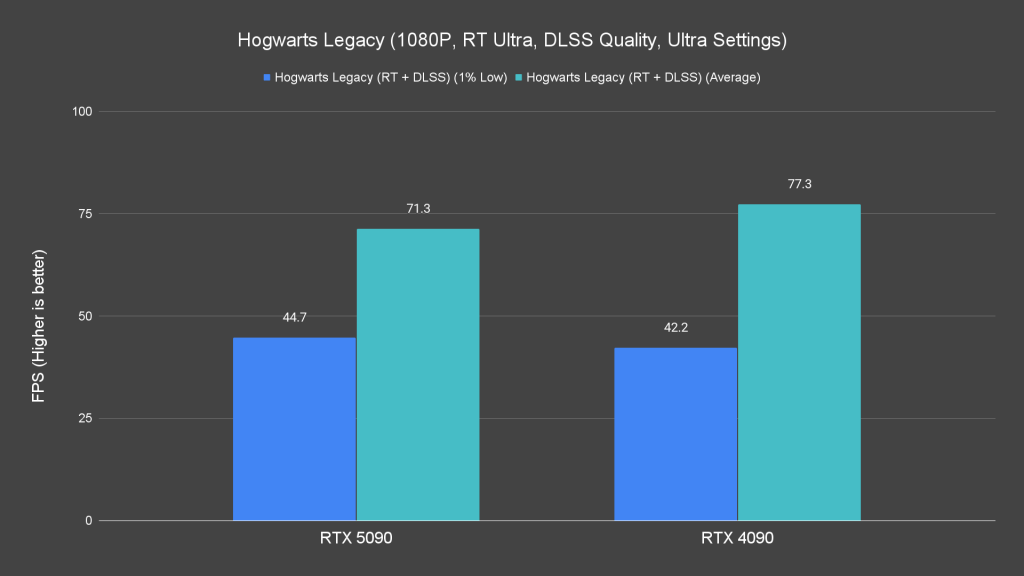

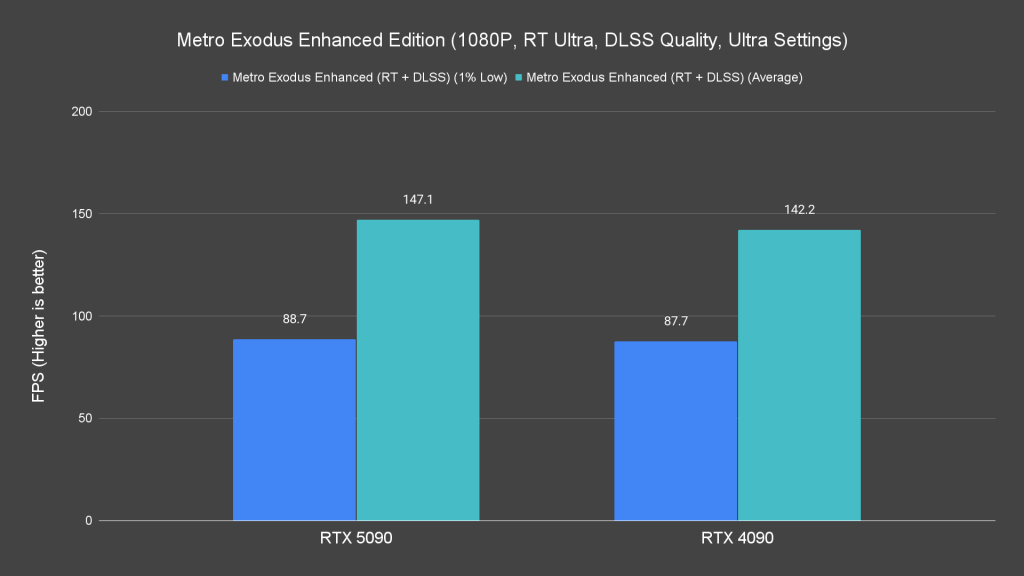
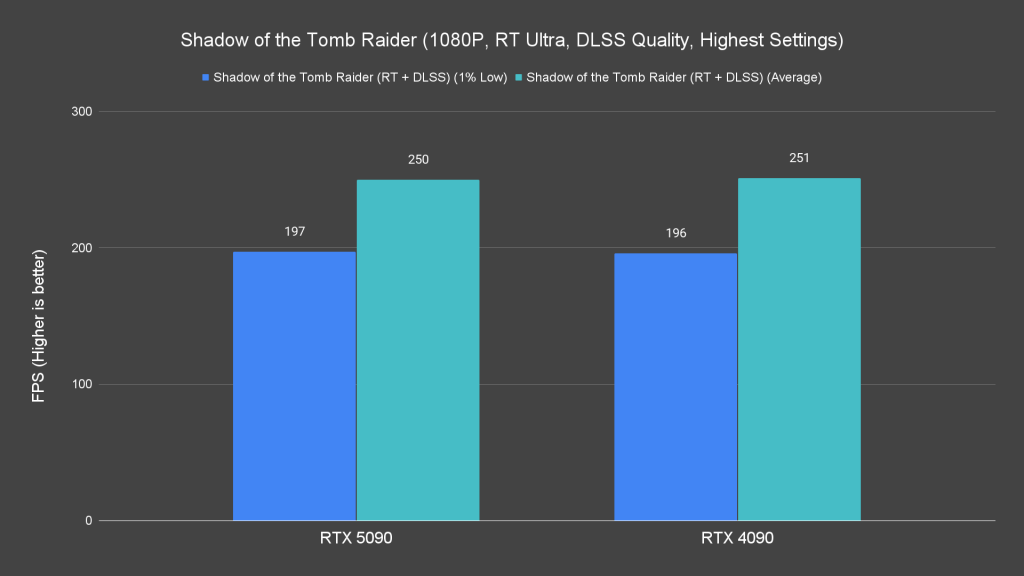
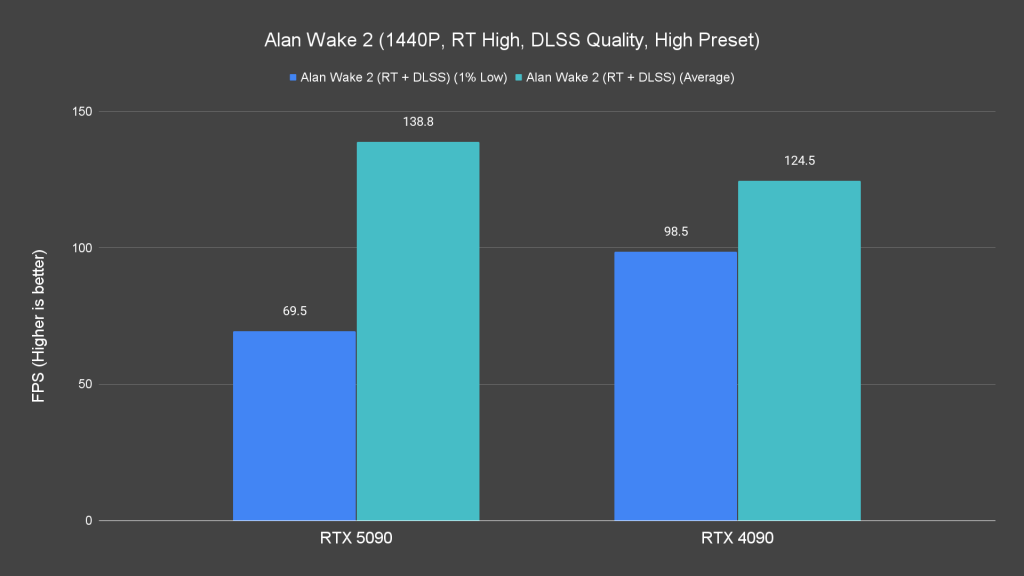
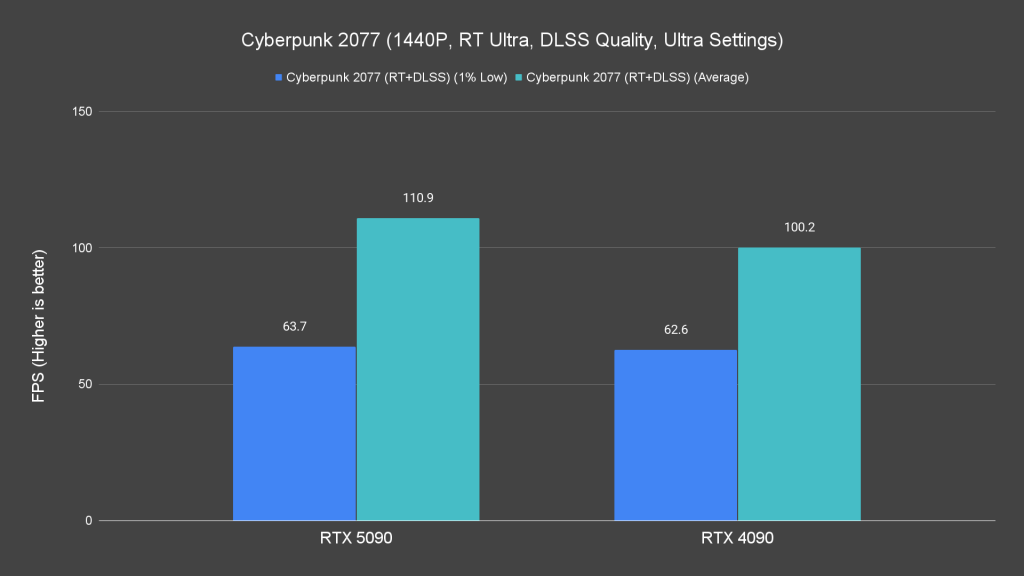
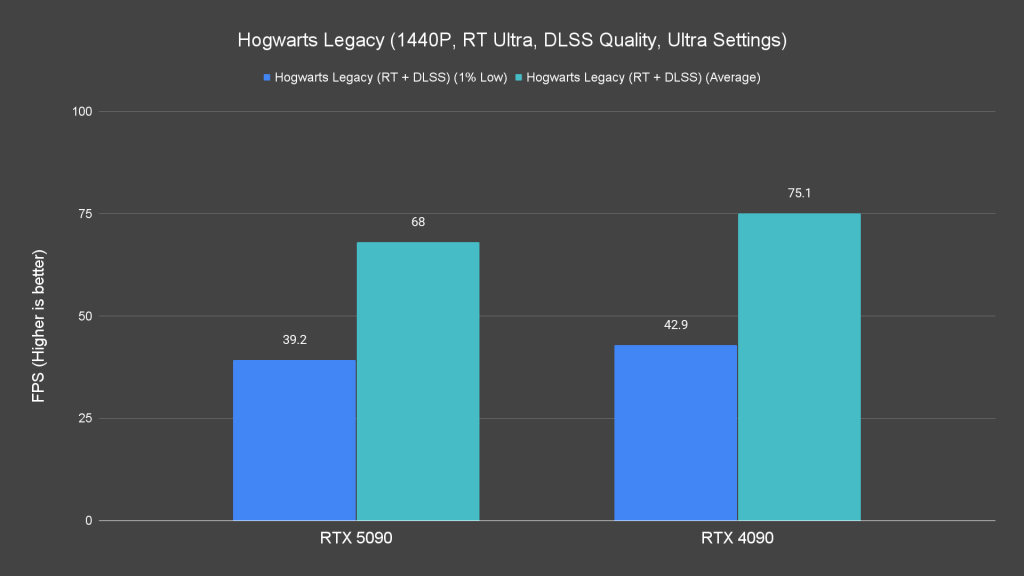
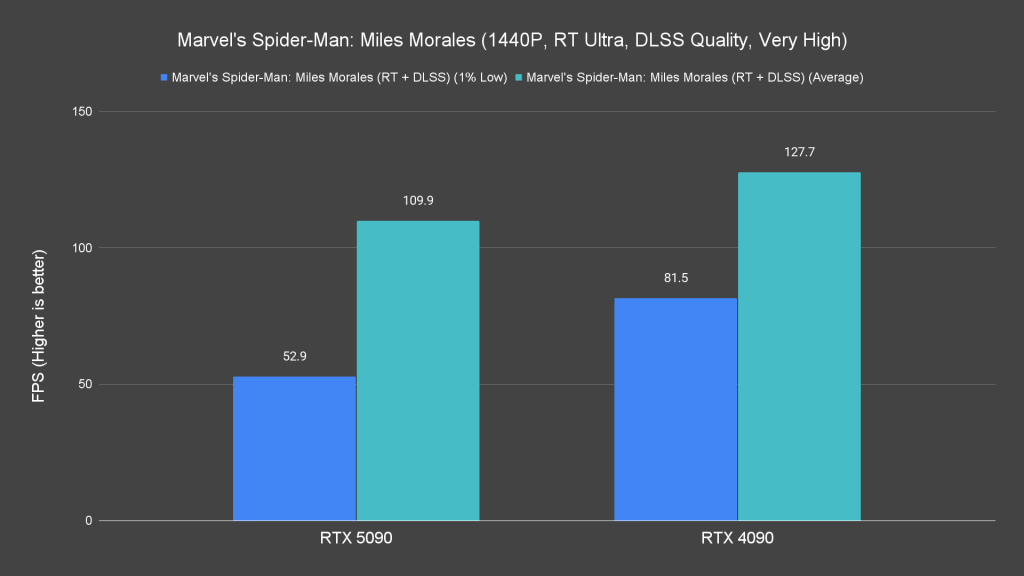
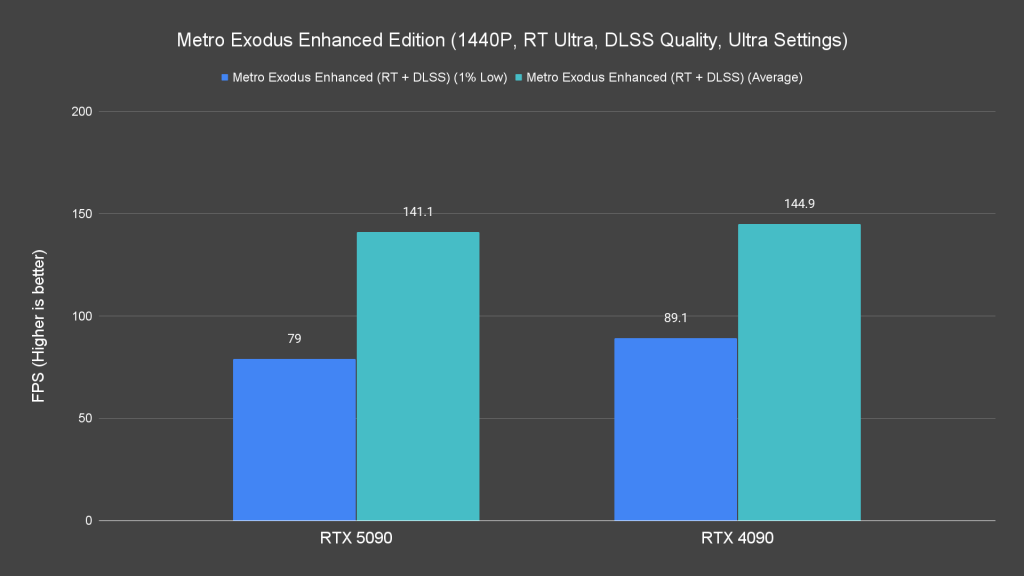
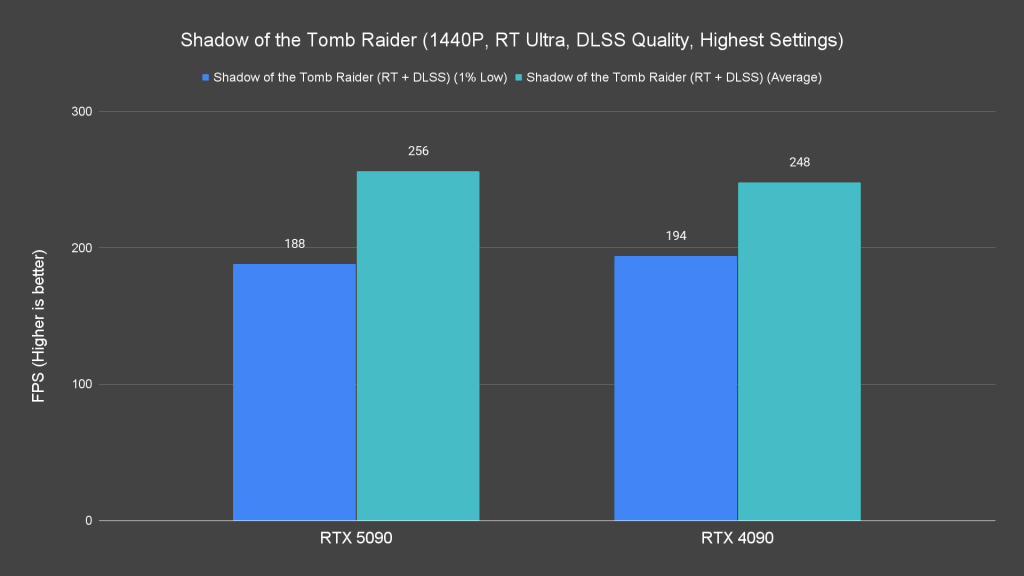
Ray tracing tests mirror raster performance. At 1080p and 1440p, CPU-bound scenarios result in the RTX 4090 occasionally trading blows with the RTX 5090.
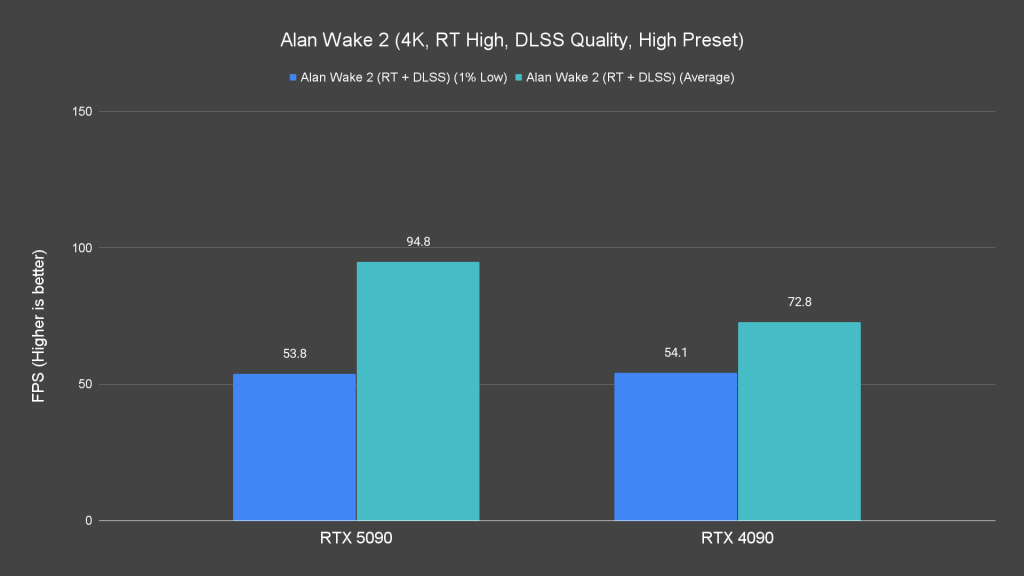
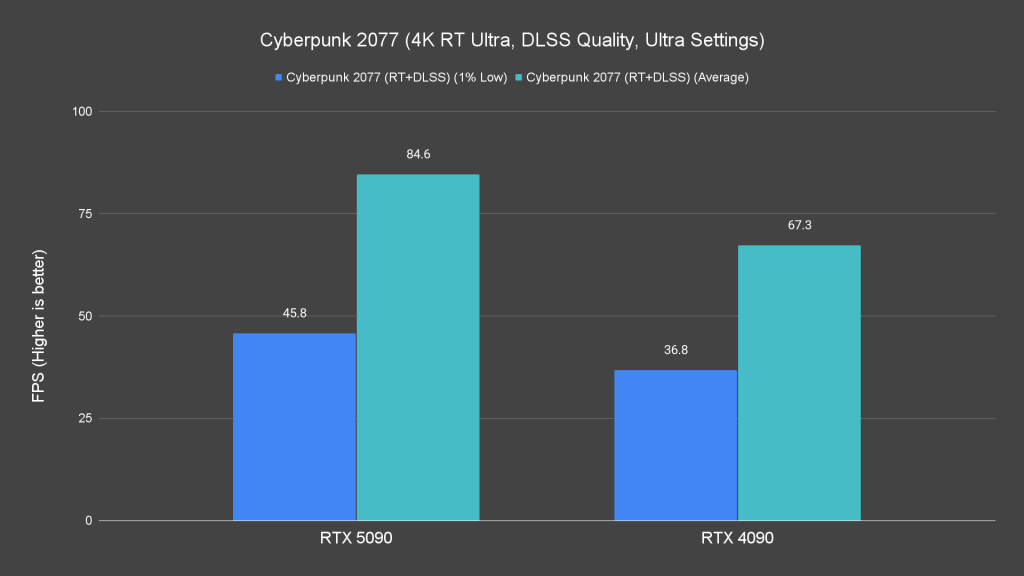
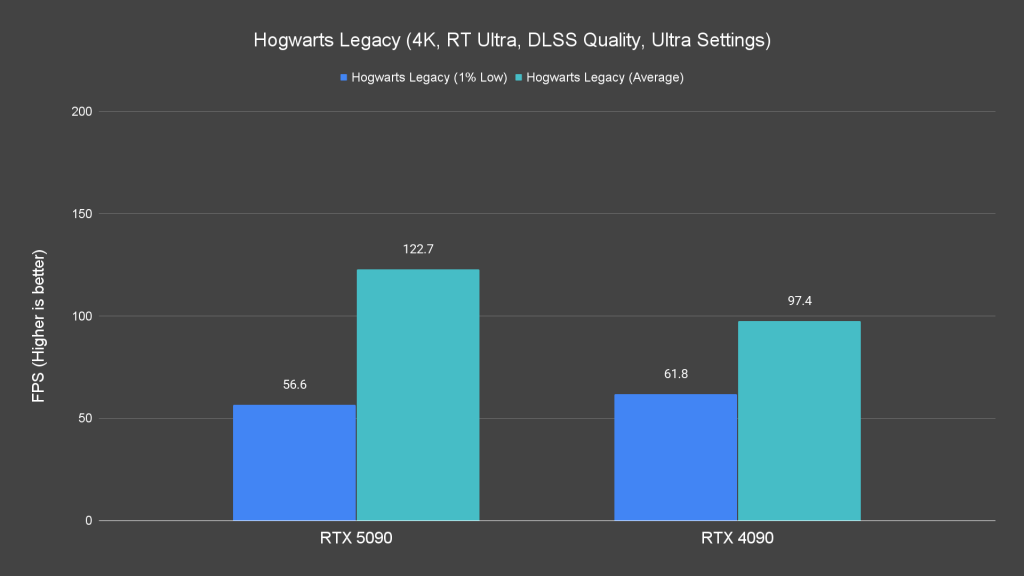

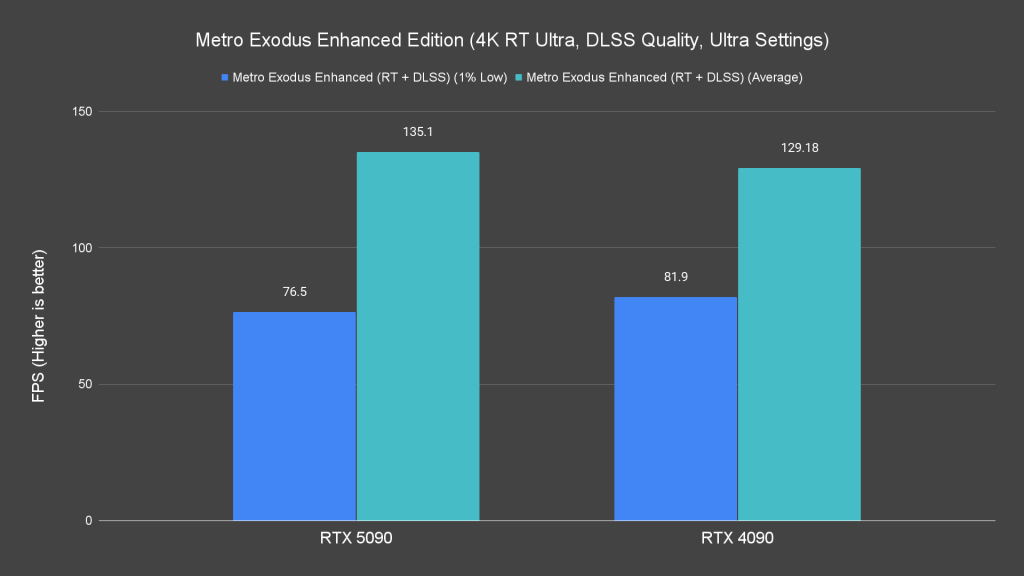
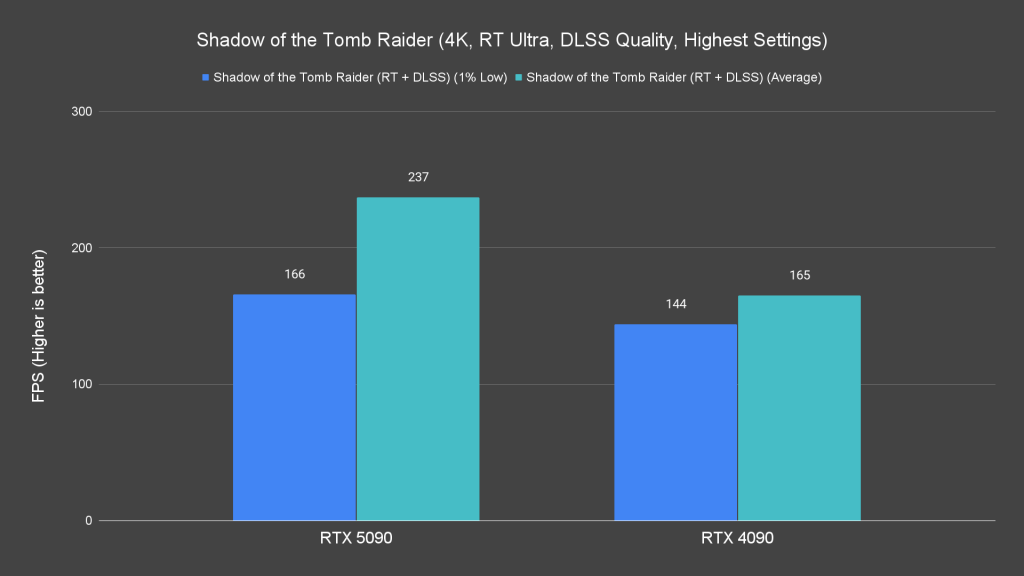
However, at 4K, the RTX 5090 pulls ahead, delivering superior ray tracing performance in most tested titles.
Given these results, the RTX 5090’s potential is best realized in 4K gaming with maximum settings. 1080p or 1440p is obviously overkill unless you’re aiming for extreme future-proofing which we think is unnecessary.
DLSS 4 Preview
Let’s talk about DLSS 4. Although games with full DLSS 4 support are still in beta, we managed to test the technology in the beta builds of Hogwarts Legacy and Cyberpunk 2077. Both titles adopt cutting-edge NVIDIA features, including path-traced rays, frame generation, and ray reconstruction.


Cyberpunk 2077 introduces new features such as a Transformer-based model for DLSS and a customizable frame generation multiplier. These additions allow players to adjust performance to align with their monitor’s refresh rate for a more fluid gaming experience. Importantly, these improvements decrease VRAM usage, which is a pleasant surprise.


DLSS 4 also addresses long-standing issues with distant object rendering. As we have experienced, DLSS delivers superior clarity and detail over its competitor, the FSR from AMD. That said, some visual artifacts remain in the game to this day, though they seem more related to ray tracing than DLSS itself.


The same goes for Hogwarts Legacy, where you can now enable ray reconstruction and toggle the frame generation multiplier up to 4X to match your monitor refresh rate for the best experience.

NVIDIA Reflex Low Latency ensures minimal input lag during frame generation, which has been a known feature by many. Tested in Marvel Rivals, the difference was negligible for casual gamers, though competitive players may notice subtle changes.
The RTX 5090 differs from its predecessors because DLSS 4.0 introduces hardware-level enhancements for improved frame pacing. This ensures responsiveness even when generating multiple frames, and results in an almost negligible latency impact. You will need to experience it firsthand to make the proper judgment.
As more titles adopt DLSS 4, its potential will only grow. We’ll provide further updates as new features and games roll out.
Power and Thermals

For thermals, we must say that the RTX 5090 performs admirably. Despite the GPU and memory junction temperatures peaking at 81.5°C and 92°C, respectively, it’s only when we’re on the synthetic benchmarks. During gaming, these temperatures hovered around 70°C to 73°C for the GPU and 82°C to 87°C for the memory junction.
This new cooler is designed to handle the card’s increased TDP. Despite its smaller build, NVIDIA stuck an impressive balance between thermal performance, acoustics, and the card’s overall size. It’s a magnificent feat of engineering.
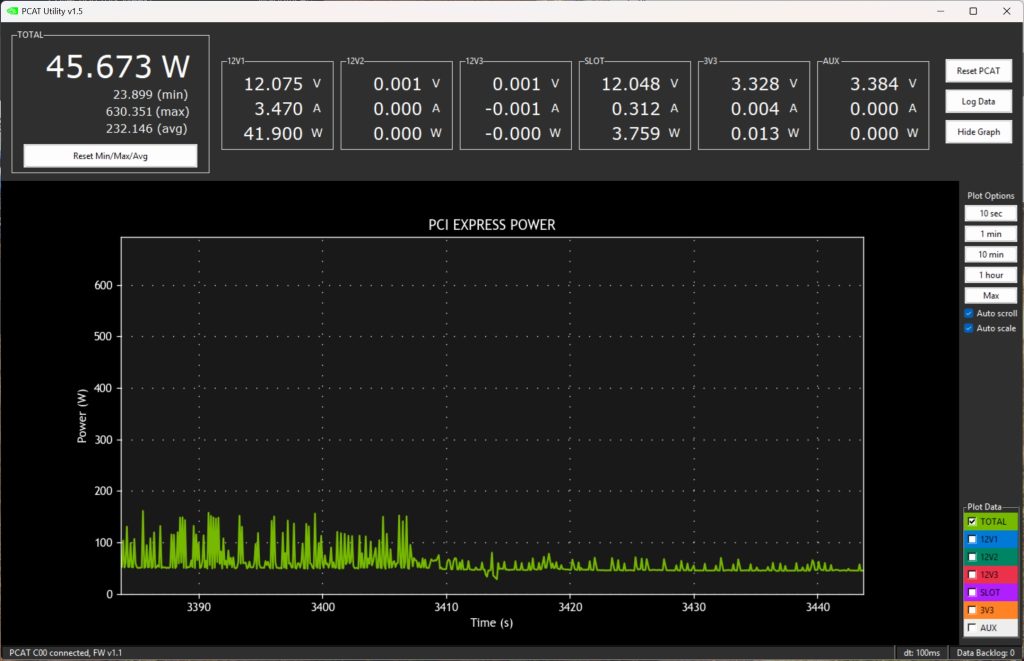
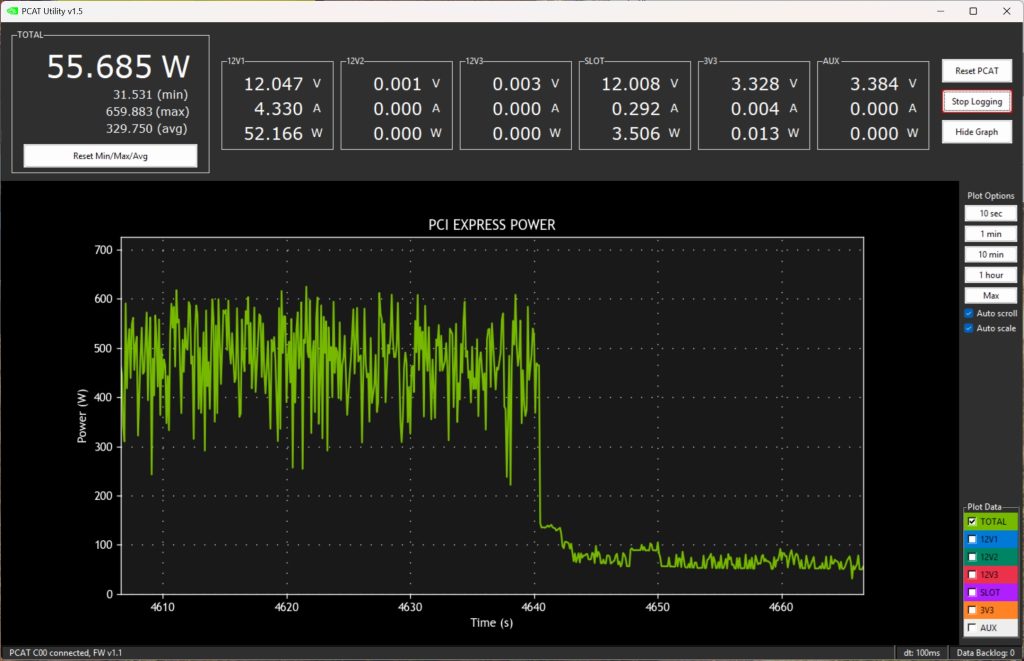
The power draw, on the other hand, is worth nothing. In heavier loads, the card will draw between 450W and 560W, with spikes up to 650W in demanding scenarios at times. With that said, pairing the RTX 5090 with a CPU with a high power draw will require at least a 1000W PSU or even 1200W for peace of mind.
Final Thoughts

There are still so many things we have yet to explore with the RTX 5090 but if you’re using it for gaming purposes, this is going to be the best option you can get after the RTX 4090 for now. While I won’t call it overkill for gaming, the extra and faster VRAM on this card is also something that people in the content creation industry will appreciate as well.
The RTX 5090 is another great GPU from NVIDIA, no doubt. However, I’d say its full potential has yet to be fully unleashed as of now. Although we have experienced a few ourselves, there are certain features shown at CES 2025 that are still not available for us to experience when this card is being tested.
Will I recommend getting the RTX 5090? Yes, but only if you’re already gaming at 4K and have $1999 to spend. I’d still say both the RTX 4090 and RTX 4080 are still very powerful today, though upgrading to the RTX 5090 will get you better frame rates.
On the other hand, we’re very excited to see what the RTX 5070 offers. Jensen Huang claims that the new RTX 5070 will provide the same performance as the RTX 4090 but at nearly one-third the price, so we’ll test that out for ourselves when it arrives.